Key Takeaways: mSpy ranks first for detailed parental monitoring, uMobix emphasizes Android activity visibility, and Spynger offers configurable tracking intervals for authorized family devices. Their iPhone capabilities differ substantially by setup method. Confirm device compatibility, billed totals, consent requirements, and refund exclusions before paying. Free sharing apps remain preferable when families need only temporary, mutual location updates.
A poor tracking app can produce stale locations, missed alerts, unexpected renewals, excessive battery use, or serious privacy exposure. Platform restrictions also mean an Android feature may not be offered on an iPhone, even under the same product name.
I reviewed vendor documentation, current app-store listings, pricing disclosures, compatibility pages, refund terms, and public interfaces on August 18, 2026. I did not install these apps or test physical devices, so measured accuracy, battery drain, and long-term reliability are not claimed.
Best Tracking Apps: Quick Comparison Table
| Name | Best For | Standout Feature | Trial / Refund | Rating | Visit |
|---|---|---|---|---|---|
 mSpy | Detailed parental oversight | Installation-specific iPhone options • Android geofencing | 14-Day Conditional Money-Back Policy | 4.6/5 | Visit |
 SpyX | App-based iPhone monitoring | Location history • Social-app visibility | 15-Day Money-Back Guarantee | 4.3/5 | Visit |
 uMobix | Android activity reports | Calls, messages, GPS • Deleted-data reporting | 14-Day Conditional Money-Back Policy | 4.2/5 | Visit |
 Spynger | Configurable Android monitoring | Adjustable GPS intervals • Device switching | 30-Day Conditional Money-Back Policy | 4.0/5 | Visit |
 GEOfinder | Consent-based link location | No installed target app • Worldwide phone support | $1 Trial; 14-Day Conditional Refund | 3.8/5 | Visit |
Our Testing Methodology
I evaluated all eight services against consistent criteria: location usefulness, geofencing, location history, emergency tools, Android and iPhone support, device coverage, screen-time controls, activity visibility, pricing clarity, refund clarity, consent guidance, and customer-support availability. I reviewed official product pages, app-store listings, help centers, compatibility documentation, billing disclosures, and refund policies. Public app descriptions and vendor demos were considered when available. I did not install software, access a monitored phone, or contact support.
Documentation-only review cannot establish real-world GPS accuracy, alert delivery, battery drain, detection rates, or long-term reliability, so none of those results were invented. Capabilities can change by device, operating system, plan, region, permissions, installation method, and whether the user owns or has lawful authority over the monitored device. Editorial ratings therefore measure documented buyer value and transparency rather than laboratory performance.
Best Tracking Apps for Android and iPhone
1) mSpy
mSpy is best suited to parents who need broader activity visibility than a basic family locator provides. Its official documentation covers location, calls, messages, web activity, and selected social platforms, although available data changes sharply between Android installation, iCloud Sync, and iPhone Wi-Fi Sync. That distinction matters because buyers should not assume that one feature list applies identically to every phone. I found the installation distinctions more important than marketing breadth because they determine which records a parent can realistically expect to receive.
On Android, mSpy documents current location and geofencing alongside communication and browsing reports. iPhone users may need iCloud credentials, a verification code, Family Sharing for location, or initial physical access and a computer for Wi-Fi Sync. Use it only on a child’s device where permitted, an owned device, or a device whose adult user has provided informed consent. Families should compare the documented requirements with the exact target phone before checkout, then discuss proportional monitoring boundaries with the child involved.
Features
- Installation-Specific iPhone Access: Official documentation separates iCloud and Wi-Fi Sync methods, helping buyers understand why available messages, media, and location data can differ.
- Android Safety Zones: Documented geofencing lets parents define boundaries and receive location-related alerts when supported permissions and device settings remain active.
- Location and Route Context: The dashboard can present current location and recorded movement information, subject to connectivity, update intervals, and platform limitations.
- Communication Visibility: Supported configurations may provide calls, texts, contacts, and selected messaging data, with deeper Android coverage than many iPhone setups.
- Web and App Controls: Android documentation includes browsing history, website blocking, calendar information, and keyword alerts for more structured parental supervision.
- Browser-Based Parent Dashboard: Parents can review synchronized information from an internet-connected phone or computer without keeping a separate viewer app open continuously.
Pros
- I found the compatibility documentation unusually detailed across installation methods.
- Android support includes location boundaries, messaging visibility, and browsing controls.
- The parent dashboard works through a standard internet-connected web browser.
- Official guidance clearly states when physical iPhone access remains necessary.
Cons
- Public checkout promotions and renewal pricing can change between visits.
- iPhone capabilities vary significantly between iCloud and Wi-Fi synchronization methods.
- Each monitored phone may require separate licensing outside family packages.
Pricing
Pricing starts at $11.67 monthly equivalent when $140.04 is billed for 12 months.
| Plan | Total Billed | Monthly Equivalent | Coverage |
|---|---|---|---|
| One month | $48.99 | $48.99 | One device |
| Three months | $84 | $28 | One device |
| 12 months | $140.04 | $11.67 | One device |
Free Trial/ Refund: 14-day money-back Guarantee.
Bottom Line: mSpy fits parents who need detailed, documented monitoring options and can manage platform-specific setup. Its strongest advantage is broad Android visibility, while its practical trade-off is the narrower, installation-dependent feature set available on iPhones.
14-day money-back Guarantee
2) SpyX
SpyX is a practical choice for families seeking an iPhone and iPad app with documented location, media, and messaging categories. The current Apple listing describes real-time GPS, location history, photos, videos, and selected social-app monitoring. It also publishes clear in-app purchase totals, which makes the iPhone cost easier to compare than services that reveal pricing only after account creation. I treated those store disclosures as the most reliable current evidence because they describe the purchasable version available directly through Apple.
The official App Store listing documents iPhone and iPad availability, but it does not establish parity with every Android or web-based SpyX offer. Buyers should check the exact monitored-device workflow before subscribing. Detailed access to another person’s communications requires ownership or informed consent, and feature availability may depend on permissions, account access, backups, and local platform rules. A clear family agreement should define which categories are necessary, who can review them, and when collection should stop for safety purposes only.
Features
- Apple-App Availability: SpyX has an official iPhone and iPad listing, giving buyers a verifiable download source and published device requirements.
- Movement History: The vendor’s app description includes real-time GPS location and historical movement, subject to device permissions and ongoing connectivity.
- Media Review: Documented photo and video categories can help parents understand stored media when the selected plan and setup support access.
- Social-App Categories: The listing names several popular messaging and social services, though coverage can change with operating-system privacy restrictions today.
- Central Mobile Interface: The iOS application brings monitoring categories into one interface rather than requiring separate viewers for location, media, and messages.
- Published Apple Pricing: Monthly, three-month, and annual in-app purchase totals are visible before purchase, improving cost comparison for iPhone users.
Pros
- Apple’s listing provides current iPhone plan totals.
- The official app covers location, media, messages, and social categories.
- Annual pricing is substantially lower than repeated monthly purchases overall.
- The App Store clearly identifies compatibility requirements before users subscribe.
Cons
- Android feature parity differs from the current iPhone app listing.
- Refund eligibility for Apple purchases follows Apple’s applicable process requirements.
- Monitoring depth still depends on permissions and operating-system restrictions today.
Pricing
Apple lists $59.99 for one month, with lower monthly equivalents when three or 12 months are purchased.
| Plan | Total Billed | Monthly Equivalent | Coverage |
|---|---|---|---|
| One month | $59.99 | $59.99 | Plan-specific |
| Three months | $99.99 | About $33.33 | Plan-specific |
| 12 months | $149.99 | About $12.50 | Plan-specific |
Free Trial/ Refund: 15-day money-back Guarantee.
Bottom Line: SpyX is best for iPhone users who value a verifiable App Store listing and transparent in-app purchase totals. Its main strength is consolidated mobile monitoring, while uncertain Android parity and permission-dependent access remain important trade-offs.
15-Days Money-Back Guarantee
3) uMobix
uMobix is strongest for parents who prioritize detailed Android activity reports and a short synchronization cycle described by the vendor. Its official material covers calls, messages, GPS, social apps, keylogging, media, and deleted-data categories. Current vendor pages also publish Android compatibility and a consistent three-duration price structure, making the buying decision easier to model before reaching checkout. I found that price visibility useful, although buyers still need to inspect the final billed total and renewal amount carefully before each payment today.
iPhone support is marketed through the vendor’s own material, but iOS monitoring is generally more constrained than Android because it depends on account access, backups, and Apple’s platform controls. That makes uMobix better for Android-first households than buyers expecting identical cross-platform depth. Use the service only with lawful authority, appropriate device access, and transparent family rules about what information is collected. The least intrusive configuration that addresses a defined safety concern is usually the more responsible choice for a family.
Features
- Android Activity Timeline: Vendor documentation combines calls, messages, location, browsing, and supported application events into account reports for organized parental review.
- Deleted-Data Categories: uMobix says supported configurations can surface certain deleted calls or messages, helping parents investigate gaps without promising universal recovery.
- Location Reporting: GPS information is included with timestamps and map context when permissions, connectivity, and the monitored device’s settings allow collection.
- Typed-Input Visibility: Android keylogging can reveal searches and entered text, a high-sensitivity capability that requires careful consent and proportionate family use.
- Social Platform Coverage: The vendor documents numerous messaging and social categories, although available content varies by application changes, platform, and installation method.
- Public Demo Access: A vendor demo lets prospective buyers inspect dashboard organization before paying, without implying that demo data proves real-world performance.
Pros
- I found three plan durations clearly documented by the vendor.
- Android reporting covers communications, location, media, and typed input data.
- The public demo helps buyers review dashboard categories before purchasing.
- All listed durations advertise the same core monitoring feature set.
Cons
- I found iPhone capabilities less clearly defined than Android coverage.
- One subscription generally covers only one monitored mobile device today.
- Deep message monitoring raises substantial consent, privacy, and security obligations.
Pricing
Current vendor material lists $49.99 for one month, with discounted three-month and annual equivalents for one device.
| Plan | Total Billed | Monthly Equivalent | Coverage |
|---|---|---|---|
| One month | $49.99 | $49.99 | One device |
| Three months | $89.97 | $29.99 | One device |
| 12 months | $149.88 | $12.49 | One device |
Free Trial/ Refund: 14-day money-back Guarantee.
Bottom Line: uMobix fits Android-first parents who need a broad activity dashboard and published plan choices. Its strongest advantage is consolidated Android visibility, while one-device licensing, sensitive data collection, and less explicit iPhone parity require closer review.
14-day money-back Guarantee
4) Spynger
Spynger is designed for parents who want configurable monitoring intervals and a browser-accessible account rather than a simple shared family map. Its official help center documents Android installation, GPS interval controls, device switching, messaging contacts, website summaries, and synchronization settings. Physical access is required for Android installation, which is a material setup condition rather than a minor technical detail. I found these operational controls better documented than the product’s broader promotional claims about universal compatibility and discreet operation across devices.
Official support material also references an iPhone backup workflow, but published Android documentation is much more extensive. Buyers should check the exact iPhone method and supported data before paying. Spynger collects highly sensitive information, so it should be limited to owned devices, legally permitted child-safety use, or informed adult consent. Hiding an icon does not remove those ethical and legal responsibilities. Parents should also consider whether detailed communication access is necessary when location sharing alone would address the actual safety concern.
Features
- Adjustable GPS Intervals: Account settings determine how often supported Android devices check location, helping families balance fresher updates against increased battery consumption.
- Synchronization Controls: Users can select update methods for individual categories, including Wi-Fi-only media synchronization to reduce monitored-device mobile data use.
- Dashboard Summaries: The account view surfaces recent locations, frequently contacted people, messaging contacts, and visited websites for quicker parental review.
- Device Reassignment: Official guidance allows an active subscription to be unlinked and moved to another compatible phone when family hardware changes.
- Android Installation Guides: Vendor support provides model-specific directions for Samsung, Xiaomi, Huawei, Pixel, and Motorola devices, including required physical access.
- Location and Communication Reports: Supported setups can collect GPS, calls, messages, media, and online activity after all necessary permissions are granted.
Pros
- I found detailed Android guides for several major phone manufacturers.
- Location and synchronization intervals can be adjusted from the account.
- Active subscriptions can be reassigned when the monitored device changes.
- Wi-Fi-only media synchronization can reduce cellular data consumption on monitored devices.
Cons
- Published iPhone feature coverage is less detailed than Android documentation.
- Android installation requires physical access and extensive system permission changes.
- Shorter location intervals can increase monitored-device battery consumption during daily use.
Pricing
Pricing starts at $27.90 monthly equivalent when $83.70 is billed for three months.
| Plan | Total Billed | Monthly Equivalent | Coverage |
|---|---|---|---|
| One month | $47.10 | $47.10 | One device |
| Three months | $83.70 | $27.90 | One device |
Free Trial/ Refund: 30-day money-back Guarantee.
Bottom Line: Spynger is best for Android households that value granular update controls and model-specific setup guidance. Configurable synchronization is its strongest advantage, while invasive permissions, physical-access requirements, and limited iPhone coverage are meaningful trade-offs.
30-Day Money-back Guarantee
5) GEOfinder
GEOfinder is different from installed parental-monitoring software. It sends a message containing a location-sharing link, and the recipient’s device must open the link and permit location access before coordinates can reach the sender’s dashboard. That makes it more appropriate for locating a consenting family member or recovering a reachable lost phone than for continuous background supervision. I therefore evaluated it as a one-time request tool rather than as a replacement for installed parental-control software or emergency services during urgent situations.
The service is browser-based and claims broad network and phone-model support because it does not rely on a persistent target-device installation. Its current official pricing page publishes a 24-hour introductory offer that automatically renews at a higher monthly rate unless canceled. Families should disclose the request clearly, avoid deceptive message customization, and confirm that the recipient knowingly agrees to share location. The automatic renewal deserves particular attention because the introductory charge is not the ongoing monthly cost for paying customers.
Features
- Recipient-Approved Location: The official workflow requires the device owner to open a message link and allow location access before coordinates are shared.
- No Target-App Installation: Because the request opens in a browser, families can use it across phone brands without installing persistent monitoring software.
- Map, Address, and Timestamp: Successful requests appear in the user dashboard with a map, address context, and time of the captured location.
- Worldwide Network Reach: GEOfinder states that link requests work across mobile carriers and countries when the recipient’s phone remains online and reachable.
- Unlimited Requests: The subscription advertises repeated geolocation requests, although each successful result still depends on recipient interaction and device permission.
- Additional Lookup Tools: Current subscriptions also advertise reverse phone, username, and name lookups plus an email-compromise checker within the dashboard.
Pros
- Current documentation clearly explains the recipient-permission step.
- No persistent application must be installed on the recipient’s phone.
- The same browser workflow supports Android and iPhone recipients without installation.
- Official pricing clearly discloses automatic renewal after the introductory offer.
Cons
- I found success still depends entirely on recipient interaction and permission.
- The low-cost trial renews automatically at a much higher rate.
- It does not provide continuous parental-control or screen-time management tools.
Pricing
GEOfinder offers a $1 introductory day that automatically becomes a $49.99 monthly subscription without timely cancellation.
| Plan | Total Billed | Monthly Equivalent | Coverage |
|---|---|---|---|
| Introductory offer | $1 for 24 hours | Not applicable | Unlimited requests |
| Monthly renewal | $49.99 each month | $49.99 | Unlimited requests |
Free Trial/ Refund: The $1 trial requires payment and renews automatically after 24 hours. Vendor material references a conditional 14-day refund period; review the current policy before purchase.
Bottom Line: GEOfinder suits occasional, consent-based location requests across Android and iPhone without installing a target app. Its cross-platform link workflow is convenient, but recipient participation and rapid trial-to-subscription renewal limit its value for ongoing family supervision.
$1 Trial; 14-Day Money-Back Guarantee
6) Spokeo
Spokeo is not a live GPS tracker. It is a people-search and reverse-lookup service that can help identify an unfamiliar caller or reconnect a phone number with public-record information. Its narrower role fits this roundup only as an investigation tool, not as a substitute for consent-based family location sharing, geofencing, or emergency alerts. It does not follow a device’s current physical location.
Official product material supports searches by name, phone number, email address, and street address. Available reports may include contact details, social profiles, related people, and historical records, depending on the match. Public-record data can be stale or belong to a different person, so families should corroborate results and never treat an approximate address history as someone’s current physical location. Every returned record should be treated as a lead, not proof of identity, residence, behavior, or present whereabouts.
Features
- Reverse Phone Lookup: Entering a phone number can surface an associated name, available contact details, and other public-record connections when a reliable match exists.
- Multi-Field Search: Spokeo supports name, email, phone, and address searches, helping users refine an inquiry with more than one known identifier.
- Related-Person Context: Reports may list relatives or associated people, providing additional leads while requiring careful confirmation before drawing identity or relationship conclusions.
- Social Profile Discovery: Available public profiles can help distinguish people with similar names, although social data may be incomplete, outdated, or incorrectly associated.
- Historical Address Records: Some reports include past addresses and approximate date ranges, which provide background context rather than real-time movement or GPS tracking.
- Member Mobile Access: Spokeo’s official Android application lets existing subscribers run searches from a phone, but new purchases and guest trials remain web-based.
Pros
- Searches support several identifiers beyond phone numbers.
- Reports may connect contact details, addresses, and public social profiles.
- The mobile app gives existing members convenient search access today.
- Reverse lookup can quickly provide context for unfamiliar incoming callers.
Cons
- I found no live GPS or continuous family-location tracking service.
- Public-record results can sometimes be incomplete, stale, or incorrectly matched.
- Published membership details omit comprehensive renewal and refund conditions.
Pricing
Pricing starts with a $0.95 seven-day trial followed by a $29.95 monthly membership.
| Plan | Total Billed | Monthly Equivalent | Coverage |
|---|---|---|---|
| Seven-day reference trial | $0.95 | Not applicable | One membership |
| Monthly reference price | $29.95 | $29.95 | One membership |
Refund Policy: Spokeo lets you cancel the subscription at any time.
Bottom Line: Spokeo is useful for reverse phone research and public-record context, not live device tracking. Its broad search inputs are the main advantage, while uncertain record freshness, checkout-dependent pricing, and the absence of GPS monitoring limit its family-safety role.
7-Day Trial for $0.95
7) Phone Tracker by Number
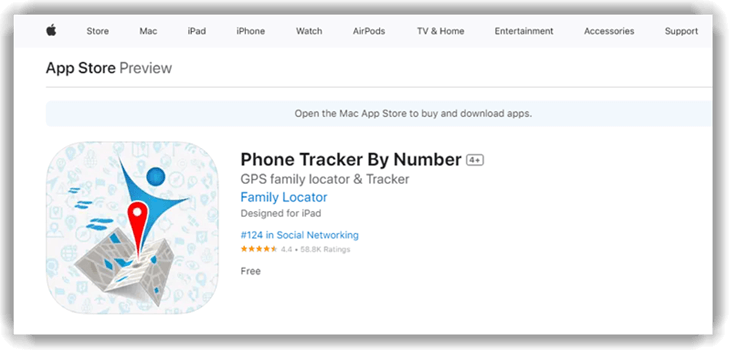
Phone Tracker by Number is a consent-based family locator for iPhone and iPad users who want shared location rather than message surveillance. Members install the app, register with a phone number, send invitations, and join a private network after recipients accept. That mutual connection model is more transparent for everyday family use than tools designed to collect private communications. That approach is especially suitable for relatives who want reciprocal visibility and can pause or leave the network when circumstances change.
The current Apple listing describes free location history, movement notifications, lost-phone assistance, map navigation, and battery-level visibility. It requires iOS or iPadOS 17 or later. The listing also warns that continuous background GPS may reduce battery life and discloses location, identifier, and usage-data handling for advertising-related purposes. Those disclosures do not establish misuse, but they should influence a family’s decision about advertising-supported location services and children’s data privacy exposure.
Features
- Invitation-Based Network: Family members accept an invitation before appearing in the private location network, establishing a clearer consent flow than silent monitoring.
- Free Location History: The App Store description says users can review logged places and movement history without purchasing a premium monitoring package.
- Movement Notifications: Connected members can receive notifications when family or friends move, reducing the need to refresh the map repeatedly.
- Battery-Level Visibility: Map entries can show a connected member’s device battery level, helping families interpret why location updates may stop unexpectedly.
- Lost-Phone Assistance: The app can display an enrolled device’s location and provide map navigation when a phone is misplaced or stolen.
- Unlimited Family Connections: The developer advertises free support for an unlimited number of accepted family and friend connections within the private network.
Pros
- The current listing describes all core features as free.
- Location sharing begins only after an invitation is accepted first.
- Battery visibility helps quickly explain gaps in family location updates.
- The app includes history, notifications, and lost-device assistance for families.
Cons
- I found the current requirement excludes older iPhones and iPads.
- Background location use can significantly reduce mobile-device battery life overall.
- Apple’s privacy label reports advertising-related tracking data categories for users.
Pricing
Phone Tracker by Number is currently listed as free, with all advertised family-location features included for accepted members.
| Plan | Total Billed | Monthly Equivalent | Coverage |
|---|---|---|---|
| Free app | $0 | $0 | Unlimited accepted connections |
Bottom Line: Phone Tracker by Number fits iPhone families wanting transparent, invitation-based location sharing at no stated cost. Free history and battery visibility are valuable, while newer operating-system requirements, background GPS use, and Apple privacy disclosures deserve consideration.
Free to use
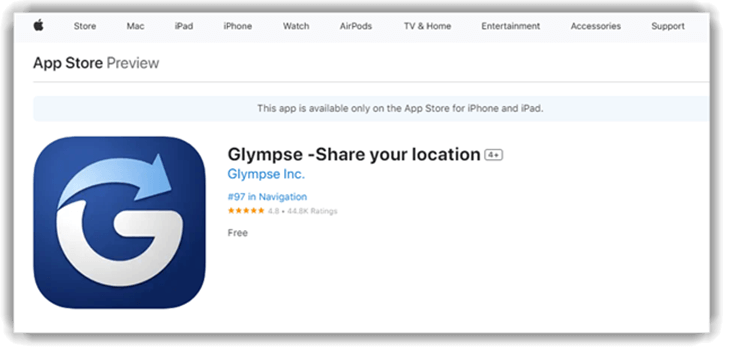
8) Glympse
Glympse is best for temporary, consensual location sharing rather than continuous child-device supervision. A sender creates a time-limited share, and the recipient views the live position through a link on nearly any device or browser. Recipients do not need the app or an account, making Glympse useful for school pickups, travel progress, carpools, and short family meetups. Its limited-duration design also gives the person sharing location a clearer endpoint than an always-on family monitoring account used indefinitely throughout every day.
Current official listings describe private groups, saved favorites, auto-expiring shares, and optional premium branding features. The core app is free on iPhone and iPad, with an Android version also available through its respective store. Apple notes that background location can reduce battery life and reports several linked data categories, so families should review privacy settings before enabling longer shares. I found the product’s privacy value strongest when users choose short durations and avoid public links for routine family movements online.
Features
- Auto-Expiring Shares: Senders choose how long a location remains visible, reducing unnecessary exposure after a pickup, journey, or family meetup ends.
- Browser-Based Viewing: Recipients can open a shared map link without installing Glympse or creating an account, simplifying occasional family coordination.
- Private Groups: Invite-only groups allow trusted family or travel members to share locations within a more controlled, ongoing space online.
- Saved Favorites: Frequently used recipients can be saved for quicker sharing, quickly avoiding repeated searches through a long contact list.
- Optional Premium Shares: Paid plans add branded colors, logos, messaging, and links, primarily serving events or businesses rather than ordinary families.
- Cross-Platform Access: Official material supports popular mobile devices and browser viewers, making temporary shares practical across mixed Android and iPhone households.
- Customer Support: The official store listing directly provides developer support and policy links for account, subscription, privacy, or technical questions.
Pros
- I found automatic share expiry clearly documented and privacy-friendly today.
- Recipients can easily view shared locations without installing an application.
- The free core service covers common temporary family coordination needs.
- Private groups support trusted teams, relatives, or travel parties online.
Cons
- I found no screen-time or detailed parental-monitoring management controls today.
- Background location access can significantly reduce mobile-device battery life overall.
- Premium pricing mainly benefits branded events and commercial business operations.
Pricing
The core Glympse app is free; optional Premium Shares begin at $9.99 monthly for one branded share.
| Plan | Total Billed | Monthly Equivalent | Coverage |
|---|---|---|---|
| Free core app | $0 | $0 | Temporary shares |
| Premium Share Single monthly | $9.99 | $9.99 | One premium share |
| Premium Share Single annual | $99.99 | About $8.33 | One premium share |
Bottom Line: Glympse is the best fit for short, transparent location shares that should expire automatically. Link-based browser viewing is its standout advantage, while the absence of deeper parental controls means it cannot replace a full family-safety platform.
Free to use
Which Tracking App Features Matter Most?
The most useful features depend on whether you need transparent location sharing or deeper parental controls. Start with clear device compatibility, consent workflows, geofencing, location history, emergency alerts, battery impact, and understandable billing. The published parental control app comparison explains when screen-time limits, web filtering, and visible family controls are more appropriate than detailed tracking. Avoid choosing solely by the longest feature list, since Android and iPhone permissions can produce substantially different results for each household.
Are Phone Tracking Apps Legal and Safe to Use?
Tracking is safest when every capable adult gives informed consent and parents stay within applicable rules for a child’s device. Laws differ by location, and platform policies can impose additional limits. Never install monitoring software on a partner’s, employee’s, or unrelated adult’s phone without clear legal authority. Link-based services should state what the recipient is opening, why location access is requested, how long the share remains active, and who can view the resulting location information.
How Tracking Apps Are Changing in 2026
Tracking services are moving toward clearer permission prompts, platform-specific feature disclosures, and time-limited sharing instead of treating invisible monitoring as the default. Apple and Google continue tightening access to background location, private messages, accessibility controls, and sideloaded software, so Android and iPhone versions increasingly behave like different products. Family-oriented apps are also adding contextual arrival alerts, battery indicators, private groups, and emergency tools while giving members more control over who sees them. Monitoring-first vendors may respond with additional installation methods or account-sync options, but buyers should expect more setup friction and narrower data access. On-device risk detection could reduce the need to upload every private interaction, although availability will vary. Consent, child development, proportional supervision, and transparent family rules are likely to matter more than raw feature counts.
Verdict
The best tracking apps for Android and iPhone balance useful family-safety information with platform transparency, consent, and understandable billing for different family situations.
- mSpy offers the broadest documented parental-monitoring options and suits Android-first families prepared to manage installation-specific iPhone limitations.
- uMobix combines extensive Android activity reporting with a public demo and clearly published subscription durations.
- Spynger offers configurable Android synchronization and model-specific setup guidance for authorized families that accept invasive permissions and uncertain iPhone parity.