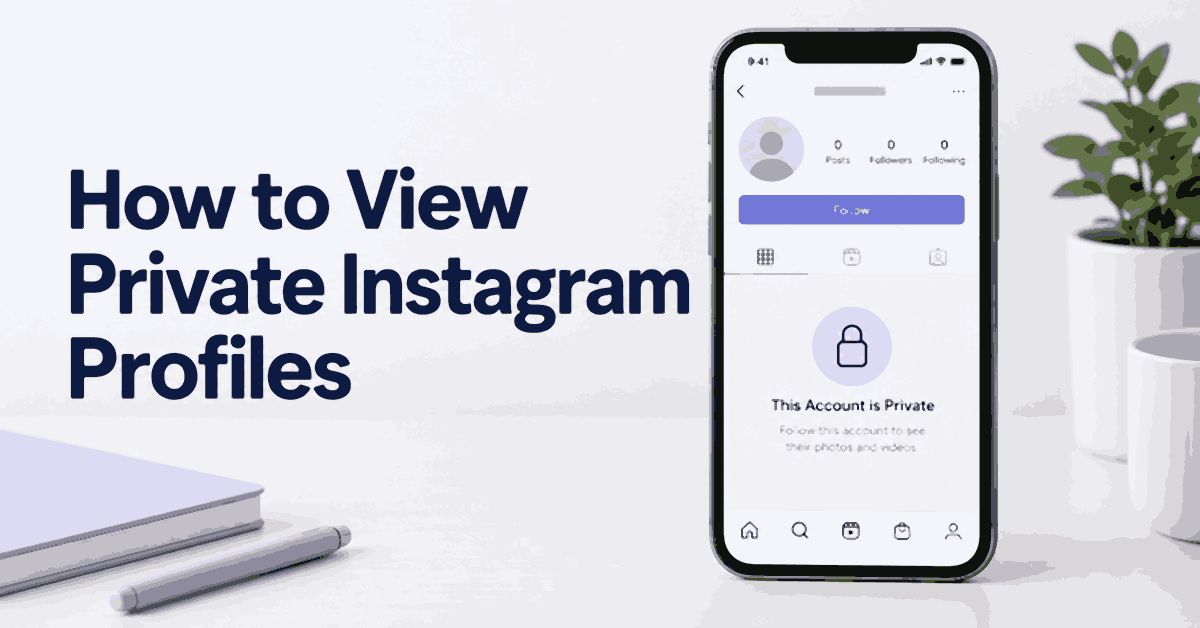
To view a private Instagram profile’s posts, send a follow request and wait for the owner to approve it. You may still see basic profile information, but a visible username or profile photo does not give you access to the posts, Stories, or messages behind the private setting.
Search results often promise a faster way. Some services sell public-profile viewing, some search public records, and others monitor a device after an authorized setup. These products have different purposes. A promise to open any private account from a username alone should be treated with caution.
This guide covers seven common methods, including the tools offered for them. It explains what each approach can reasonably show, where approval is still needed, and how to avoid paying for a result the service cannot deliver.
Key Takeaways: A follow request is the direct route to private Instagram content. Peekviewer markets browser-based profile viewing, Spokeo searches public information, and mSpy offers authorized device monitoring. These tools do not provide a dependable universal bypass of private-account settings. Public cross-posts and an introduction from a mutual friend may answer your question without extra software.
Method 1: Understand Peekviewer’s Private-Viewer Claims
Peekviewer is a browser-based Instagram viewer. Its website advertises profile browsing, Stories, tagged photos, comments, and downloads without an Instagram login. It also markets access to some profiles with limited visibility, while its legal description frames the service around publicly available content relayed through authorized users.
Those statements do not establish that every private profile can be opened. Do not buy a subscription on the assumption that it grants follower approval, access to Direct Messages, or control over another person’s account. A demo, progress bar, or sample dashboard does not prove that the requested private content has been obtained.
For public profiles, the useful question is whether the service displays the content you need and whether its saving and reporting features justify the cost. For private posts, the dependable route remains the owner’s permission.
Features
- Profile and post viewing: The website offers a way to browse available profile content without signing into Instagram. Availability may differ between accounts.
- Stories and downloads: It advertises viewing and saving available Stories and media. Saving a file does not give you permission to republish it.
- Content retention: Peekviewer says accessed content can remain available in its service for up to three months. That is not a promise to recover everything deleted before you subscribed.
- Likes, comments, and tagged photos: These can provide context around available posts. They are not a complete record of everything a person does on Instagram.
- Browser access: The service says no installation is required on the other person’s phone. This distinguishes it from device-monitoring software.
There is no sound reason to describe Peekviewer as a tool that lets you block people, answer calls, or read every private DM on another account. Those are account-control or device-access claims, not ordinary public-profile viewing features.
Pros
- Browser access can be convenient for public content research.
- Available saved media may be easier to revisit in a dashboard.
Cons
- Private-content availability should not be assumed or guaranteed.
- Costs can increase when you need coverage for additional profiles.
- The refund policy has restrictions and is not an unconditional trial.
Pricing
The plan rates are:
| Monthly | 3 Month | Annually |
|---|---|---|
| $74.98 per month | $44.99 per month | $18.74 per month |
The longer-plan figures are monthly rates attached to longer billing periods. Read the full amount due, the profile allowance, renewal terms, and cancellation deadline at checkout. Do not mistake the annual monthly equivalent for a separate month-to-month payment.
If a free preview or limited version is offered, check exactly what it contains before entering payment details. An account signup or sample screen should not be presented as a free subscription with full profile access.
Free Trial/ Refund: 14-day money-back guarantee. Conditions apply.
Peekviewer’s policy limits eligibility to the first subscription and excludes renewals, additional purchases, plan changes, and several other situations. It also excludes data that existed before service setup and change-of-mind requests. Contact support about technical issues first and read the refund conditions before buying. Approved refunds may have payment-processing deductions.
Steps to Evaluate Peekviewer
- Open the linked Peekviewer page and read the description of the service.
- Check a public profile you are entitled to view, using its exact username or URL.
- Review what is actually displayed, rather than assuming a sample is the requested account’s data.
- If the website asks you to select public or private, treat that as an input choice, not evidence of successful access.
- Read the plan’s full cost, included profiles, and refund conditions before subscribing.
- Use only available content and stop if the result remains private or unavailable.
Do not provide another person’s Instagram password or Apple Account credentials. A browser-viewing service should not need you to obtain someone else’s login. If a support conversation changes the promised setup or access requirements, pause before sharing more information.
Common Limitation
A private-profile result can remain unavailable after a purchase. A longer wait or a more expensive plan is not proof that it will become available. Save the plan description and receipt so you understand what was sold, and use the stated support and cancellation channels if the service does not suit your needs.
Bottom Line: Evaluate Peekviewer for the available content it actually shows. Do not treat a private-account marketing label as guaranteed access to locked posts or messages.
14-day money-back guarantee. Conditions apply.
Method 2: Use Third-Party Apps for Public Search or Authorized Supervision
Spokeo, mSpy, and xMobi are often grouped together as private Instagram viewers, but they should not be treated as interchangeable. Before choosing a tool, ask where its data comes from and what access it needs.
A public-record search can help locate an online profile. Device monitoring can review supported records on a phone you are authorized to supervise. Neither means that Instagram has approved you to follow an unrelated private account.
1) Spokeo
Spokeo searches public information and possible social-profile matches. It may help you find an official account or another public page using the same username. It does not provide private Instagram chats, deleted DMs, or a complete list of the account owner’s private activity.
A match is a lead to check, not a verified identity. Handles can be reused, photos copied, and records left out of date. If the profile belongs to a business, compare its website and published contact details. Avoid collecting unrelated home or family information when a public business link is enough.
Features
- Username search: Looks for public information associated with a handle.
- Possible related profiles: Can help locate public accounts on other platforms.
- Report previews: May show enough information to decide whether a fuller report would be useful.
- Browser-based access: Does not require an installation on the person’s phone.
Report updates do not make every entry current. A service may refresh a report while retaining an old address or a mistaken association. Confirm important details directly through an appropriate official source.
Pros
- Useful for finding possible public-profile matches.
- Can be accessed from a phone or desktop browser.
Cons
- Public-record coverage is primarily US-focused.
- Information can be incomplete or incorrectly matched.
- Does not unlock private posts, Stories, or messages.
Steps to Use Spokeo
- Open the username-search page through the link above.
- Enter the exact public handle you want to check.
- Review the preview and compare available profile details.
- Check the paid report’s scope before purchasing it.
- Follow relevant public links and confirm the match through the creator’s own website or communication.
Use a phone number or email search only when you have an appropriate reason to handle that information. Do not use consumer people-search reports for employment, housing, credit, or other regulated screening decisions. A service’s public-information focus does not make it suitable for every background-check purpose.
Pricing and Trial
The offer is a 7-day trial for $0.95. It is a paid introductory offer. Review the renewal amount, cancellation deadline, and any additional report charges before you sign up.
Free Trial/ Refund: 7-day trial for $0.95.
Bottom Line: Spokeo can help locate public information associated with a username. A result linking to a private Instagram account still requires follower approval.
7-day trial for $0.95.
2) mSpy
mSpy is a parental-monitoring service for supported devices. It may collect certain Instagram-related records from a phone you are authorized to supervise. The device, operating system, installation method, and plan determine the available information.
This is a different access model from entering a username into a website. If the supervised account can already view a private post, a supported capture feature may record something displayed on that device. The software does not grant the account new access to every private profile on Instagram.
Features to Check
- Instagram-related records: Ask which message or app records are supported on the exact device.
- Screenshots or screen features: Coverage and timing differ. A capture does not establish a complete record of the account.
- Media records: Available pictures or videos may be limited to files collected through the supported setup.
- Location tools: These concern the supervised device. They should not be described as finding anyone’s live location from an Instagram username.
- Other phone data: Call logs, messages, and browsing records require their own privacy review and may be unnecessary for the task.
Keylogging features can capture sensitive information. Do not use them to obtain another person’s password or sign into an account without permission. A monitoring arrangement should have a clear purpose and avoid collecting more information than needed.
Pros
- Can place supported parental-supervision records in one dashboard.
- Offers broader device coverage than a public-profile viewer.
Cons
- Requires an authorized, compatible setup.
- Advanced features can differ across platforms or need extra technical changes.
- Cannot guarantee every deleted message or complete Instagram activity history.
Steps for Authorized mSpy Use
- Discuss the safety concern with your child and agree on what will be reviewed.
- Confirm that you have the authority required for the device and account.
- Check compatibility and the specific Instagram feature before buying.
- Read the plan total, renewal rules, and refund exclusions.
- Follow the official setup instructions on the device you are permitted to manage.
- Review available records in context, then remove unnecessary information and access when the arrangement ends.
Do not disable account security or change a phone’s operating system merely to obtain more private data. Ask support for a supported approach. Missing permissions, app updates, and connection gaps can all affect the results.
Pricing and Refund
mSpy’s offer includes a 14-day money-back guarantee, with conditions. It is not a free installed monitoring period. The policy limits eligibility and excludes several situations, including unavailable earlier data, incompatible devices, missing access, and renewals. Check the policy before committing to a plan.
Free Trial/ Refund: 14-day money-back guarantee. Conditions apply.
Bottom Line: mSpy can support a limited parental-supervision arrangement on a compatible device. It does not open an unrelated person’s private Instagram account from a username.
14-day money-back guarantee. Conditions apply.
3) xMobi
xMobi is marketed for account and phone monitoring, including Instagram-related information. Its advertising should not be read as proof that it can defeat Instagram’s private-account controls. Check the exact product and access requirements before sharing information or paying.
Some monitoring services need access to a supported device; other pages promote a username-based process. A mismatch between those descriptions matters. Do not assume that a screen labelled as a hack, scan, or verification is performing a legitimate recovery or access operation.
Features and Their Limits
- Dashboard access: A dashboard is a place to review collected records, not evidence that every promised record exists.
- Posts and Stories: Available material depends on the account or device access the service actually has.
- Message monitoring: Private-message claims require particular scrutiny. Do not provide someone else’s credentials to test them.
- Updates and saved records: Timing and retention may vary. An old screenshot is not live access.
Pros
- A supported monitoring arrangement may offer a central place to review available records.
- Product support can help clarify requirements before a purchase.
Cons
- Private-account access and complete anonymity should not be assumed.
- A paid plan cannot remove device, permission, or platform limits.
- Conflicting setup descriptions make it harder to judge suitability.
Steps to Evaluate xMobi
- Read the exact product description and identify whether it uses public data or an authorized device connection.
- Ask support which Instagram records are available on your device and plan.
- Confirm the authority and disclosure needed before any monitoring setup.
- Review the payment, renewal, and refund terms before buying.
- Use only the official supported setup for a device you are permitted to supervise.
- Stop if the process asks you to steal credentials, impersonate the owner, or bypass a private-account restriction.
These checks help you assess the service without following a covert account-access workflow. If support cannot explain how the feature works within the permissions you have, use a follow request or a public-content search instead.
Pricing and Refund
The advertised offer includes a 14-day money-back guarantee. Read the eligibility and exclusions before payment; do not assume a failed attempt to view a private account will qualify for a refund.
Free Trial/ Refund: 14-day money-back guarantee. Conditions apply.
Bottom Line: Judge xMobi by documented, authorized capabilities. A private-profile access promise alone is not enough reason to buy it.
14-day money-back guarantee. Conditions apply.
Method 3: Search for Public Content on Google
Google may find public pages that mention an Instagram username, such as a business website, an interview, or a separately uploaded photo. It does not grant access to private Instagram posts. A search snippet can remain visible even when the page behind it has changed.
- Search the exact Instagram username in quotation marks.
- Add the person’s public business name or a topic relevant to the content you need.
- Check the main results, Images, and Videos for official public pages.
- Compare dates and identity details before accepting a match.
- Open only material that remains publicly available.
A public result may answer your question without showing the private profile. For example, a creator might publish a portfolio on their own website while keeping family posts private. Use the portfolio for a professional enquiry instead of pursuing the personal account.
Inflact offers Instagram viewing and analysis tools for public accounts. It should be treated as another public-content option, not as a Google-powered private-profile bypass. People-search services such as Intelius likewise work with public information; they do not unlock an Instagram inbox.
When Google Results Are Incomplete
Try a known former username, a distinctive caption phrase, or the creator’s published website name. Keep the search relevant. A similar face or repeated username alone can produce a false match, especially when fan accounts or impersonators are involved.
Do not rely on instructions that tell you to open Google’s old Cached link. Google removed that search feature. An image thumbnail, a search snippet, and an archived public webpage are also different things; none should be presented as a complete current private profile.
Method 4: Send a Follow Request
This is the direct method for viewing private Instagram posts. The account owner chooses whether to approve you, and they can still limit particular Stories or other content to a smaller audience.
- Open Instagram and search for the exact username.
- Confirm the profile using the visible name, photo, and any official link.
- Tap Follow once.
- Wait while the request is pending.
- If the request is accepted, view the posts available to your account.
If you know the person, a short introduction through an appropriate channel can explain the request. State how you know them or why you want to connect. Avoid repeated messages, emotional pressure, or demands to explain a refusal.
Approval is not a promise of access to every past Story or private conversation. Close Friends settings, hidden Stories, removed posts, and other controls still apply. If one item is unavailable, ask about that specific item rather than assuming something is wrong with the account.
If Your Request Is Not Accepted
Check that you contacted the right person, then leave the decision with them. An inactive account may not review requests often. A private account may also be intended only for close friends. Neither situation calls for a new identity or a paid unlocking service.
For a business purpose, use the public contact method listed on the creator’s website. You can ask for a portfolio, media kit, or sample work without requiring access to personal posts.
Method 5: Ask a Mutual Friend for an Introduction
A mutual friend can provide context or ask the owner whether they are comfortable sharing a specific post. Do not assume that being an approved follower gives your friend permission to redistribute private content.
- Explain the specific reason you want to connect.
- Ask whether your friend can make an introduction or request permission.
- Use your own account to send a follow request if invited.
- If you only need one public event clip, ask whether an authorized public link exists.
- Accept a refusal from either person without pressure.
Avoid borrowing a friend’s login. Shared credentials can expose their messages, contacts, and account security, even if you intended to view only one post. There is no need to create that risk for a simple introduction.
When a Friend Shares a Screenshot
Ask whether the creator agreed to that sharing. Do not forward it further or treat a cropped image as a complete account of what happened. Dates, captions, and replies can change the meaning of a post, and screenshots can be altered.
If the matter involves threats, impersonation, or another safety concern, preserve only the relevant information you are authorized to hold and use the platform’s reporting options. Do not turn the situation into a wider search through private profiles.
Method 6: Secondary Accounts and Fake-Profile Risks
An honest secondary account can separate work, hobbies, or public posting from a personal feed. A fake identity designed to gain someone’s trust is a different matter. Do not impersonate another person, copy their photos, or evade a block to reach private content.
- Use a secondary account only for a legitimate, clearly represented purpose.
- Review its privacy and security settings.
- Search for the creator you want to follow.
- Send a request if the contact is welcome and identify yourself when appropriate.
- Respect the owner’s response rather than making further accounts.
A secondary username does not guarantee anonymity. Its posts, interactions, profile details, and connections can make it recognizable. Likes, comments, and Story views can also display the account you used.
Why Making an Account Look Real Does Not Solve Permission
Adding a photo, bio, and several posts can make a page look established, but it does not make deception acceptable or guarantee approval. Advice about avoiding detection often distracts from the account owner’s choice. If the person would reject the request after learning who you are, use a direct conversation or leave the content private.
For market research, public competitor pages and your own analytics are usually better suited to the task. There is no need to manufacture a customer identity to obtain a private person’s posts.
Method 7: Check Other Public Social Platforms
The same creator may publish selected material on YouTube, Facebook, TikTok, LinkedIn, Pinterest, or X. Start with links they have shared themselves. A separate public upload can remain accessible even when the Instagram version is private.
- Read the visible Instagram bio for an official website or other social link.
- Open the linked page and compare the name, description, and content.
- Search the public posts for the specific topic or date you need.
- Check whether the item is a separate upload or only an Instagram link.
- Ask the creator for the appropriate public page if the match is uncertain.
An embedded Instagram post may still follow Instagram’s access rules. A separate video uploaded to YouTube has its own audience settings. Distinguishing the two avoids repeatedly opening a broken or restricted link.
Avoiding Incorrect Matches
People can share names and handles, and creators may change their usernames. Prefer a link from the person’s own website over a match based only on appearance. If you cannot confirm the connection, describe it as uncertain or leave it out of your notes.
Finding a public account does not authorize contact across every platform. If the person has blocked you or asked not to be contacted, do not use another service to get around that boundary.
What Private Instagram Viewer Tools Can Actually Do
Before using a service, classify it by the information it can access:
- Public-content viewers display available posts or profile details outside the Instagram app.
- People-search tools find possible connections across public records and websites.
- Device-monitoring tools collect supported information from an authorized phone setup.
- Instagram’s own follow system lets the account owner grant access to private posts.
These categories explain why one tool cannot simply replace another. A public username is enough to search for public content, but it is not enough to read a private inbox. A supervised phone may display a post because its user is an approved follower, not because the monitoring app broke Instagram’s security.
Also separate viewing from account management. A service showing a public photo does not necessarily let you change followers, send messages, delete posts, or manage calls. Treat broad account-control claims as a reason to examine the setup and permission requirements more closely.
Legitimate Reasons to Review an Account
You may want to reconnect with a friend, check a creator’s public work, confirm a business contact, or help a child with online safety. Choose the least intrusive method that answers the question.
For a creator collaboration, request a public portfolio or media kit. For a business check, use the company’s published website and official contact channel. For a child-safety concern, start with a conversation, a joint settings review, and Instagram’s supervision features.
An employer or client does not automatically have access to a person’s private social life. Where monitoring involves workplace devices, screening, or a legal matter, obtain qualified advice about the rules and disclosures that apply. Do not use a general people-search tool as a substitute for an authorized screening process.
Permission and Privacy Rules
Public viewing, downloading, monitoring, and accessing an account are different actions. Their legal treatment can depend on location, consent, age, ownership, purpose, and the type of information involved. Avoid blanket claims that every viewer is legal or that every profile visit is illegal.
Use Instagram’s normal approval process for private content. Do not guess passwords, collect login codes, use phishing pages, or exploit another person’s saved session. A relationship, shared household, or known password does not remove all privacy expectations.
If a safety issue or legal dispute is involved, preserve only the relevant information you are entitled to access and seek appropriate help. Avoid posting allegations based on partial screenshots or a commercial report that may be incorrect.
Advanced Searches for Public Content
Search operators can narrow public results. They do not change the visibility of a private post. Use them to find an official upload, a credited public mention, or a creator’s professional page.
Search an Exact Username
Put the handle in quotation marks and add a relevant word, such as the creator’s business name. If the results are sparse, try a known former handle. Do not assume an empty search means the person has no other account.
Search a Specific Public Website
A query such as site:youtube.com “creatorname” limits results to that website. You can also search a known business domain. This is useful when you remember where a video appeared but not the title.
Search for Public Instagram References
A query combining “instagram.com/p/” with a known username may find public pages mentioning an Instagram post. The mention might remain even if the original post is unavailable. Read the page date and context before drawing conclusions.
Check Username Tools with Care
Namechk and KnowEm are often used to check whether a handle is in use across websites. A taken username is not proof of account ownership. Use any result only as a starting point for checking a public page, not as a verified identity match.
Reverse-Search an Image You May Use
Google Images, TinEye, and Yandex may find copies of a public image. Use an image you are permitted to upload, and remember that the search provider receives it. A reused photo can indicate a copied image or a fan page rather than the same person.
Reverse-image search does not reliably establish someone’s identity, location, or relationship. If a match matters for a business decision, verify it through an official channel. Do not upload sensitive private images just to satisfy curiosity.
Public Tagged Photos
A public post may tag a person whose own profile is private. You can view the public post according to its author’s audience settings. The tag does not open the tagged person’s private grid, and it does not show that they approved every claim in the caption.
Alternatives When Direct Access Is Unavailable
If the private account does not answer your real question, choose a different source of information. That often produces a clearer result with less risk.
Professional Information
Use a published portfolio, company website, professional directory, or public LinkedIn page for work-related information. A private photo feed may have little relevance to a person’s qualifications or services. Ask the person for the records you need rather than guessing from social posts.
Official Records
For a business registration or professional licence, use the responsible official register. Check the date, jurisdiction, and exact name. Public records can still require interpretation, and access to a record does not permit every form of redistribution or screening.
Direct Communication
Send one concise enquiry through an appropriate channel. Explain the specific content or information you need and allow the person to choose how to respond. They may prefer a public link, an email attachment, or no response.
Mutual Connections
An introduction can establish context without sharing private screenshots. Ask your connection to pass on the request rather than disclose someone else’s information. Let the account owner decide whether to make contact.
Accepting a Private Audience
Sometimes there is no accessible version of the content. Do not keep expanding the search into unrelated relatives, addresses, or alternate accounts. A private audience can be an ordinary personal choice, not evidence that the person is hiding wrongdoing.
What About Goonview?
Goonview is another name encountered in searches for private Instagram viewing. Do not assume that a search ranking or a page labelled as an honest review confirms the service’s capabilities. The relevant checks are the same: what does it actually display, what does it charge, and what information does it request?
If a service shows public profile details, that is public browsing. It does not establish access to private posts. Claims about deleted content, bypassing two-factor authentication, or showing every private Story need evidence beyond a promotional preview.
Avoid entering Instagram credentials or paying for repeated verification steps. A free starting screen can still lead to a subscription, and a subscription does not guarantee private access. If the service cannot explain its limits in clear terms, use Instagram’s follow request or a public-content search instead.
A Safer Step-by-Step Viewer Check
- Decide whether you need a public post, a professional contact, or approved access to private content.
- Try Instagram’s own public page or a normal follow request first.
- If considering a viewer, read its privacy, renewal, cancellation, and refund terms.
- Enter only the public username needed to evaluate the service.
- Check whether the result is current and belongs to the correct account.
- Stop at private-content restrictions. Do not supply passwords or install an unfamiliar extension to continue.
- Keep receipts for purchases and cancel unwanted renewals through the official process.
- Review your own account sessions if you accidentally shared login information with a suspicious page.
HTTPS and a professional-looking design are useful basic checks, but neither proves that a viewer is trustworthy. A legitimate paid service may require an email and payment details for its own account; that still does not justify asking for another person’s Instagram login.
Verdict
Send a follow request when you need to view private Instagram posts. Use public searches, a creator’s own links, or a mutual introduction when those can answer the question. Peekviewer and Spokeo serve different public-information tasks, while mSpy and xMobi require careful review for any authorized monitoring use. Do not pay for a promise of guaranteed private access from a username alone.