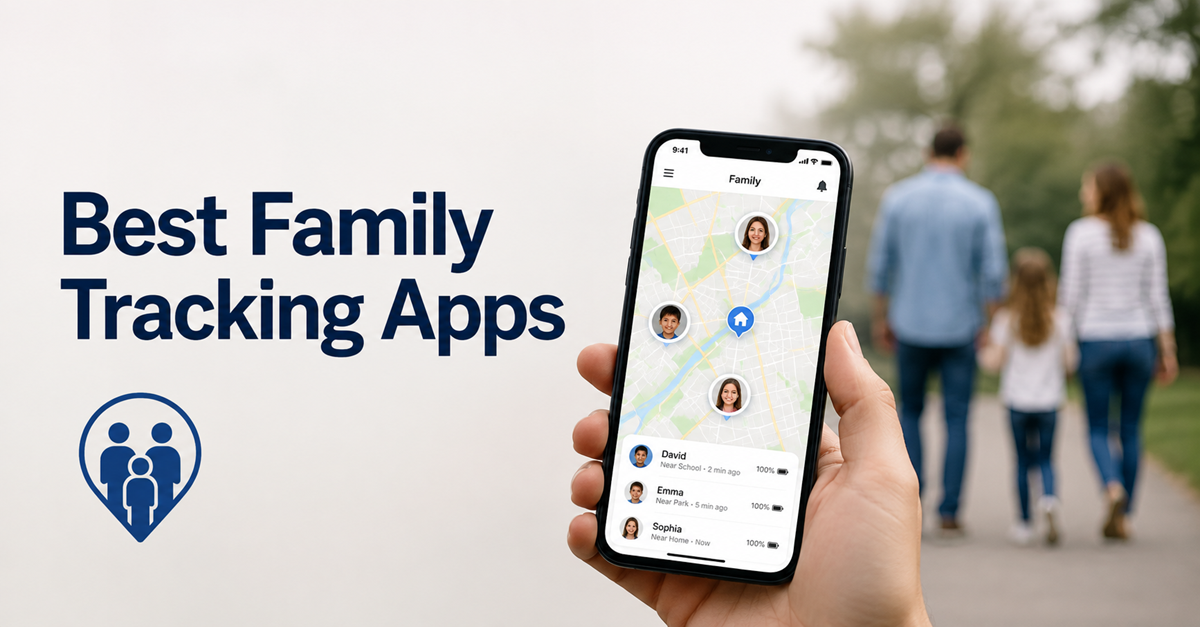
Key Takeaways: mSpy gives parents the deepest Android-first oversight, uMobix organizes detailed phone activity, and Spynger offers configurable GPS reporting. The best family tracking app must match the exact phone, family purpose, budget, and consent rules. Choose simple location sharing when detailed monitoring would collect more information than the safety problem requires.
A poor family tracker can show stale locations, miss an arrival alert, drain a phone, or lock a buyer into an unsuitable renewal. The larger risk is choosing invasive monitoring when a shared map would solve the problem.
I compared official pricing, compatibility pages, help centers, refund terms, and public demonstrations on August 27, 2026. I did not install these apps on physical devices, so this guide separates documented capabilities from measured performance.
Best Family Tracking Apps: Quick Comparison Table
| Name | Best For | Standout Feature | Free Tier/Trial | Rating | Visit |
|---|---|---|---|---|---|
 mSpy |
Detailed parental monitoring | Geofencing • Family Kit option |
14-day money-back guarantee. | 4.7/5 | Visit |
 uMobix |
Android activity visibility | Consolidated dashboard • Public demo |
2-day trial for $1. | 4.5/5 | Visit |
 Spynger |
Configurable Android tracking | Adjustable GPS intervals • Device switching |
14-day money-back guarantee. | 4.3/5 | Visit |
 Bark |
Contextual safety alerts | Unlimited family devices • Risk alerts |
7-day free trial. | 4.2/5 | Visit |
 FamiSafe |
Location plus SOS controls | SOS and geofences • Multi-device plans |
3-day free trial. | 4.1/5 | Visit |
The ratings are FamilyShielded editorial assessments tied to the methodology below.
Our Testing Methodology
I evaluated every app against the same buyer questions: how useful its current location, geofencing, history, and emergency tools appear from official documentation, which phones and account types it supports, how many devices each plan covers, and whether screen-time or activity controls add practical value.
I reviewed vendor pricing pages, checkout descriptions, compatibility guides, help centers, refund policies, and available public demos. Public demos helped me judge organization and feature labeling, but they did not prove accuracy or reliability on a real phone. I did not install the apps or conduct physical-device tests. Therefore, I do not invent GPS accuracy, battery-drain, detection-rate, alert-speed, or long-term reliability results. Actual behavior changes by phone model, operating system, region, plan, permissions, network connection, and installation method. Pricing scores also reflect whether billed totals, renewals, trials, refunds, device limits, and support routes were explained before purchase.
Best Family Tracking Apps in 2026
1) mSpy
mSpy is the strongest fit for parents who need more than a shared family map. Its published tools cover GPS location, geofencing, calls, messages, browsing activity, and selected social apps. The available records depend heavily on the phone and setup method, especially on iPhone. That difference matters more than the length of the feature list. I found mSpy’s current pricing and compatibility material clear enough to compare, although buyers still need to match each promised feature to the exact device before paying.
Android installations generally provide the broadest view, while iPhone options may depend on iCloud access, backups, Family Sharing, or an initial computer connection. Parents should use this level of monitoring only on a device they own, a child’s device where the law permits it, or a device whose adult user has given informed consent. A simple location-sharing app is the better choice when communication records are unnecessary. mSpy suits a defined safety concern, not open-ended surveillance of a partner, employee, or unrelated adult.
Features
- Geofenced Location Alerts: Parents can define approved or restricted places and receive documented alerts when the supervised phone crosses those boundaries on time.
- Location History: The dashboard keeps recent location records so parents can review a route or identify repeated stops after a missed check-in.
- Communication Records: Supported configurations can show calls and messages, giving parents more context than location alone when a documented safety concern exists.
- Keyword Notifications: Parents can create alerts for selected words, which may reduce the need to inspect every ordinary conversation on a supported device.
- App and Web Visibility: mSpy documents installed-app and browsing reports that can help parents spot unsuitable online services or repeated visits to risky pages.
- Family Kit Option: The vendor offers a separate multi-device package for up to three phones, while standard Premium subscriptions generally cover one device.
Pros
- Combines location, communication, and browsing reports in one parental dashboard.
- Geofencing adds useful context well beyond a single current-location pin.
- I found the public pricing breakdown unusually specific for this category.
- Family Kit can cover three devices under one dedicated package.
Cons
- I found iPhone coverage more dependent on setup method than Android.
- Refund eligibility has detailed published exclusions and a processing-fee deduction.
- Deep monitoring collects sensitive data that many families do not need.
Pricing
mSpy Premium starts at $11.66 per month when $139.92 is billed for 12 months.
| Plan | Billing | Device coverage |
|---|---|---|
| One month | $48.99 billed monthly | One device |
| Three months | $83.97 total ($27.99 monthly equivalent) | One device |
| 12 months | $139.92 total ($11.66 monthly equivalent) | One device |
Free Trial/ Refund: For technical issues not fixed by the support staff, mSpy offers a full refund. Eligible purchases are also covered by its 14-day refund policy from the date of purchase.
Bottom Line: mSpy fits parents who need detailed Android-first oversight and can handle platform-specific setup. Its broad monitoring dashboard is the main advantage. The trade-off is substantial privacy exposure, one-device standard licensing, and iPhone coverage that varies with the installation method.
14-day money-back guarantee.
2) uMobix
uMobix works best for Android-first households that want a single dashboard for calls, messages, GPS, browser records, media, and social-app activity. The vendor publishes a consistent three-duration price structure and a browser-based demo, which makes the service easier to inspect before checkout. Android receives the deepest feature set. I found the plan choices straightforward, but the one-device license can become expensive when a family needs to supervise several phones. Deleted-data claims also depend on what the supported device captured before information disappeared.
The iPhone product is more constrained because Apple limits background access and account-based collection. Buyers should check whether their intended records require iCloud credentials, two-factor authentication, backups, or physical access. uMobix is not a general-purpose family location-sharing service. It is a monitoring product that can expose private communications, so parents should set a narrow safety purpose and explain the rules to the child involved. Adults should never install it on another adult’s device without ownership, clear consent, and lawful authority.
Features
- Android Activity Timeline: The control panel organizes captured calls, messages, app activity, and location updates into a consolidated view for authorized parental review.
- Map and Route Records: GPS reports include current positions and prior locations, helping parents investigate a missed arrival without relying on a single map pin.
- Social-App Coverage: Vendor documentation lists supported messaging and social services, although the available content varies by operating system, app, and granted permissions.
- Browser History: Parents can review visited pages on supported configurations and use that record to discuss unsafe searches or repeated access to unsuitable sites.
- Media Library View: Captured photos and videos can appear in the dashboard, which is useful only when that intrusive access addresses a specific concern.
- Public Dashboard Demo: The browser demo lets buyers inspect the interface more carefully beforehand, without pretending that sample data proves reliable real-device performance.
Pros
- Android reports cover several activity categories from one browser dashboard.
- Published prices make billed totals easier to calculate before checkout.
- I found the public demo helpful for judging dashboard organization.
- GPS history adds context when a current location appears unusual.
Cons
- I found iPhone capabilities less complete than the Android offering.
- Each subscription generally covers only one supervised mobile device under the standard plan.
- The service can expose more private information than location safety requires.
Pricing
uMobix starts at $12.49 per month when $149.88 is billed for a 12-month subscription.
| Plan | Billing | Device coverage |
|---|---|---|
| One month | $49.99 billed monthly | One device |
| Three months | $89.97 total ($29.99 monthly equivalent) | One device |
| 12 months | $149.88 total ($12.49 monthly equivalent) | One device |
Free Trial/ Refund: uMobix offers a two-day trial for $1 by request through support, plus a public demo. Eligible purchases carry a 14-day money-back policy, subject to the refund terms.
Bottom Line: uMobix is a practical choice for Android-first parents who want detailed activity and location records in one dashboard. Its clear pricing and public demo help before purchase. One-device licensing, invasive data access, and reduced iPhone depth are the main limitations.
2-day trial for $1.
3) Spynger
Spynger is aimed at parents who want configurable monitoring rather than a mutual family map. Its Android help material covers GPS update intervals, location history, calls, messages, websites, screenshots, and device switching. Physical access is normally required for the Android installation. I found the setup documentation more useful than the product’s broad promotional claims because it describes the permissions and synchronization choices a buyer must handle. The interface can be opened from a browser after the supervised device has been configured.
The vendor also describes iPhone monitoring, but the public Android documentation is more detailed. iPhone data may depend on backups, account access, or a local synchronization method. Parents should verify the exact model and operating system before buying. Spynger can collect extremely sensitive information, so it belongs only on owned devices, legally supervised children’s phones, or devices used with informed adult consent. Hiding an app icon does not remove those duties. When a shared location and check-in tool solves the problem, choose the less invasive option.
Features
- Adjustable GPS Intervals: Parents can choose how often supported Android devices send location updates, balancing fresher records against data use and practical battery concerns.
- Route and Place History: The dashboard records prior positions so an authorized parent can review movement after a late arrival or an unexpected stop.
- Device Switching: Spynger documents a process for replacing the supervised phone under an active subscription, subject to account and setup requirements when needed.
- Communication Dashboard: Supported installations can display calls, texts, and selected messaging activity, which should be limited safely to a defined child-safety concern.
- Web Summaries: Website history and browser summaries can reveal repeated visits to risky pages without proving what the child understood or intended.
- Screenshot Controls: On supported Android setups, screenshot settings provide visual context but also increase privacy exposure and should be used sparingly with a clear purpose.
Pros
- Configurable update intervals give parents more control over location reporting.
- Android setup articles explain useful model-specific installation differences across current phones.
- I found device-switching guidance easier to locate online than expected.
- Browser access keeps routine review separate from the supervised phone.
Cons
- I found current public iPhone documentation thinner than Android guidance.
- Physical access and extensive permissions are required for Android setup.
- No functional free trial is available before the first charge.
Pricing
Spynger starts at $10.83 per month when $129.96 is billed for a 12-month term.
| Plan | Billing | Device coverage |
|---|---|---|
| One month | $45.49 billed monthly | One device |
| Three months | $78 total ($26 monthly equivalent) | One device |
| 12 months | $129.96 total ($10.83 monthly equivalent) | One device |
Free Trial/ Refund: Spynger does not list a free plan or functional trial. Eligible buyers may request a full refund within 14 days when the reason meets Spynger’s refund policy.
Bottom Line: Spynger suits Android households that value configurable GPS reporting and browser-based monitoring. Its update controls and detailed Android setup guidance stand out. The product still requires invasive permissions, direct installation access, and closer scrutiny of iPhone compatibility before purchase.
14-day money-back guarantee.
4) Bark
Bark takes a less intrusive approach than monitoring-first products. It scans supported messages, searches, and social activity for potential safety concerns, then sends parents an alert with relevant context. The subscription also includes screen-time schedules, website and app blocking, location tracking, and check-ins. One family account can cover unlimited children and compatible devices. That makes Bark a better fit for households that want risk signals and conversation prompts instead of routine access to every ordinary chat. Coverage still varies by device and connected service.
Android uses the standard child-app workflow, while deeper iPhone monitoring may require Bark Sync hardware or a computer-based connection. The public pricing page lists different starting prices for Android and iOS packages. I reviewed the plan and setup material but did not test Bark’s alert classification on real messages. Parents should confirm which apps can be monitored on the child’s phone and discuss the alerts openly. Bark is designed for children and legal dependents, not secret monitoring of a spouse, partner, employee, or unrelated adult.
Features
- Contextual Safety Alerts: Bark scans supported activity for concerns such as bullying, predators, and self-harm, then gives parents selected context for a follow-up conversation.
- Unlimited Family Coverage: One app subscription can cover unlimited children, accounts, and compatible devices in the same household without extra per-phone licensing requirements.
- Location Check-ins: Parents can view location, create place alerts, and request a check-in without turning every family conversation into a monitoring event.
- Screen-Time Schedules: Daily routines can limit internet access by time period, helping families protect sleep, homework, and device-free activities each day reliably.
- Website and App Blocking: Parents can block individual services or broader categories, with behavior that varies across Android, iPhone, Chromebook, and computer setups in practice.
- Bark Sync for iPhone: The iOS package may use a dedicated charger or computer connection to work around some of Apple’s background-monitoring limits in practice.
Pros
- Alert-centered monitoring exposes less routine content than full surveillance dashboards.
- One subscription can cover unlimited children and compatible family devices.
- I found Android and iPhone pricing differences clearly disclosed before purchase.
- Location tools sit beside screen-time and content-safety controls together well.
Cons
- I found deeper iPhone monitoring dependent on extra synchronization hardware.
- Alerts can require parental judgment and a calm follow-up conversation.
- No permanent free tier remains after the trial period ends.
Pricing
Bark starts at $5 per month for Jr; Premium costs $14 monthly or $99 annually.
| Plan | Billing | Device coverage |
|---|---|---|
| Bark Jr | $5 monthly or $49 yearly | Unlimited family devices |
| Bark Premium | $14 monthly or $99 yearly | Unlimited family devices |
Free Trial/ Refund: Bark App offers a seven-day free trial, and no permanent free plan is listed. The subscription renews unless canceled, while refund handling depends on the purchase channel.
Bottom Line: Bark is best for families that want safety alerts, location tools, and screen-time rules without reading every ordinary message. Unlimited household coverage is a major advantage. iPhone families pay more and may need additional synchronization hardware for deeper monitoring.
7-day free trial.
5) FamiSafe
FamiSafe combines family location tools with mainstream parental controls. Parents can view current location, check location history, create geofences, receive SOS alerts, manage screen time, filter websites, and set app rules. Its published plans cover several devices, which makes it more practical than one-license monitoring products for a household with multiple children. The free tier is limited, but it gives one device access to basic functions or demo data. I found the official plan comparison detailed enough to separate paid features from preview-only items.
The service supports Android, iPhone, Windows, Mac, Chromebook, and Kindle Fire, although individual controls differ by platform. Physical access is required for installation and some permission upgrades. iOS displays a monitoring notice because Screen Time and location permissions are active, which is a healthy transparency signal rather than a defect. Parents should explain why each control is enabled and avoid collecting unrelated communications. FamiSafe fits families that want visible household rules and location safety, not covert monitoring of an adult without consent.
Features
- Real-Time Family Map: Parents can view a child’s current position and recent movement from the family account after location permissions are configured during routine use.
- Geofence Notifications: Custom zones can trigger arrival and departure alerts for school, home, or another place the family has discussed on time.
- SOS Alert: A child can send an emergency alert through the supported app, giving FamiSafe a clearer safety function than many monitoring dashboards.
- Driving Reports: Route and driving information can help families discuss risky patterns with older teens, subject to device permissions and regional availability.
- Screen-Time Rules: Parents can set schedules, daily limits, and app restrictions alongside location tools instead of subscribing to a separate control product.
- Web and Activity Reports: Browsing and device-use summaries help parents spot patterns, although computer supervision is more limited on connected computers than mobile supervision.
Pros
- Paid plans easily cover several devices under one family account.
- SOS, geofences, and history support practical daily family-safety routines at home.
- I found the official feature comparison unusually detailed for buyers.
- Supports mobile phones, computers, Chromebooks, and Kindle Fire under one account.
Cons
- I found device limits inconsistent across two current pricing pages.
- Some free-tier items show demo data rather than live reports.
- Feature behavior changes significantly between iPhone, Android, and computers in practice.
Pricing
FamiSafe starts at $4.99 per month when $59.99 is billed for the annual family plan.
| Plan | Billing | Device coverage |
|---|---|---|
| Monthly | $9.99 billed monthly | Up to 5 devices |
| Quarterly | $19.99 total ($6.66 monthly equivalent) | Up to 8 devices |
| Yearly | $59.99 total ($4.99 monthly equivalent) | Up to 10 devices |
Free Trial/ Refund: A limited free plan is available. The yearly plan includes a three-day free trial and renews unless canceled. Eligible website purchases carry a seven-day money-back guarantee; app-store refunds follow the store’s process.
Bottom Line: FamiSafe works well for families that need location, geofences, SOS, and screen-time rules across several devices. Multi-device coverage is its main advantage. Buyers should confirm the current plan limit and platform-specific controls shown at checkout.
3-day free trial.
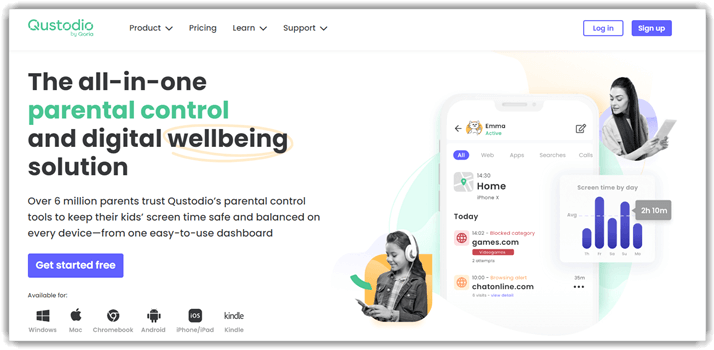
6) Qustodio
Qustodio is a strong all-purpose parental control app with a useful family locator. The Basic plan covers five devices, while Complete extends protection to unlimited family devices and unlocks more detailed controls. Core features include location monitoring, saved-place alerts, web filtering, daily time limits, app blocking, activity reports, and internet pause. Qustodio also maintains a free plan for one child’s device. I found its public plan comparison clearer than most because device limits and important Android-only functions are stated beside the feature table.
Location and screen-time controls work across the main phone platforms, but advanced communication features are not identical. The panic button and several social-message alerts are Android-only, while iOS calls and messages can require a Windows or Mac computer. Qustodio supports Android, iPhone, Windows, Mac, Chromebook, and Kindle. Parents should choose a plan based on the actual family devices rather than the longest feature list. Transparent rules remain important because location history and communication alerts can reveal sensitive details about a child’s routine.
Features
- Saved Places: Parents can create familiar locations and receive arrival or departure alerts, reducing the need to keep checking the live map.
- Family Locator: The parent app shows supervised family devices on a map after the required location permissions and child app are configured.
- Internet Pause: A parent can remotely pause internet access during homework, meals, or sleep without taking the child’s phone away when needed.
- Custom Routines: Complete subscribers can build rules for apps, websites, games, and time periods that match the family’s weekly schedule more precisely.
- Activity Reports: Paid plans extend reporting to 30 days, while the free experience provides a shorter view on one supervised device for parents.
- Android Panic Button: Supported Android phones can send a panic alert through the child app, but this emergency feature is not available on every platform.
- Customer Support: Premium email support is included, while Complete adds Care Plus phone help and personalized setup assistance where available for eligible subscribers.
Pros
- Free plan protects one child’s device with basic controls at no cost.
- Basic and Complete clearly separate five-device and unlimited coverage clearly.
- I found platform exceptions stated directly on the pricing page.
- Saved-place alerts complement web filtering and screen-time rules for family safety.
Cons
- I found several advanced alerts restricted to Android devices in practice.
- iOS call and message monitoring can require a computer for setup.
- Premium subscriptions are billed annually rather than month to month.
Pricing
Qustodio starts at $59.95 per year for Basic, equivalent to about $5 monthly for five devices.
| Plan | Billing | Device coverage |
|---|---|---|
| Free | $0 | 1 device |
| Basic | $59.95 yearly | Up to 5 devices |
| Complete | $109.95 yearly | Unlimited family devices |
Free Trial/ Refund: The free plan protects one device. Qustodio Complete includes a seven-day free trial. Direct website purchases may be refunded within 30 days; app-store purchases follow Apple or Google’s refund process.
Bottom Line: Qustodio suits families that want a familiar parental control suite with location monitoring and saved-place alerts. The free plan and clear device limits are useful. Android receives several advanced features that iPhone families cannot use without extra setup.
7-day free trial.
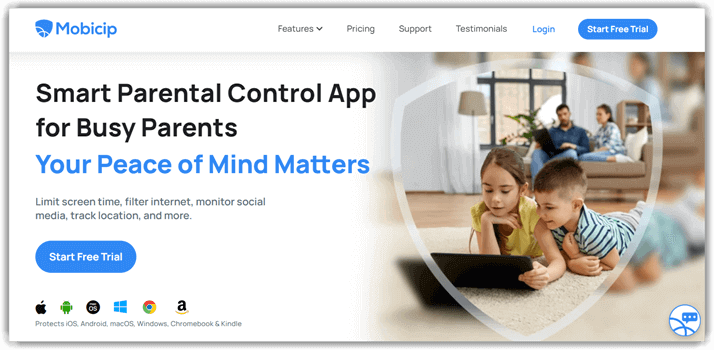
7) Mobicip
Mobicip gives families a broad set of location and parental-control tools at a relatively low annual price. Every paid tier includes the family locator, app and website blocking, screen-time limits, schedules, reports, app limits, and remote device locking. The main difference among Lite, Standard, and Premium is the number of managed devices. A free Basic plan covers two devices, so families can test the account structure before committing. I found the pricing page direct about annual billing and the trial’s payment requirements.
The family map supports live location sharing, safe boundaries, and arrival alerts after the child app receives the necessary permissions. Mobicip also works across iPhone, Android, Windows, Mac, Chromebook, and Kindle Fire, although controls vary. The seven-day trial unlocks Premium features without charging a card during the trial. Parents should still cancel before renewal if the service does not fit. Location sharing should be part of a household agreement, and communication-related monitoring should stay proportionate to the child’s age and the safety issue involved.
Features
- Family Locator: The family map shows managed devices and lets household members securely share current positions after location access has been granted.
- Safe Boundaries: Parents can define familiar places and receive arrival notifications on time, which is more useful than repeatedly refreshing a map.
- Remote Device Lock: Paid subscribers can temporarily lock a managed device during sleep, study, or another family routine under an agreed rule when needed.
- Managed Schedules: Recurring schedules coordinate internet and app access around school, homework, meals, and bedtime across supported devices on each managed device.
- Social Media Monitor: Premium features can flag potentially harmful conversations on supported services, but coverage depends on platform, device permissions, and current integrations.
- Parenting Tips: The app includes digital-wellness guidance that may help families discuss habits at home instead of relying only on technical restrictions.
- Customer Support: Mobicip provides a knowledge base, email help, and scheduled weekday calls for installation, account-management, and renewal questions before the trial ends.
Pros
- Free Basic plan supports two managed family devices without charge.
- Every paid tier includes the locator and core parental controls.
- I found annual billing stated prominently beside each price for buyers.
- Premium supports up to 20 managed devices under one account.
Cons
- I found paid plans available only with annual website billing.
- Platform differences can change app blocking and social monitoring in practice.
- The trial becomes paid unless canceled before the renewal date.
Pricing
Mobicip starts at $2.99 per month when $35.88 is billed annually for Lite.
| Plan | Billing | Device coverage |
|---|---|---|
| Lite | $35.88 yearly ($2.99 monthly equivalent) | Up to 5 devices |
| Standard | $59.88 yearly ($4.99 monthly equivalent) | Up to 10 devices |
| Premium | $95.88 yearly ($7.99 monthly equivalent) | Up to 20 devices |
Free Trial/ Refund: The free Basic plan manages two devices. New customers receive a seven-day Premium trial; a card is used for verification but is not charged during the trial. Annual plans include a 30-day money-back guarantee.
Bottom Line: Mobicip is a good value for families that want a locator plus standard parental controls across several devices. Every paid plan includes the core tools. Annual-only website billing and platform differences deserve attention before the trial renews.
7-day free trial.
What features matter most in a family tracking app?
Reliable location updates, place alerts, history, and a clear emergency option matter more than a long list of surveillance features. Check whether the child can pause sharing, whether the app explains permission loss, and how long location records remain available. Device coverage and billing also matter when several children use phones. Families that want broader phone-location choices can compare our tracking apps for Android and iPhone. If the goal is simply confirming a safe arrival, choose a shared locator before paying for calls, messages, screenshots, or keylogging.
Is a family tracker different from parental control software?
Yes. A family locator concentrates on shared position, check-ins, arrival alerts, and route history. A parental control app adds screen-time rules, web filters, app limits, activity reports, and sometimes communication alerts. Bark, FamiSafe, Qustodio, and Mobicip combine both categories, while mSpy, uMobix, and Spynger collect deeper device records. Our guide to the best parental control apps compares those broader controls. Start with the least intrusive tool that addresses the problem, then add controls only when the family has a clear reason and agreement.
How Family Tracking Apps Are Changing in 2026
Family tracking is moving toward clearer permission notices, contextual alerts, and household accounts that cover more than one device. Apple and Google continue to restrict background access, so iPhone and Android feature lists are less interchangeable than product pages sometimes suggest. Mainstream parental control apps increasingly combine location with screen-time routines, app controls, and risk alerts instead of displaying every private conversation. Hardware-assisted iPhone syncing, family-device bundles, and on-device analysis are also becoming more visible. These changes do not guarantee better results. They make setup method, consent, and data minimization more important during comparison. Parents should expect operating-system updates to alter permissions and should review family rules when a child becomes older or the original safety concern changes.
Verdict
The best family tracking app depends on monitoring depth, phone type, device count, and whether every supervised user understands the family’s safety rules.
- mSpy ranks first for Android-first parents who need geofencing plus detailed, installation-specific activity reports.
- uMobix is best for Android households that want consolidated activity records and a public dashboard demo.
- Spynger suits authorized Android monitoring where configurable GPS intervals and documented device switching are priorities.