Key Takeaways: GEOfinder handles consent-based location requests, mSpy combines geofencing with parental activity records, and Spokeo researches unfamiliar US contacts. Choose between a one-time request, continuous family sharing, identity lookup, and device monitoring before comparing prices. Confirm platform support, renewal terms, permissions, and consent requirements first. Prefer transparent sharing for routine family coordination.
A poor location app can show stale positions, miss an arrival alert, drain a phone, expose sensitive routines, or renew at an unexpected price. Choosing the wrong product category is just as risky: a public-record lookup cannot replace GPS sharing, and invasive monitoring is unnecessary when a family only needs a consensual map.
I compared current product documentation, help resources, billing terms, compatibility information, and available demonstrations for this update. I did not install the apps on physical devices. Documented capabilities are therefore separated from measured claims about accuracy, battery impact, alert speed, or long-term reliability.
Top Location Tracking Apps: Quick Comparison Table
| Name | Best For | Standout Feature | Free Trial/Refund | Rating | Visit |
|---|---|---|---|---|---|
 GEOfinder | Consent-based location requests | No recipient-side app installation | 1-day trial for $0.99. | 4.8/5 | Visit |
 mSpy | Detailed parental monitoring | Geofencing and activity records | 14-day money-back guarantee. | 4.7/5 | Visit |
 Spokeo | US caller and identity research | Public-record aggregation | 7-day introductory offer. | 4.6/5 | Visit |
 Spynger | Authorized Android-first monitoring | Location and communication records | 14-day money-back guarantee. | 4.5/5 | Visit |
 Intelius | US phone and public-record searches | Phone, address, and identity reports | No free trial listed. | 4.4/5 | Visit |
Our Testing Methodology
I applied the same buying questions to every product: Is it a one-time request, public-record lookup, shared family locator, or installed monitoring service? I compared location usefulness, geofencing, history, emergency tools, Android and iPhone support, device coverage, screen-time controls, activity visibility, pricing, refund clarity, consent guidance, and support availability. Evidence came from current product pages, help centers, billing terms, platform documentation, and accessible public demonstrations.
I did not install these apps on physical phones or monitor another person. A public demo can explain dashboard organization, but it cannot establish GPS accuracy, battery drain, alert speed, detection rates, or long-term reliability. Those results are not invented here. Actual behavior varies by phone, operating system, plan, region, permissions, account settings, network connection, and installation method. Ratings reflect documented family-safety usefulness, transparency, billing clarity, and practical limits, not customer-review averages.
Best Location Tracking Apps
1) GEOfinder
GEOfinder is designed for a one-time, consent-based location request rather than continuous family-map sharing. The sender enters a phone number and sends a customizable message. The recipient must open the link and allow location access before a map point can be returned. That distinction makes the service suitable for an agreed check-in across phone brands without installing a dedicated app on the recipient’s device.
A phone number alone does not reveal another person’s live position, and GEOfinder should not be presented as a secret tracker. It works best when the message clearly explains who is requesting the location and why. The web-based approach reduces platform dependence, but it also means the result depends entirely on recipient participation, browser permissions, connectivity, and the phone’s ability to provide location data.
Features
- Consent-Based Request: A map point is returned only after the recipient opens the link and approves location access.
- No Target App: The recipient does not need to install dedicated monitoring software for an agreed, one-time check-in.
- Cross-Platform Browser: The request can open on compatible Android or iPhone browsers instead of relying on one mobile operating system.
- Custom Message: Senders can explain the safety reason for the request, supporting transparency instead of misleading the recipient.
- Request Dashboard: The account organizes sent requests and any positions that recipients choose to share.
- International Number Support: The service lists broad carrier coverage, although successful results still require an online, participating recipient.
Pros
- No app needs to be installed on the recipient’s phone.
- The recipient controls whether location access is granted.
- I found the current trial duration clearly documented.
- Browser delivery reduces dependence on a particular phone brand.
Cons
- No location appears unless the recipient opens and approves the request.
- I found the post-trial renewal price less prominent than the trial.
- It does not provide continuous background family-location sharing.
Pricing
Access starts with a $0.99 one-day trial that requires billing details and activates recurring service unless canceled.
| Plan | Billing | Coverage |
|---|---|---|
| One-day trial | $0.99 | One account |
| Recurring plan | $49.99 per 28-day cycle | One account |
Free Trial/ Refund: There is no free plan. The $0.99 trial lasts one day and renews automatically unless canceled. Refunds are conditional, including qualifying technical problems the support team cannot resolve.
Bottom Line: GEOfinder best fits a transparent, one-time location request when installing a family app is impractical. Its strength is broad browser compatibility with recipient approval. Its limitation is equally important: it cannot return a position unless the recipient opens the message, grants permission, and remains connected.
1-day trial for $0.99.
2) mSpy
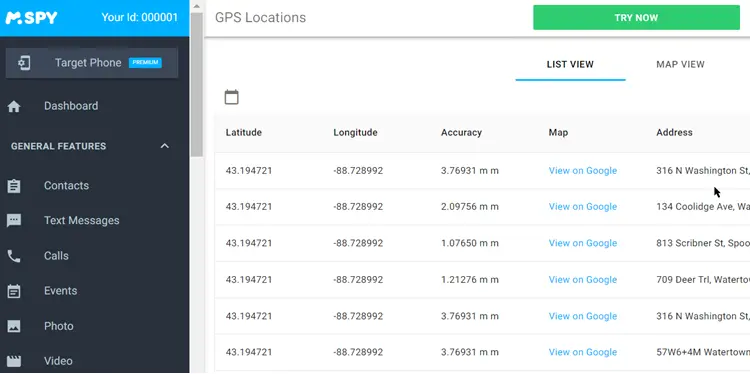
mSpy combines location tools with detailed device-activity records, making it more suitable for a defined parental-safety concern than routine family check-ins. Supported categories include current location, geofences, calls, messages, browsing, applications, media, and selected social platforms. Android typically provides the broader installed experience, while iPhone coverage changes according to the synchronization method and available account access.
Families should compare the exact phone and setup path before paying because Android and iPhone do not expose identical information. Detailed records can be useful after repeated missed check-ins or a specific online risk, but they also create a significant privacy burden. Use mSpy only on a child’s device you own and lawfully manage, or with the informed consent of an adult device user.
Features
- Location Boundaries: Geofences connect location records to meaningful family places such as home, school, or approved activities.
- Activity Dashboard: Supported calls, messages, browsing, applications, and media appear through one browser-accessible account.
- Keyword Alerts: Selected terms can narrow attention to a defined safety concern instead of encouraging constant reading.
- Current Location: Position records depend on the supervised phone’s permissions, connectivity, account state, and setup method.
- Platform-Specific Setup: Android, iCloud, and computer-assisted iPhone routes provide different categories and access requirements.
- Family Device Option: Standard licensing covers one device, while a separately priced family package may cover additional phones.
Pros
- Geofences turn raw location data into useful place-based context.
- Several supported safety records share one organized dashboard.
- I found current subscription totals published clearly.
- Multiple setup paths support both Android and iPhone households.
Cons
- iPhone coverage varies substantially by synchronization method.
- I found one-device standard plans expensive for larger families.
- Detailed monitoring can collect more private data than necessary.
Pricing
mSpy starts at $48.99 for one month, while longer terms are prepaid at lower monthly equivalents.
| Plan | Billing | Coverage |
|---|---|---|
| One month | $48.99 total | One device |
| Three months | $83.97 total ($27.99 monthly equivalent) | One device |
| 12 months | $139.92 total ($11.66 monthly equivalent) | One device |
Free Trial/ Refund: No functional free trial is listed. For technical issues the support staff cannot fix, mSpy may provide a full refund. Eligible requests must be submitted within 14 days of purchase under the policy.
Bottom Line: mSpy is the strongest installed option for parents who need geofencing and selected activity records in one account. Its broad dashboard is the advantage. The trade-off is substantial platform variation and privacy exposure, so buyers should confirm the exact setup and limit collection to a defined safety need.
14-day money-back guarantee.
3) Spokeo
Spokeo is not a live location tracker. It is a US people-search service that can associate a phone number, name, email address, or street address with available public and commercial records. For families, the most relevant use is investigating an unfamiliar caller or checking whether basic identity details match what a child has been told online.
Every result requires independent confirmation because records can be incomplete, outdated, or associated with the wrong person. Spokeo cannot display live GPS movement, read another phone’s messages, or provide device controls. The service also is not a consumer-reporting agency, so its reports should not be used for employment, housing, credit, insurance, or other regulated eligibility decisions.
Features
- Reverse Phone Search: A US number query may return possible names, addresses, carriers, or related public information.
- Email Lookup: Available profiles can provide another identity cross-check when an unfamiliar email contact raises concern.
- Name Search Filters: Location and age details help narrow results when several people share similar names.
- Address Records: Searches may show associated residents or property details, although each match still needs confirmation.
- Report Aggregation: Related public and commercial records appear together instead of requiring several separate database searches.
- No Device Installation: Families can investigate a contact without installing monitoring software or requesting phone permissions.
Pros
- No software installation on another person’s device is required.
- Four lookup routes support different identity-checking situations.
- I found the service boundary clearly distinguishable from live tracking.
- Search filters help reduce obvious common-name mismatches.
Cons
- Records may be incomplete, outdated, or incorrectly associated.
- I found recurring checkout terms less simple than free previews.
- It provides no live GPS, geofencing, or screen-time controls.
Pricing
Spokeo may begin with a $0.95 seven-day introductory offer before converting to recurring membership billing.
| Plan | Billing | Coverage |
|---|---|---|
| Seven-day offer | $0.95 introductory charge | Search access |
| Recurring membership | Current price shown at checkout | Ongoing reports |
Free Trial/ Refund: Limited previews may be free. The $0.95 seven-day offer converts to a recurring membership unless canceled before it ends. Checkout terms and the original billing channel control refund eligibility.
Bottom Line: Spokeo is useful for researching an unfamiliar US caller or checking public-record identity context without touching another person’s phone. Flexible search routes are its advantage. It is not a family GPS tracker, and uncertain record quality plus recurring membership terms limit its role in safety decisions.
7-day introductory offer.
4) Spynger
Spynger is a monitoring-first service that brings location, calls, messages, browsing, media, and selected application records into a web dashboard. Its clearest family use is an authorized Android setup where a parent has a defined reason to examine several activity categories. The service is not a phone-number locator, and direct device access is required for the installed route.
Public materials also advertise iPhone support, but buyers should not assume feature parity with Android. Spynger’s marketing sometimes centers on partner surveillance, which is not an acceptable use without informed adult consent. For family safety, choose the least intrusive configuration that addresses the concern and use the product only on a child’s device you own and lawfully manage, or on an adult’s device with documented permission.
Features
- Route History: Supported Android configurations can show current and earlier positions when device permissions and connectivity remain available.
- Communication Categories: Calls, SMS, and selected messenger records appear when the operating system and installation method support them.
- Browser Dashboard: Authorized account holders can review supported categories remotely after completing the required device setup.
- Media Visibility: Compatible installations may display stored photos and videos related to a defined safety concern.
- Android Activity Records: Browsing, installed apps, and other device information can provide context beyond a location dot.
- Public Interface Demo: The available demo explains dashboard organization without proving synchronization accuracy or real-device reliability.
Pros
- Android guidance explains the need for physical device access.
- Location and communication records share one browser dashboard.
- I found a public interface demonstration available before purchase.
- The current support article states a 14-day refund window.
Cons
- iPhone feature parity remains less transparent than Android coverage.
- I found marketing language poorly aligned with consent-centered family safety.
- The service collects highly sensitive communications and media.
Pricing
Spynger advertises plans from $1.59 per day equivalent, with longer prepaid terms lowering the displayed rate.
| Plan | Billing | Coverage |
|---|---|---|
| One month | $1.59 per day equivalent | One device |
| Three months | $0.93 per day equivalent | One device |
Free Trial/ Refund: No standard free trial is listed. Eligible purchases may receive a full refund when requested within 14 days, provided the reason qualifies under the refund policy.
Bottom Line: Spynger may fit authorized Android monitoring when a family genuinely needs location and communication records together. The centralized dashboard is useful, but unclear iPhone parity and surveillance-centered marketing require caution. Confirm the billed total, device compatibility, and lawful consent before choosing any prepaid term.
14-day money-back guarantee.
5) Intelius
Intelius is another identity-research service rather than an installed family locator. It searches available US phone, address, name, and background-report data, which can help a parent investigate an unfamiliar contact or cross-check limited information. It cannot follow a handset, produce live GPS coordinates, or provide geofences and family check-ins.
The practical limit is record quality. A report can contain old addresses, missing entries, or a match belonging to someone with a similar name, so it should remain a starting point rather than proof. Intelius memberships renew automatically until canceled. Its reports also are not intended for employment, tenant, credit, insurance, or other decisions governed by consumer-reporting law.
Features
- Reverse Phone Reports: Searches may connect a US number with possible owners, addresses, carriers, and related records.
- People Search: Name and location details help narrow possible matches across available public information.
- Address Lookup: A street address may reveal associated residents, property details, or historical connections.
- Identity Cross-Checks: Related names, emails, relatives, or prior locations can help evaluate whether a profile is plausible.
- Web-Based Reports: Research happens through a browser without installing software on another person’s device.
- Regulated-Use Boundary: The service is for personal research, not consumer eligibility decisions covered by federal law.
Pros
- No target-device access or installation is required.
- Several search types support broader identity cross-checking.
- I found the live-tracking limitation straightforward to establish.
- Recurring 30-day and 60-day options suit different research periods.
Cons
- It cannot show live movement or precise device coordinates.
- I found complete public pricing details difficult to confirm independently.
- Records may be stale, incomplete, or attached to the wrong person.
Pricing
Membership access starts at $25.11 every 30 days, with subscriptions renewing until canceled.
| Plan | Billing | Coverage |
|---|---|---|
| 30-day membership | $25.11 every 30 days | Recurring reports |
| 60-day membership | $42.69 every 60 days | Recurring reports |
Free Trial/ Refund: No permanent free plan or standard free trial is listed. Promotional offers vary, and memberships renew unless canceled before the next term. Refund eligibility depends on the purchase and billing terms.
Bottom Line: Intelius best fits US phone, address, or identity research when a family needs context about an unfamiliar contact. Its range of lookup types is the advantage. It is not a live location app, and uncertain record freshness plus recurring billing require careful confirmation and timely cancellation.
No free trial listed.
6) Find360 Safe Location Tracker
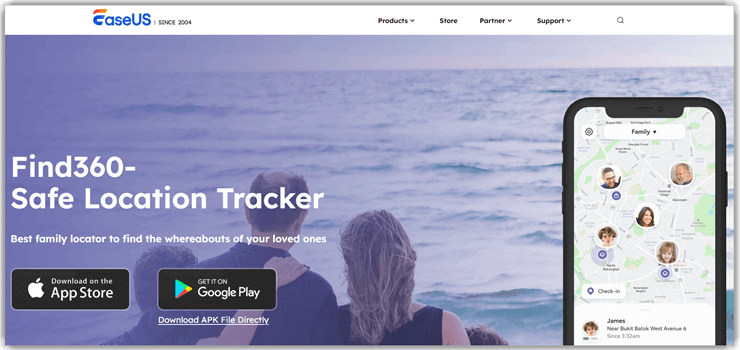
Find360 is a visible family-location app built around shared circles, map positions, place notifications, route history, and check-ins. It is a better conceptual fit for routine family coordination than an installed monitoring product because participating members use the app and grant location access. Its published feature set emphasizes real-time location, history, customized notifications, and voluntary check-ins.
The usefulness of any background family locator depends on permission settings, connectivity, battery condition, and the phone remaining powered on. A missing or delayed point does not establish where someone actually is. Find360 can support arrivals and agreed travel visibility, but households should still maintain a separate emergency communication plan and explain which family members can see each location.
Features
- Private Family Circles: Participating relatives join a shared group that defines who can view each member’s location.
- Place Notifications: Saved locations can trigger arrival or departure alerts, reducing repeated calls and manual map checks.
- Route History: Available past movement can add context to a missed check-in or unexpected route.
- Voluntary Check-Ins: A family member can confirm arrival intentionally instead of relying only on background updates.
- SOS Support: Emergency tools can share a recent position quickly, although they do not replace local emergency services.
- Permission Visibility: Location sharing depends on installed apps, active accounts, and continuing background-location access.
Pros
- Visible family circles support transparent location sharing.
- Place alerts reduce the need for constant map refreshing.
- I found the core app available as a free download.
- Check-ins give family members an intentional confirmation option.
Cons
- Background restrictions can interrupt location updates.
- I found current premium prices absent from the public page.
- A delayed map point can create false reassurance during emergencies.
Pricing
Find360 is a free download, while premium pricing is displayed through the current app-store or in-app checkout.
| Plan | Billing | Coverage |
|---|---|---|
| Download | Free | Basic app access |
| Premium | Current in-app price | Expanded features |
Free Trial/ Refund: The app is free to download. Premium prices, any trial, renewal terms, and refunds are controlled by the current in-app checkout and the applicable mobile store.
Bottom Line: Find360 best suits families that want visible circles, place alerts, route context, and voluntary check-ins. Its transparent participation model is the main advantage. Public premium pricing is the weak point, and location updates still depend on permissions, connectivity, battery condition, and the phone remaining available.
Free download.
7) Google Family Link
Google Family Link combines child-account supervision with location tools for compatible Android and Fitbit devices. Parents can view a child’s supported device position, create family places, and configure arrival or departure notifications after location sharing and accuracy settings are enabled. The parent app can run on Android or iPhone, but most supervision features do not operate on a child’s iPhone or iPad.
Family Link is most useful for households already using supervised Google accounts and Android devices. It also includes app approvals, activity summaries, content settings, and screen-time controls, making it broader than a simple map. Google notes that location may be unavailable when the child’s device is offline, powered off, or unused recently, so it should not be treated as an emergency guarantee.
Features
- Child Device Location: Parents can view a compatible supervised Android or Fitbit device after location sharing is enabled.
- Family Places: Named locations such as home or school support practical arrival and departure context.
- Location Notifications: Alerts can report when a child reaches or leaves a saved family place.
- Screen-Time Controls: Daily limits, downtime, and remote locking extend the service beyond location tracking.
- App Management: Parents can approve downloads and review supported application activity on supervised Android devices.
- Google Account Supervision: Family controls follow the child’s managed account and vary by device, age, and region.
Pros
- Location and parental controls are free for Google families.
- Family-place alerts support familiar home and school routines.
- I found Android device limits documented in detail.
- The parent app works from either Android or iPhone.
Cons
- Most child-side supervision does not work on iPhone or iPad.
- I found location history rules easy to confuse with Maps Timeline.
- Offline or recently unused devices may not return a position.
Pricing
Google Family Link is free for families using compatible supervised Google accounts and devices.
| Plan | Billing | Coverage |
|---|---|---|
| Family Link | Free | Managed family accounts |
Free Trial/ Refund: Family Link is a free Google service. There is no paid plan, trial, renewal charge, or refund policy for the core service.
Bottom Line: Google Family Link is the best no-cost choice for families supervising compatible Android devices through Google accounts. Family places, alerts, and screen-time tools are strong advantages. Child-side iPhone support is the major limitation, and position availability still depends on device activity, permissions, power, and connectivity.
Free.
8) iSharing
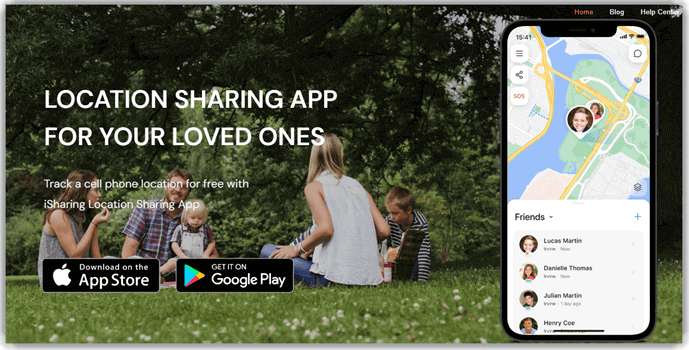
iSharing offers a consent-centered family map with Free, Silver, Gold, and Platinum tiers. The free plan includes one place alert and limited access to personal history after viewing an advertisement. Paid levels expand place alerts, location history, driving reports, battery or inactivity notifications, and group subscription sharing. The Android and iPhone apps are designed for participating family members rather than covert monitoring.
The plan structure makes iSharing flexible, but it also means the advertised feature set does not belong to every account. Silver focuses on basic alerts and seven-day records, Gold adds longer history and driving tools, and Platinum adds one-year history and web access. As with any background tracker, updates can pause when location permission, connectivity, or battery settings interfere.
Features
- Tiered Place Alerts: Free includes one place, Silver allows five, and Gold or Platinum supports unlimited locations.
- Location History: Retention expands from limited personal history to seven days, 90 days, or one year.
- Driving Reports: Higher tiers add longer driving history, high-speed alerts, and other travel context.
- Battery and Inactivity Alerts: Paid plans can flag device conditions that may explain a missing location update.
- Group Subscription Sharing: Eligible tiers let families share paid benefits across a circle instead of buying separately.
- Emergency Signals: Supported plans add SOS sound and related alerts while keeping location sharing visible to participants.
Pros
- A permanent free tier supports basic family location sharing.
- Plan levels clearly expand alerts and history retention.
- I found the current feature comparison unusually detailed.
- Gold and Platinum can share benefits across a family group.
Cons
- Useful driving alerts require a higher paid tier.
- I found exact plan prices less prominent than feature comparisons.
- Background permissions and battery settings still affect updates.
Pricing
iSharing offers a free plan; premium subscriptions begin around $7.99 monthly or $69.99 annually.
| Plan | Billing | Coverage |
|---|---|---|
| Free | $0 | One place alert and basic sharing |
| Premium monthly | From $7.99 | Expanded alerts and history |
| Premium annual | From $69.99 | Expanded alerts and history |
Free Trial/ Refund: A permanent free plan is available. iSharing also advertises a seven-day free trial for premium service. Renewal and refund handling depend on the mobile store and selected plan.
Bottom Line: iSharing is a strong choice for families wanting transparent circles with a usable free tier and paid history upgrades. Its detailed plan comparison is the main advantage. The trade-off is tier complexity: driving alerts, longer history, web access, and group sharing require different paid levels.
7-day free trial.
9) Life360
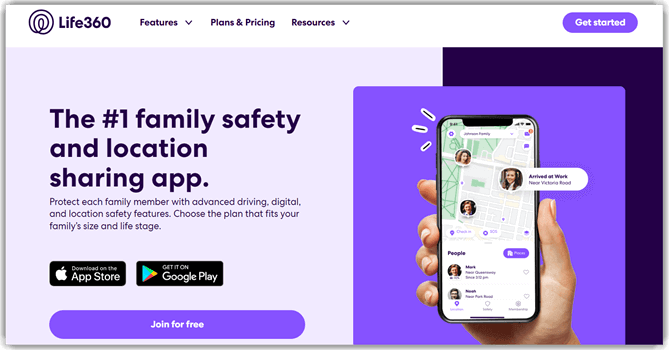
Life360 is built around ongoing family circles, shared location, place alerts, crash-related tools, and driving context. The free US tier includes core location sharing, SOS, two place alerts, two days of location history, crash detection, a family driving summary, and battery monitoring. Paid memberships extend history, place coverage, and service benefits.
The breadth can be useful for households coordinating several drivers, but availability and pricing differ by country. Some benefits, including roadside, identity, medical, travel, or stolen-device assistance, are plan- and region-specific rather than ordinary GPS features. Family members should understand circle visibility and notification settings, and they should not interpret a delayed location as proof of someone’s actions.
Features
- Family Circles: Participating members share location within private groups and can adjust account or device settings.
- Place Alerts: Free and paid plans provide different numbers of saved locations for arrival or departure notifications.
- Location History: US plan retention expands from two days to seven or 30 days depending on membership.
- Driving Context: Crash detection, family driving summaries, and individual reports vary by plan and region.
- SOS Tools: Emergency signaling can share location context, although it does not replace local emergency services.
- Optional Safety Benefits: Higher US tiers bundle roadside, identity, travel, medical, and stolen-device benefits with eligibility limits.
Pros
- The free plan supports practical core family location sharing.
- Place alerts and driving context serve multi-driver households.
- I found current US tier prices published in 2026 materials.
- Paid tiers extend history and service benefits progressively.
Cons
- Features and prices vary substantially by country.
- I found higher tiers complicated by non-location service conditions.
- Continuous family visibility can create privacy pressure without clear rules.
Pricing
Life360 offers a free US plan, with Silver, Gold, and Platinum memberships billed monthly at increasing rates.
| Plan | Billing | Coverage |
|---|---|---|
| Free | $0 monthly | Core location and selected safety tools |
| Silver | $7.99 monthly | Seven-day history and five places |
| Gold / Platinum | $14.99 / $24.99 monthly | Expanded history and safety benefits |
Free Trial/ Refund: A permanent free plan is available. Paid plan availability, trials, renewals, and refund handling vary by region and purchase channel. US prices shown here may not match another country’s checkout.
Bottom Line: Life360 best fits families that want shared circles plus driving and optional safety services. Its mature free tier is the advantage. The main trade-offs are region-dependent pricing, complicated higher-tier benefits, and the privacy pressure that can arise when continuous family visibility is not governed by clear household rules.
Free plan.
10) Google Maps
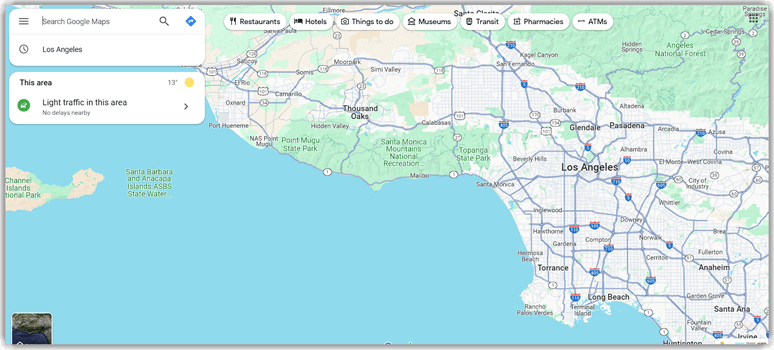
Google Maps is the simplest option here for mutual location sharing without a separate family-tracking subscription. A user chooses who can see their position and how long sharing lasts. Recipients may see a recent location, battery status, and travel context. Arrival or departure notifications can be added for eligible account-based shares.
The service works best for families that already use Google accounts and need occasional coordination rather than supervision. Link sharing can include people without Google accounts for a limited period, while persistent account-based sharing offers more control. Maps does not provide the app filtering, screen-time schedules, or communication records of a parental-control product, and sharing can be stopped by the person who enabled it.
Features
- Time-Limited Sharing: Users choose a duration instead of granting indefinite access by default.
- Account-Based Sharing: Selected Google contacts can see current location until the user changes or stops access.
- Link Sharing: A temporary link can share location with someone who does not have a Google account.
- Battery Context: Recipients may see battery level and charging status alongside the recent location.
- Arrival Notifications: Eligible account shares can support notifications for arrival at or departure from chosen places.
- Trip Progress: Navigation users can share a destination, estimated arrival, and current progress for a specific journey.
Pros
- No separate subscription is required for personal location sharing.
- Users control the recipient and sharing duration directly.
- I found current sharing limits documented clearly by Google.
- Trip progress is useful for a specific journey or arrival.
Cons
- It lacks dedicated parental filtering and screen-time controls.
- I found notification availability dependent on sharing and account type.
- The person sharing can stop access at any time.
Pricing
Google Maps location sharing is free for users with a compatible device and Google account.
| Plan | Billing | Coverage |
|---|---|---|
| Google Maps | Free | Personal location sharing |
Free Trial/ Refund: Google Maps location sharing is free. There is no paid subscription, trial, renewal charge, or refund policy for this feature.
Bottom Line: Google Maps is the best fit for simple, opt-in sharing during travel, errands, or an agreed family check-in. Its familiar interface and time controls are the advantages. It lacks dedicated family supervision, and account, age, region, connectivity, and sharing settings can restrict availability.
Free.
What Should You Check Before Choosing a Location Tracking App?
Start with the exact job: shared family location, a one-time approved request, identity research, or broader parental controls. These categories collect different data and require different setup. Check Android and iPhone support, account limits, background-permission behavior, history retention, emergency features, full billed totals, and renewal dates. Families that also need app limits or web filtering can compare the best parental control apps. Choose the least intrusive option that solves the defined safety problem, and agree on who can view location and when sharing should end.
Are Phone Trackers and Monitoring Apps Legal and Safe?
They can be lawful when a parent manages an owned child’s device under applicable rules, or when an adult device user gives informed consent. A claim about hidden operation does not create legal authority. Avoid installing monitoring software on a partner, employee, or unrelated adult without clear permission. Public-record services have a separate boundary: they are not live trackers or consumer-reporting tools for employment, housing, credit, or insurance decisions. Household rules should state who can see location, which records are collected, how long they are retained, and when monitoring will be reduced or removed.
How Location Tracking Apps Are Changing in 2026
Permission transparency now matters as much as the map because Android and iPhone continue to restrict background access differently. Family locators are expanding place alerts, driving context, SOS tools, satellite-assisted updates on supported devices, and shared household plans. Parental-control products are separating platform-specific setup paths more clearly, while public-record services are emphasizing identity research rather than pretending to provide live GPS. App-store disclosures can make data collection easier to compare, although a disclosure does not prove responsible handling. Families should expect wider differences between Android and iPhone features, more visible consent controls, and stronger pressure to minimize stored location history. Review permissions after operating-system updates and scale back monitoring when the original concern no longer justifies continuous access.
Verdict
The best location tracking apps match the family’s exact purpose, phone platform, budget, consent boundaries, and tolerance for recurring billing.
- GEOfinder ranks first for consent-based one-time requests because it works through an approved browser link without installing a recipient-side app.
- mSpy ranks second for detailed parental monitoring, combining geofences with supported activity records for families that accept platform-specific setup.
- Spokeo ranks third for researching unfamiliar US contacts through public records without claiming to provide live device tracking.
FAQs
Yes. Several support both platforms, but available location, alert, and activity features change with the phone, permissions, plan, region, account type, and installation method.
No. Tracking or monitoring another adult generally requires informed consent and lawful authority. Check applicable local law and platform rules before collecting location, communications, or device activity.
No. Some provide permanent free tiers, while others offer limited previews, paid trials, in-app purchases, or conditional refunds. Always inspect renewal timing and the billed total.
No. People-search reports organize available records and cannot follow a device. Live maps require voluntary location sharing, an installed family app, or an approved location request.
No. Begin with shared location, check-ins, and clear household rules. Add broader controls only for a defined concern, then reduce collection as circumstances and maturity change.