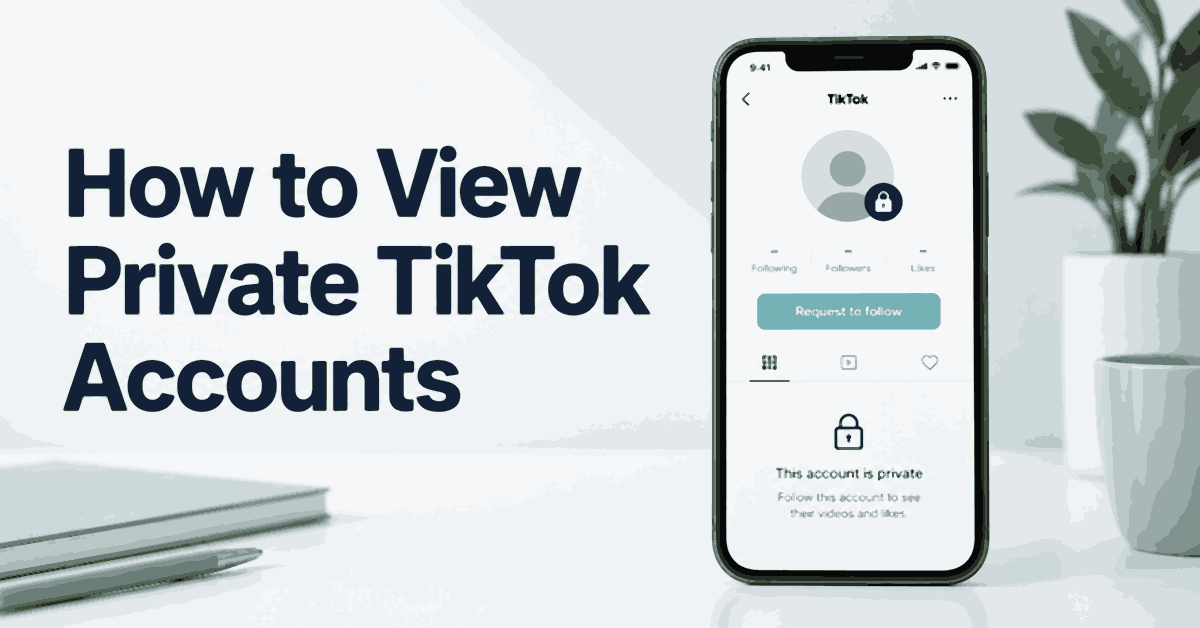
A private TikTok account lets its owner choose who can watch their videos. You may still find the username and profile picture, but finding the page does not give you access to the posts behind it. To watch those posts, send a follow request and wait for approval.
There are other ways to find content a creator has shared publicly. A username search may lead to their YouTube channel, a public repost, or an official website. Parents may also need a way to supervise a child’s device. Those are different tasks, with different limits. Paying for a search or monitoring app does not remove TikTok’s approval requirement.
This guide covers six common approaches, the tools offered for each task, and the checks to make before you share information or buy a subscription.
Key Takeaways: An approved follow request is the direct way to view private TikTok videos. Spokeo searches public information, while mSpy and uMobix offer device monitoring for authorized supervision. None should be treated as a guaranteed private-profile unlocker. Google, other social platforms, and creator-approved fan pages may help you find public copies.
How to View Private TikTok Accounts: Six Methods
First decide what you need. If you want to follow a creator, request access. If you are looking for one old video, search for an official public upload. If you are a parent, discuss the concern with your child and review the account together before considering monitoring software.
Keep the account owner’s choice in mind throughout the process. A rejected request, a block, or a private setting is a reason to stop trying to gain access, even if another website advertises a workaround.
Method 1: Use Third-Party Apps for the Right Task
People-search services and device-monitoring apps collect information in different ways. A search service looks for public records and matching profiles. A monitoring app needs an authorized connection to a supported phone. Neither gets access to every private TikTok account just because you know a username.
1) Spokeo
Spokeo is a browser-based people-search service. A username search can help locate related public profiles. That can be useful when a creator uses the same handle on TikTok and another platform, but the results are possible matches, not proof that one person owns every listed account.
Spokeo does not install an app on the person’s phone. It also does not provide a private TikTok inbox, a complete contact list from the app, or a stream of locked videos. Its public-record information is mainly focused on the United States, so coverage can be limited elsewhere.
Features
- Username lookup: Search for public profiles associated with a handle. Check the spelling and profile links before drawing a conclusion.
- Related public information: A report may contain names, contact details, or other available records. You do not need those personal details just to watch a creator’s content.
- Browser access: Use the website on a computer or phone without installing software on another device.
- Report updates: Some services offer updates to existing reports. An updated report still may contain old or mismatched entries.
Steps to Use Spokeo
- Open the Spokeo username-search page through the link above.
- Enter the exact public TikTok username. Do not enter someone else’s password.
- Review any preview and compare the profile picture, bio, and linked websites.
- Check what a paid report actually includes before subscribing.
- Follow relevant public social links, then view only content available to you there.
If a result leads to a private TikTok page, you still need the owner’s approval. Repeating the search or purchasing another report does not change that. Stop if the results cannot be matched to the creator with reasonable confidence.
Pros
- Can help find a creator’s public presence across more than one website.
- Runs in a browser, with no setup on another person’s phone.
Cons
- Records can be incomplete, outdated, or connected to someone with a similar name.
- Does not show private TikTok videos or messages.
Pricing and Trial
The introductory offer is $0.95 for a 7-day trial. This is a paid offer. Read the checkout for the renewal amount, included searches, and cancellation deadline before entering payment details. Do not assume every search category or report is included.
Free Trial/ Refund: 7-day trial for $0.95.
Bottom Line: Spokeo can help you locate related public profiles. Use it for that purpose, not as a way to open locked TikTok content.
7-day trial for $0.95.
2) mSpy
mSpy is a parental-monitoring service for supported Android and iOS setups. Its dashboard can display collected phone and app activity. This can help a parent review a specific safety concern on a device they are authorized to supervise.
The account available on that phone determines what content can be seen. If the child is not an approved follower of a private creator, mSpy does not give the child or parent a new right to access that creator’s posts. Monitoring also does not guarantee a complete copy of every message, video, or deleted item.
Features
- App activity: Supported monitoring may record some social-app content from the supervised phone.
- Screen capture: Available capture features depend on the product, device, and setup. Check TikTok support for your exact configuration.
- Phone records: Other features may include messages, call logs, and location data. Enable only what is needed for the agreed supervision.
- Dashboard: Review collected records from the parent account and check timestamps before treating an item as current.
Steps for Authorized Supervision
- Explain to your child what you plan to review and why. Confirm that you have the authority required for the device and account.
- Check mSpy’s device compatibility and TikTok coverage before buying.
- Choose a plan only after reading the full charge and renewal terms.
- Follow the official setup instructions on the device you are permitted to manage. Do not borrow or collect someone else’s login details.
- Review the available TikTok records together where practical. Use the conversation to address the safety issue.
- Remove access and unnecessary stored records when the monitoring is no longer needed.
Advanced features can have additional technical requirements. Avoid changing a phone’s security protections just to obtain more data. An app update, missing permission, or connection problem can create gaps that a dashboard does not explain.
Pros
- Brings supported device activity into one parent dashboard.
- Can provide context for a specific online-safety discussion.
Cons
- Requires a supported, authorized setup and a paid subscription.
- Coverage can change after operating-system or app updates.
Pricing and Refund
mSpy offers a 14-day money-back guarantee, subject to its refund conditions. A refund window requires payment first and should not be described as a free monitoring trial. The policy includes restrictions for incompatibility, missing device access, renewals, and information that existed before installation. Read the conditions before ordering.
Free Trial/ Refund: 14-day money-back guarantee. Conditions apply.
Bottom Line: mSpy may suit a defined parental-supervision need. It cannot promise unrestricted access to private TikTok accounts.
14-day money-back guarantee. Conditions apply.
3) uMobix
uMobix is another device-monitoring service. Its supported features can bring app activity and phone records into an online dashboard. Check the exact Android or iOS setup, because a feature shown in a demonstration may not work the same way on both systems.
Do not treat references to follower analysis, likes, or engagement as a promise of a complete TikTok analytics feed. What you receive depends on what the product can capture from the authorized device. It does not automatically reveal every private video associated with a username.
Features
- Supported social-app records: Review the content collected after a working setup has been established.
- Phone information: Available call, message, and media records depend on compatibility and permissions.
- Online dashboard: Records can be reviewed from a browser, with timestamps and collection limits kept in view.
- Ongoing supervision: Useful records need a working connection. A blank section does not establish that no activity occurred.
Steps to Use uMobix
- Check the compatibility page and ask support whether the TikTok feature you need works on the child’s device.
- Agree on a limited monitoring arrangement and confirm the required authority.
- Review the subscription total, renewal terms, and refund exclusions.
- Complete the official setup on the authorized device.
- Open the dashboard and inspect only the supported records relevant to the concern.
- Recheck the setup after app or system updates, and end the arrangement when it is no longer needed.
Pros
- Provides one place to review supported device records.
- Can support a parent who needs broader phone supervision than TikTok settings alone offer.
Cons
- Features differ by operating system and setup.
- Cannot recreate content that was never collected or grant approval to follow a private account.
Pricing and Refund
The offer includes a 14-day money-back guarantee, with eligibility conditions. Do not assume there is a downloadable free monitoring edition. Confirm whether the preview is a demonstration, what the paid plan includes, and which reasons qualify for a refund.
Free Trial/ Refund: 14-day money-back guarantee. Conditions apply.
Bottom Line: Consider uMobix only for supported, authorized device supervision. For a creator’s private videos, use a follow request.
14-day money-back guarantee. Conditions apply.
Method 2: A Secondary Account and the Problem with Fake Profiles
A second TikTok account can separate personal interests from a business or hobby. It does not make you invisible, and it should not be used to impersonate someone or trick a private creator into accepting you.
- Use an account you control with an honest description of its purpose.
- Search for the creator’s exact username and confirm that you found the right profile.
- Send one follow request if the creator welcomes that contact.
- Wait for approval before expecting access to private videos.
- Accept a rejection or lack of response. Do not create more accounts to evade a block.
An account with a different name can still be recognized through its posts, contacts, or interactions. Buying followers or copying another person’s photos to make it look familiar adds risk and does not create permission. If your main concern is an accidental profile-view entry, review your own profile-view-history setting instead.
Method 3: Search on Google
Google can help locate public material connected to a TikTok username. That may include an official website, a public interview, or a video uploaded separately elsewhere. It does not provide a dependable route into TikTok’s private posts.
- Search the exact username in quotation marks.
- Add TikTok or a distinctive phrase from the video you remember.
- Check the results for an official creator page or a public upload.
- Compare dates and account details before assuming a result is current.
- Open only the content that remains publicly available.
A search thumbnail may remain after a page changes. Clicking it can lead to unavailable content, and that does not mean another payment or browser extension will restore access. Do not follow instructions promising a Google cache button that opens every old private video.
Method 4: Check the Creator’s Other Social Profiles
A creator may keep TikTok private while posting selected videos on YouTube, Instagram, or Facebook. Look for links the creator has published, rather than guessing that every matching handle belongs to the same person.
- Read the visible profile information for an official website or social link.
- Open that link and compare the creator’s name and content.
- Search the public video list for the topic you wanted.
- Check whether the upload is a separate video or only a link back to TikTok.
- Ask the creator where to watch the clip if no authorized public copy appears.
A separate upload may remain available when the TikTok version is private. A link back to the locked video usually keeps the same access limit. Avoid turning a simple content search into a search for a person’s home, relatives, or private contact details.
Method 5: Look at Creator-Approved Fan Pages
Fan pages sometimes share public performances, promotional clips, or edits with a creator’s permission. These pages can help you find public content, but they are not proof that private material was shared with approval.
- Search for the creator’s official fan page or a page linked from their public account.
- Check the post date and any credit to the original creator.
- Prefer clips linked to a public source or an authorized release.
- Avoid accounts selling private screenshots or claiming to expose a person’s restricted posts.
Fan edits may change the original context or combine footage from different dates. If accuracy matters, look for the original public upload. Do not download or repost a clip just because a fan page has already shared it.
Method 6: Ask a Friend for an Introduction
A mutual friend can help you make contact with a private creator. Their access does not automatically give them permission to pass private posts to you, and you should not ask to borrow their login.
- Explain which creator or specific video you are trying to reach.
- Ask whether the friend can introduce you or request the creator’s permission.
- Send your own follow request if the creator agrees.
- Ask for a public link when the content is already available elsewhere.
- Respect either person’s decision not to help.
This avoids shared passwords and leaves the creator in control of the audience. A friend can also clarify that an account is inactive or belongs to someone else, saving you from pursuing a mistaken match.
Risks of Private TikTok Viewer Apps
Warning signs include a promise to open every private account, a demand for your TikTok password, repeated surveys, or a payment screen that never explains what you will receive. HTTPS protects a connection; it does not prove a business will deliver its claims.
ClevGuard also markets monitoring products. Check the exact product, supported device, and required permissions. A brand name or a dashboard screenshot does not establish that it can bypass a private TikTok profile.
Before using any service, read the renewal and cancellation terms, search for its support contact, and avoid software that asks you to disable phone protections. If you already entered a password on a suspicious website, change it through TikTok, review account sessions, and enable available account-security checks.
What Does a Private TikTok Viewer Actually Show?
The phrase can describe a public-profile search, a cached public-content viewer, or an authorized device-monitoring tool. Ask which one the product is selling. These services do not have the same access or purpose.
TikTok explains that private-account owners approve followers and control access to their content. Their name, username, and profile photo can still be visible. Knowing their phone number does not itself grant approval. See TikTok’s account-privacy guidance for the current controls.
Private and Public TikTok Accounts: The Difference
A private account limits the audience to approved people, subject to the owner’s other content settings. A public account can make content available more widely, but individual post settings can still narrow who sees it. Public also does not mean that everyone gets a notification for every upload.
To check a profile, open its page and look for a private-account notice. An empty video grid alone is inconclusive: the creator may have removed posts, changed visibility, or not uploaded anything. Do not mistake a missing result for evidence that you have been blocked.
Permission and Parental Supervision
Use only accounts and devices you are entitled to access. Knowing a password or owning the household Wi-Fi does not settle another person’s privacy rights. Local rules depend on the people involved, the data collected, and the purpose. Seek qualified local advice if you are unsure about a monitoring arrangement.
Parents should start with TikTok’s Family Pairing and a conversation about privacy, messages, and unwanted contact. Explain what is visible to the parent. A supervision tool should address a safety need, with fewer permissions and a defined review period wherever possible.
How to Make Your Own TikTok Account Private
- Open TikTok and tap Profile.
- Open the menu, then choose Settings and privacy.
- Tap Privacy and turn on Private account.
- Review your followers and remove anyone you no longer want in the audience.
- Check messages, comments, account suggestions, and individual post audiences.
- Review any public copies you posted on other platforms separately.
Changing the account setting does not erase copies someone already saved. Avoid posting details you would not want shared more widely, even when the intended audience is small.
Before You Choose a Method
Before you choose a method, write down the result you need in one sentence. Finding a creator’s public cooking tutorial requires different access from reviewing a child’s safety settings. Keeping that distinction clear makes it easier to reject an unnecessary subscription or permission request.
If you are evaluating a monitoring product, ask support a specific question about the phone model, operating-system version, and TikTok feature. Keep the answer with the plan details. A general promise of social-media monitoring does not confirm that the exact item you need will be available.
For a public-content search, stop once you find an official upload that answers the question. Check its date and source, then use it under the creator’s sharing terms. There is no need to collect a wider report about the person.
If the only copy is private, ask whether the creator is willing to share it. They may send a public link, approve a request, or decline. Each response gives you a clear next step without repeated searches or increasingly intrusive tools.
Keep any downloaded material separate from public publishing folders. A clip saved for personal reference can be shared accidentally if it sits in an automated upload folder or shared family library. Review storage and sharing settings before keeping private media.
Verdict
For private TikTok videos, send a follow request. For a public copy of a clip, try the creator’s own links, Google, or an authorized fan page. Spokeo can help locate public profiles; mSpy and uMobix serve supported supervision needs. Choose the method that answers your actual question, and stop when the account owner has declined access.