Key Takeaways: Do not rely on a trick to open a photo or video Snap without showing activity. Airplane Mode can delay communication, but it does not guarantee that Opened or screenshot indicators stay hidden after reconnection. Peeking and half-swiping concern text chats, and Snapchat+ can reveal a peek. mSpy, xMobi, and uMobix are device-monitoring products with setup and permission requirements, not universal read-receipt switches.
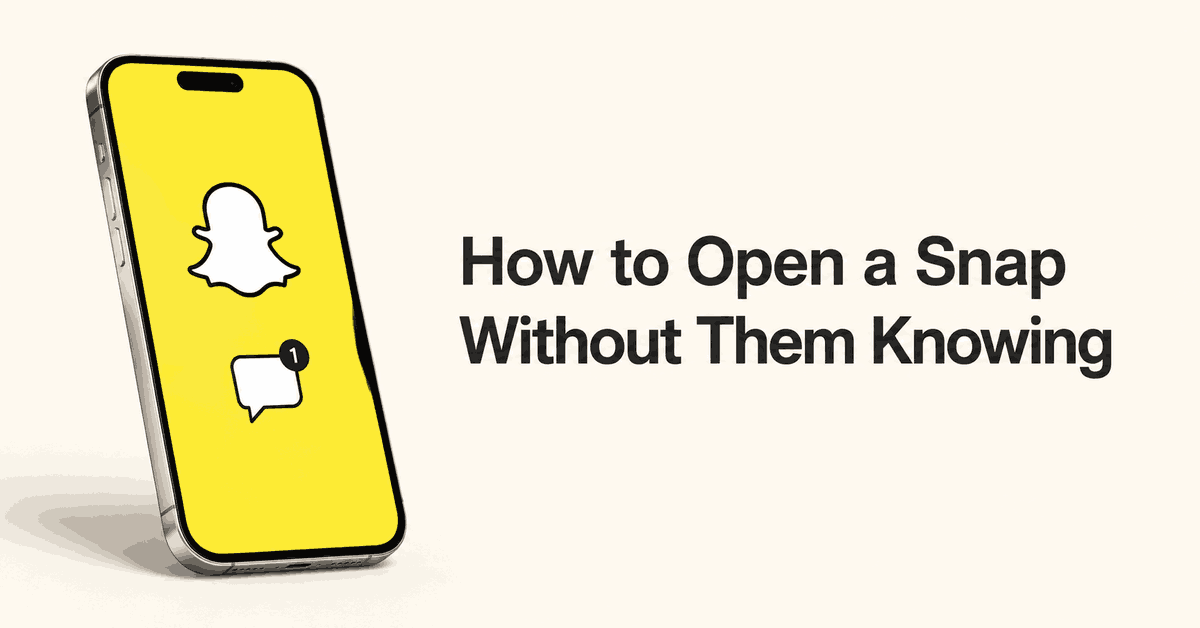
A Snap arrives while you are busy, and you want time to think before replying. Opening it can tell the sender you have seen it. Going offline may only postpone that update.
The five methods below explain what each approach can show, how it is used, and where it can fail. The phone-based steps apply to messages sent to your own account. Monitoring another person’s device needs separate permission and a valid purpose.
First, know the difference between a Snap and a Chat
A Snap is a photo or video sent through Snapchat. A Chat can include text and shared media. Snapchat uses different Chat-screen icons for unopened, opened, viewed, replayed, and screenshotted content. A text preview does not mean you have viewed an attached photo or video.
Content also does not always disappear permanently the moment it is opened. Snapchat’s deletion rules vary by content type and settings. Saving, replies, and other actions can affect how long items remain. Unopened Snaps can expire too, so leaving one unopened will not keep it forever.
| Method | What to expect |
|---|---|
| mSpy or another monitoring app | May show supported records captured after authorized setup; no guarantee that sender indicators stay hidden. |
| Airplane Mode | Offline access depends on what has loaded. Activity may sync when the phone reconnects. |
| Peeking | May preview text in a Chat; Snapchat+ can reveal a peek. |
| Clear cache or storage | Cache clearing is for storage and troubleshooting. Do not treat it as a way to undo Opened. |
| Half-opening or half-swiping | Another name for a partial Chat swipe, not a way to reveal a photo or video Snap. |
Method 1: Use mSpy for authorized Snapchat monitoring
1) mSpy
mSpy is a paid device-monitoring service for your own device or lawful parental supervision. Its Snapchat feature page describes captured Snapchat activity on Android, including supported chat and image records.
Reading a record in a monitoring dashboard is different from opening a live Snap in your Snapchat account. It does not prove that a particular Snap will be captured, that earlier deleted content can be recovered, or that the sender will never see viewing activity. Do not buy it just to postpone a reply.

Features and limits
- The compatibility policy lists Snapchat chats for Android and requires physical access for installation.
- Features depend on the exact device, permissions, app version, and setup. A compatible phone does not guarantee every record.
- The standard iCloud Sync feature list does not include Snapchat chats. Confirm the exact iPhone method before paying.
- A record captured before it disappears may remain in a dashboard. That does not recreate content the service never collected.
Steps for an authorized setup
- Confirm that you own the phone or have lawful authority to supervise your child’s use. Discuss the monitoring and set limits on what you will collect.
- Open mSpy. Check the exact phone, Snapchat feature, required access, and subscription terms before choosing a plan.
- If you proceed, complete the supported setup on the authorized device. Do not hide installation, bypass a device lock, or turn off security protections.
- Sign into your own mSpy dashboard. Open the Snapchat category if your setup supports it.
- Review the records that have arrived and check their timestamps. There is no fixed wait time that guarantees every Snap will appear. Keep the dashboard account secure.
Pros
- Can bring supported Snapchat activity into a separate dashboard for parental supervision.
- An online demo shows the dashboard layout before purchase.
Cons
- Requires payment, device access, and a supported setup.
- Does not guarantee complete Snap capture or hidden viewing indicators.
- Adds another account holding sensitive information.
Pricing
mSpy uses prepaid subscriptions. Read the full charge and renewal amount before buying. Its billing terms define months in shorter plans as 28 days. Auto-renewal continues at the original non-discounted price unless disabled at least 24 hours before the term ends. Some assistance services cost extra.
| Option | What you get |
|---|---|
| Online demo | Sample dashboard data; no installed free trial |
| Monitoring subscription | Paid access for the supported device and plan |
Free Trial/ Refund: Online demo; 14-day conditional refund policy.
Eligible first purchases may qualify under the 14-day refund policy, such as when support cannot fix a technical issue. Renewals, incompatibility, missing access, uncaptured earlier data, and change of mind have exclusions. Approved refunds have a 9% processing deduction.
Bottom Line: mSpy suits a defined parental-supervision need on a supported device. It should not be treated as a guaranteed way to open any Snap without a sender indicator.
Online demo; 14-day conditional refund policy.
xMobi is another paid monitoring option. Check its exact Snapchat feature and Android setup requirements before subscribing. A sample dashboard or a claim about anonymous viewing does not prove that your incoming photo or video Snap will be available without an Opened indicator.
Method 2: Use Airplane Mode for offline viewing
Airplane Mode disconnects the phone from its mobile network. If Wi-Fi is also off, Snapchat cannot send data over those connections while the phone remains offline. Content that has not downloaded may not open. Any viewing or screenshot activity may sync later.
Steps to check a loaded Snap offline
- Open Snapchat’s Chat screen and allow incoming content to load without tapping the Snap itself. Loading is not guaranteed for every item.
- Turn on Airplane Mode in the phone’s quick settings or Control Center. Check that Wi-Fi is also off; it can remain on or be turned back on separately.
- Open the received Snap only if you accept that its status may update later. If it is unavailable, it has not loaded enough to view offline.
- After viewing, close Snapchat before restoring your connection. Closing the app does not prove that a pending activity record has been erased.
- When you reconnect, assume the sender may see the Opened status. Use a test Snap from a trusted friend if you want to check behavior on your app version.
Do not rely on waiting 30 seconds after a screenshot. There is no dependable countdown that makes the capture invisible. If you need a copy, ask the sender before saving or capturing it.
Spynger is also marketed for Snapchat monitoring. Do not read a stealth claim as a promise that Opened or screenshot indicators will stay hidden. Any monitoring product needs a permitted purpose, the required device access, and a review of its purchase and privacy terms.
Method 3: Preview a text Chat with the peeking method
Peeking means partially swiping a conversation into view without fully entering it. It may show text already available in the Chat. It does not reveal the contents of an unopened photo or video Snap. A slip can open the conversation.
How the partial-swipe gesture is used
- Open Snapchat and go to the Chat screen. Practice with a trusted friend’s test message first.
- Place your finger on the sender’s avatar area beside the conversation and begin a slow swipe to the right. Avoid a normal tap that opens the conversation.
- If your version shows a partial preview, keep your finger on the screen. Read only the text that is visible.
- Slide back to the left until you return to the Chat list, then lift your finger. Do not finish the swipe into the conversation.
This is not an invisible viewing mode. Snapchat’s Peek a Peek explanation says Snapchat+ subscribers can see an eyes indicator when someone peeks into a shared one-to-one or Group Chat. They must be looking at the Chat feed or conversation at the same time. If they are in the Chat, a Bitmoji may appear at the edge of the screen.
The gesture can change with app updates, and a preview may show only part of a long message. Taking a screenshot adds another risk of revealing activity.
Method 4: Clear cache and understand what clearing storage does
Snapchat’s cache-clearing instructions describe a way to free space or troubleshoot the app. Clearing cache does not delete Memories, Snaps, or Chats. The feature is not described as an undo button for viewing or screenshot activity.
Opening a Snap offline and then clearing cache should not be treated as proof that its status will stay unopened. Use the following steps only when you need to clear temporary files.
Clear cache on iPhone
- Open your profile or My Account in Snapchat and tap the gear icon for Settings.
- Under App & Privacy, open My Privacy & Data.
- Under Manage My Data, choose Clear Cache.
- Tap Clear to confirm. Menu labels can differ in older versions.
Clear cache on Android
- Open Snapchat’s profile settings using the gear icon.
- Go to App & Privacy > My Privacy & Data.
- Under Manage My Data, tap Clear Data, then select Clear Cache.
- Tap Clear. Choose the cache option rather than an unrelated account-data action.
Android’s system-level Clear storage or Clear data is a different action from Snapchat’s cache menu. It can reset local app data and sign you out. Do not erase app storage, uninstall Snapchat, or remove local files just to try to reverse Opened. You may lose data that was not backed up, and the sender’s status may still update.
uMobix is a device-monitoring product, not a cache cleaner or a read-receipt setting. Before choosing it, check its current Snapchat support and authorized setup requirements. It cannot be assumed to erase viewing activity from Snapchat’s servers.
Method 5: Half-open a Snapchat conversation
Half-open and half-swipe usually refer to the same partial Chat gesture described in Method 3. Treat this as a second name for a text-preview technique, not a separate way to open a photo or video Snap.
- Check what you received: a text Chat or a photo/video Snap. A partial Chat preview does not display an unopened Snap.
- For a text message, use a trusted test conversation to check whether the partial swipe in Method 3 still works on your version.
- Keep the Snapchat+ Peek a Peek limitation in mind. Avoid assuming that an incomplete swipe leaves no visible activity.
- If the gesture fails, leave the message for later or open it normally. Do not install an old or modified app to force the behavior.
Claims that half-swiping is gone on every version, or that an old app will restore secret viewing, are too broad. Snapchat still documents peeking through its Snapchat+ feature. It also warns that unauthorized apps and plugins can put accounts at risk and lead to account locks. Keep Snapchat updated through the official app store.
Why you may want more time before replying
- You are working, studying, or away from your phone and cannot reply yet.
- You want time to think through an answer without creating an expectation of an immediate response.
- You want to keep your attention on something else, even if you are curious about the message.
- You want clearer boundaries around when friends can expect a reply.
You do not have to answer as soon as you open a message. If the status itself is causing stress, tell the sender that you reply when you have time. Leaving the Snap unopened until you are ready avoids relying on a trick.
A less intrusive option for parents
Snapchat’s Family Center helps parents see who their teen connects with while keeping conversation contents private. It does not provide secret access to Snaps. Start there if your aim is family safety rather than reading every message.
For broader device supervision, our Snapchat tracker comparison covers setup and privacy tradeoffs. A monitoring subscription does not replace a discussion about what will be collected and why.
Verdict
There is no dependable promise that you can open any photo or video Snap without the sender seeing activity. Airplane Mode can delay communication, cache clearing is for app maintenance, and half-swiping only concerns a limited Chat preview. Snapchat+ can reveal peeking. If staying unopened matters, wait until you are ready to view the Snap. Use monitoring software only for an authorized supervision purpose.