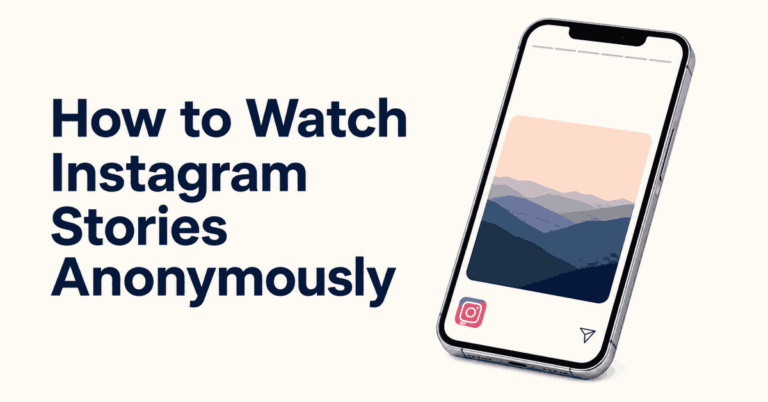
Key Takeaways: You may be able to open a public Instagram profile in a browser without signing in, but Instagram can limit access or ask you to log in. Inflact offers limited free public views, Dumpor advertises free public viewing, and Peekviewer is a paid viewer with account-access limits. None guarantees access to private profiles. Browsing without an Instagram account does not mean that websites collect no data.
If you only want to read a public bio or look at a business’s latest posts, try its Instagram profile link in your browser first. You do not need to buy a monitoring app for that. What loads without a login can vary.
Another option is a website that displays available public Instagram content. Check its limits before you pay or share information. A public-profile viewer should not need your Instagram password, a login code, or access to someone else’s phone.
Is it possible to view Instagram without an account?
Sometimes. A direct profile link may show basic details or some public posts without a login. Public viewers can also display content they can access. Neither route gives you the full Instagram experience, and a public account can still trigger a login screen.
Instagram’s public and private account rules separate basic profile details from private posts. Private photos and videos are for approved followers. A viewer does not override that choice. A service may also let you browse without an Instagram account while requiring its own account and subscription.
Method 1: Use a third-party Instagram tool
Check what each tool does before choosing one. Peekviewer and Inflact focus on Instagram content. Spokeo searches public records and possible profile matches. xMobi and mSpy monitor supported devices after setup, so their requirements are different from a public-profile viewer.
1) xMobi
xMobi is a device-monitoring service. Its current Android offering includes Instagram message monitoring on a phone set up to use the software. Entering a username alone does not give access to a private account.
Consider it only for a phone you own or a child’s device you are legally allowed to manage. Android setup needs physical access. It is not a useful first choice when all you want is a public Instagram post.

Features
- Instagram and other supported message records collected from the configured device.
- A web dashboard for reviewing the data your setup supports.
- One monitored device per subscription. Device replacement requires setup again.
Steps to check whether xMobi fits your needs
- Read xMobi’s Android feature and setup requirements. Check your exact phone and the Instagram feature you need.
- Confirm that you own the device or have the required parental authority. Discuss the monitoring and privacy boundaries with the person using the phone.
- Review the demo and subscription terms before paying. Do not assume a demo provides access to a real Instagram account.
- If the service suits that authorized use, follow its official setup instructions. Do not bypass a lock, change another person’s password, or disable phone security to obtain access.
Pros
- Covers broader device supervision when that is the actual need.
- Offers an online demo before purchase.
Cons
- Requires device setup and physical access on Android.
- A paid monitoring subscription is unnecessary for basic public-profile browsing.
Pricing
xMobi uses paid subscriptions. Its terms require turning off auto-renewal at least 24 hours before the period ends. The 14-day refund policy applies to qualifying first purchases, with exclusions for renewals, change of mind, access problems, and other cases. A processing deduction of up to 9% may apply.
| Item | Billing detail |
|---|---|
| Coverage | One device per subscription |
| Plan | Choose the available subscription term and review the full charge before paying |
| Renewal | Automatic unless canceled before the deadline |
Free Trial/ Refund: Online demo; 14-day conditional refund policy.
Bottom Line: Use xMobi for authorized device supervision. Choose a public viewer for a public Instagram page.
Online demo; 14-day conditional refund policy.
2) Peekviewer
Peekviewer is a browser-based Instagram viewer. Its terms cover publicly available content, including posts and Stories. You do not need to sign into Instagram, but the paid service uses a separate Peekviewer account.
Available content depends on account privacy and technical limits. Do not assume that buying a plan unlocks private messages, deleted media, or every private profile. A place tag in a post also does not reveal the phone’s live location.

Features
- Views available public posts and Stories in a browser.
- Does not require installing a monitoring app on the other person’s phone.
- One profile per subscription under the service terms.
Steps to use Peekviewer for a public profile
- Open Peekviewer and read its public-account coverage and subscription terms.
- Enter the public profile username or URL when requested.
- Check the selected profile, total price, and renewal details before choosing a paid plan.
- Use your own Peekviewer account to review the available content. Stop if access is unavailable; do not expect a private-account bypass.
Pros
- Works in a browser without an Instagram login.
- Keeps available content within a separate viewer dashboard.
Cons
- Requires payment for its subscription features.
- Does not guarantee access to every account or historical post.
Pricing
The subscription terms list one-, three-, and 12-month options. The first two use 28-day months. Review the full charge and turn off auto-renewal at least 24 hours before the period ends if you do not want to continue. The 14-day refund policy is conditional and applies to the first subscription. Renewals and change-of-mind requests are excluded; processing fees may be deducted.
| Plan term | Coverage |
|---|---|
| One month | One profile; paid subscription |
| Three months | One profile; longer subscription term |
| 12 months | One profile; longer subscription term |
Free Trial/ Refund: 14-day refund policy; conditions apply.
Bottom Line: Peekviewer can display available public content. Check the account limits and billing before committing.
14-day refund policy; conditions apply.
3) Spokeo
Spokeo is a people-search service for public records and possible online-profile matches. It can provide context around a username, but it does not work like an Instagram feed with all posts, Reels, and Stories.
Use it to check your own public information or a lookup someone has asked you to make. Similar usernames can belong to different people. A record match does not prove identity or give access to private messages.

Features
- Searches for possible public-record and profile matches.
- Works through a website rather than an app installed on another phone.
- Provides report-style information rather than direct access to an Instagram account.
Steps to check your own public information
- Open Spokeo’s username-search page.
- Enter your own username, or one you have permission to review.
- Compare any result with details you already know. Do not assume the first match is correct.
- Read the report charge and any recurring billing terms before buying. Use Instagram or a public viewer if you only need to see public posts.
Pros
- Can help you review your own public online footprint.
- Does not require access to another person’s phone.
Cons
- Does not provide a full Instagram browsing experience.
- Results can be incomplete, old, or about someone else.
Pricing
Some report details require payment. Review the amount due, any trial conversion, the renewal period, and the cancellation process before entering billing details. A low introductory charge should not be treated as a free trial.
| Item | What to check |
|---|---|
| Report access | Which details the paid report includes |
| Billing | Initial charge and any recurring subscription |
| Cancellation | Deadline and method stated in the offer |
Free Trial/ Refund: Paid reports. Check subscription terms.
Bottom Line: Spokeo is a public-record lookup option. It does not replace an Instagram viewer.
Paid reports. Check subscription terms.
4) mSpy
mSpy offers Instagram message and shared-media monitoring through supported device setups. It is aimed at parental or owned-device supervision, rather than casual browsing of an arbitrary profile without a login.
Android setup requires physical access and installation. iPhone features vary by connection method; do not assume an iCloud-based setup includes Instagram messages. Confirm the exact device and feature before buying.

Features
- Instagram messages and shared media where the selected setup supports them.
- A separate dashboard for reviewing records collected from the device.
- Other device-supervision features, with coverage that varies by platform.
Steps for an authorized parental or owned-device setup
- Check mSpy’s Instagram feature and its device compatibility requirements.
- Confirm that you own the phone or have lawful parental authority. Agree on what will be monitored and how the records will be used.
- Review the demo and full subscription charge. Ask support about your exact iPhone or Android setup before paying.
- Follow the official setup process on the authorized device, then sign into your own dashboard to review the supported records. Do not bypass account security or hide monitoring from another adult.
Pros
- Can support parental supervision beyond public posts.
- Has a sample dashboard to explore before purchase.
Cons
- Requires a supported device setup; a username alone is not enough.
- Features differ by platform and installation method.
Pricing
mSpy publishes the following Premium rates. Longer-term figures are advertised monthly equivalents, not month-to-month plans. Review the full upfront charge, taxes, and renewal price before paying. Its terms use 28-day months for shorter plans, and auto-renewal can use the original price rather than a discount. Turn it off at least 24 hours before the period ends to avoid renewal.
| Premium term | Advertised rate |
|---|---|
| One month | $48.99 per month |
| Three months | $27.99 per month equivalent |
| 12 months | $11.66 per month equivalent |
Free Trial/ Refund: Online demo; 14-day conditional refund policy.
The online demo uses sample data; it is not a free installed subscription. The 14-day refund policy has eligibility conditions and excludes renewals and several other cases, including change of mind. Approved refunds have a 9% processing deduction.
Bottom Line: mSpy is for supported parental or owned-device monitoring. Use a browser or public viewer for ordinary public Instagram content.
Online demo; 14-day conditional refund policy.
5) Inflact
Inflact has a Profile Viewer for available public posts, Reels, Stories, and Highlights. Its basic viewer works in a browser without an Instagram login. Private accounts are outside its stated viewing scope.
Start with the limited free views if you only need to check a public page. Paid options raise limits or add tracking and saved-content features. Check which product you are buying because a Profile Viewer upgrade and the wider Research package are separate offers.

Steps to view a public profile with Inflact
- Open Inflact and choose its Instagram Profile Viewer.
- Type the public username or paste the public profile link into Insert link or username.
- Select View Profile and wait for the result.
- Use the Profile, Stories, Highlights, Posts, or Reels tabs to review content that loads.
- If a limit or subscription prompt appears, read the offer before continuing. Do not enter an Instagram password or pay on the assumption that a private profile can be unlocked.
The Profile Viewer page describes public-content access. A missing post or Story may be unavailable to the service; it does not mean the item can be recovered. Download or reuse content only when you have the rights or permission.
Pricing
Inflact provides limited free views. Its separate Research package advertises a $3 seven-day paid trial that renews at $34 per month unless canceled. That package should not be confused with the basic viewer or a separate Profile Viewer upgrade.
| Option | Cost and scope |
|---|---|
| Basic Profile Viewer | Limited free public views |
| Research trial | $3 for seven days |
| Research after the trial | $34 per month unless canceled |
Free Trial/ Refund: Limited free views; paid upgrades.
The refund policy allows requests within 30 days of payment, but approval is discretionary. It is not an unconditional money-back promise. Check the renewal and cancellation details of the specific package you choose.
Bottom Line: Inflact is one option for viewing available public content without an Instagram login. Try the free allowance before choosing a paid upgrade.
Limited free views; paid upgrades.
A note about Spynger
If you are considering Spynger, check its exact device requirements and permitted use before buying. Do not treat a monitoring subscription as permission to enter someone else’s private Instagram account. For the public browsing steps below, you do not need another person’s password or access to their phone.
Method 2: View public Instagram content through a website
1) Dumpor
Dumpor advertises a free browser viewer for public Instagram profiles, posts, Stories, Reels, and Highlights. It does not require an Instagram login or an installed extension. The site says private and deleted content are not available.
Results and follower lists can be limited. Check that you have the correct public account, and do not assume that missing content is hidden behind a payment or a special download.
Steps to use Dumpor
- Open Dumpor in your browser.
- Find the search field labeled Enter public @nickname, user name, or a link to account.
- Enter the public username or profile link, then select Search.
- Choose the matching public profile if results appear. Review the content the website makes available.
- If you want to save a photo or video, use an available download control only for content you own or have permission to use. Public visibility does not give you the right to republish it.
Dumpor does not require an Instagram login, but its privacy policy allows collection of IP addresses, device details, and usage or search data. It also describes cookies and advertising or analytics services. Do not assume your visit leaves no record.
Cost: Free public viewer; no login required.
Method 3: Open an Instagram profile in a web browser
A direct link is the simplest place to start. Instagram’s web-profile help describes opening a public profile by its username URL. You may see basic details or some public content before a login prompt appears. Access can differ between visits, browsers, and accounts.
Steps
- Ask for the public profile link, or use a link provided on the person’s or business’s own website.
- Open the link in your browser. If you know the handle, enter instagram.com/ followed by that handle in the address bar.
- Read whatever public profile details and posts Instagram displays.
- If a dismissible login banner has a close button, you can close it. If the page requires a login, stop or sign into your own account through Instagram.
- For a private account, send a follow request from your own account and wait for approval, or ask the owner to share the specific content with you.
Does Open Image in New Tab bypass the login screen?
No. That browser command opens an image that has already loaded. It does not unlock a private profile or turn a still image into a playable Reel. Opening an image file also does not load the post’s comments. A new tab can still show the same login requirement.
What can you do on Instagram without an account?
- Read basic profile details that are publicly visible, such as a name, bio, profile picture, or website link.
- View some public photos and videos when Instagram or a public viewer makes them available.
- Read any captions or comments the page displays. Full comment threads are not guaranteed.
- Browse without an Instagram account name attached to the session. The website can still collect browser and connection data.
Do not expect the full feed, all historical posts, every Story, or complete follower lists. A viewer can show only the content it can access.
Limitations of using Instagram without registration
- You need an Instagram account to like or comment on posts.
- You cannot follow an account or send Instagram DMs without signing in.
- Instagram’s search and browsing controls may direct you to a login screen.
- Private photos and videos remain limited to approved followers.
- Stories, Reels, comments, and older posts may be unavailable or only partly displayed.
If you only want to read a business update, its own website or another public channel may carry the same information. That can be easier than signing up for a paid viewer.
Privacy and legal considerations
Reading content someone has made public is different from entering their account or using their credentials. Do not bypass privacy settings, impersonate an account owner, or use a viewer to work around a block. A subscription does not authorize those actions.
Laws depend on the activity and jurisdiction. Copying or republishing content can also involve copyright and privacy rights, even when the original post is public. Get permission for reuse and seek qualified legal advice when a use is sensitive or unclear.
An account-free visit is not a promise of anonymity. Meta’s Cookies Policy applies even when you are not registered or logged in. Third-party viewers also have their own data policies. Review each website’s settings and avoid submitting sensitive information.
Risks of third-party Instagram viewers
- Credential theft: Stop if a public viewer asks for your Instagram password, a two-factor code, or a browser session cookie.
- Misleading payments: Read what the charge buys, when it renews, and whether refunds have conditions.
- Missing or stale results: A service may show incomplete content, an old snapshot, or the wrong profile match.
- Unwanted downloads: Avoid browser extensions, app files, or permissions that are unnecessary for viewing a public page.
- Data collection: A no-login site can still keep IP, device, cookie, and usage information.
Compare the limits of Instagram viewer tools before paying for access. Focus on public-content coverage and setup requirements, and avoid services that promise to unlock any private account.
Verdict
Try the public profile link first. If Instagram limits the page, Inflact or Dumpor may show available public content without an Instagram login. Peekviewer is a paid option with access limits. Spokeo serves a different purpose, and xMobi or mSpy requires authorized device setup. Choose a tool for what it can provide, and read the billing terms before paying.