Key Takeaways: Turn off Instagram read receipts to manage “Seen” in your own chats. Notification previews can show short messages without opening the conversation. xMobi, mSpy, and uMobix are paid monitoring tools for supported, authorized setups. They do not guarantee invisible viewing, and you do not need them just to change your own read-receipt setting.
You can read Instagram messages without being seen by turning off read receipts before opening the conversation. This is the best place to start when you want time to think before replying. A notification preview can also help if you only need to read a short update.
Some other approaches have limits. Going offline may only delay a receipt, while monitoring apps introduce costs and access requirements. The nine methods below explain what each approach does, how to use it on your own account or an authorized device, and what you should not expect.
Method 1: Read Instagram messages using third-party apps
Monitoring software can display records collected from a supported device. That is different from turning off read receipts in Instagram. Opening a conversation on the monitored phone can still affect its status, and a separate dashboard cannot promise otherwise.
Use these products only for permitted device supervision with the required disclosure and consent. Do not install software on another adult’s phone in secret. For your own inbox, skip to Method 2 before considering a subscription.
1) xMobi
xMobi advertises Instagram and other social-app monitoring on supported Android devices. Its standard Android setup requires physical access to install and configure the software. Entering an Instagram username alone does not complete that setup.
The dashboard shows the records the configured device supplies. It should not be treated as a complete inbox, a way to unlock any private account, or proof that every viewed message remains unseen.
Steps for an authorized setup
- Check xMobi’s device requirements and confirm the Instagram function you need works on that phone.
- Agree on the scope of supervision and who can read the collected information. Review the full subscription charge and renewal terms.
- Create your own account and follow the official installation instructions on the authorized device. Do not bypass its lock or another person’s account security.
- Open your dashboard and review the available Instagram records. Check dates and missing entries before drawing conclusions.
Free Trial/ Refund: 14-day money-back guarantee.
The refund offer has conditions. Check first-purchase eligibility, exclusions, and the request deadline before paying. A free signup or sample dashboard does not provide a free installed monitoring plan.
14-day money-back guarantee.
2) mSpy
mSpy offers Instagram monitoring through supported phone setups. Other features include device activity records, but the functions available on Android and iPhone differ. Buying a plan does not by itself connect a phone or supply its messages.
Ask about the exact operating system and connection method before subscribing. In particular, do not assume that choosing an iPhone plan means every Instagram feature is included. A supported connection and the required access still matter.
Steps for an authorized setup
- Review the Instagram feature description and compatibility information for the device you manage.
- Create your own account and select the correct platform. Confirm any unclear feature with support before purchase.
- Read the plan’s total charge, billing period, and renewal conditions. Choose it only if the supported features meet your supervision needs.
- Follow the official setup process on the authorized phone, then check available records in your dashboard. Keep unrelated private conversations confidential.
Free Trial/ Refund: 14-day money-back guarantee.
The refund policy limits eligible claims to the first subscription and excludes several cases, including renewals and change of mind. Approved refunds carry a 9% processing deduction.
14-day money-back guarantee.
3) uMobix
uMobix markets social-app monitoring and other device-supervision features. Data appears after a supported setup collects it. An advertisement mentioning deleted messages does not mean the service can recreate every conversation removed before setup.
Connection problems or device restrictions can leave gaps in the records. Repeatedly refreshing a dashboard cannot supply data the phone never sent. Check the last update time and follow troubleshooting instructions when records stop arriving.
Steps for an authorized setup
- Review uMobix’s features and confirm support for the exact phone and Instagram function.
- Create an account using your own email. Choose the correct device platform and read the total charge and renewal terms.
- Complete the purchase only after confirming that you can carry out the required setup with permission. Follow the official connection instructions.
- Open the available Instagram section in the dashboard. Review collected messages and dates without assuming the history is complete or that viewing is undetectable.
Free Trial/ Refund: 14-day money-back guarantee.
Eligibility and exclusions apply. Read the purchase terms before treating the offer as a no-cost test of every feature.
14-day money-back guarantee.
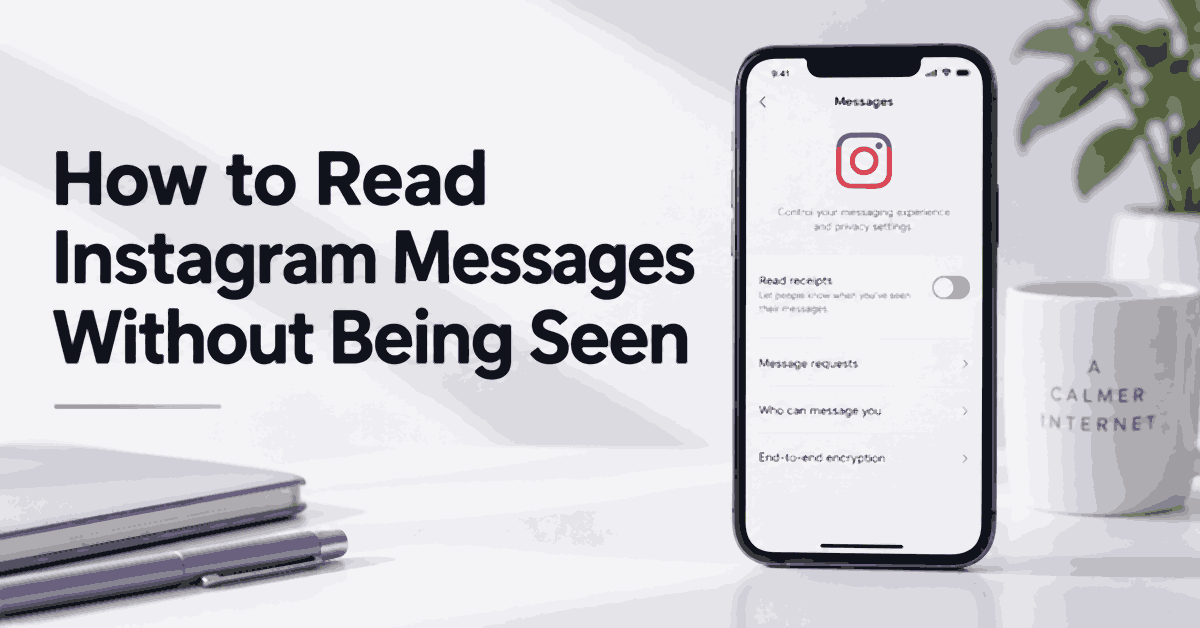
Method 2: Turn off Instagram read receipts
Instagram has a built-in setting for all chats or individual conversations. You can use it without buying software or giving another service access to your inbox. Meta’s read-receipt announcement describes both options.
Turn off read receipts for all chats
- Open Instagram on your phone and go to your profile.
- Tap the three-line menu to open settings.
- Select Messages and story replies.
- Open Show read receipts and turn the switch off.
Set this before opening an unread chat. Turning it off later should not be treated as a way to erase a receipt already delivered.
Turn off read receipts for one conversation
- Open the conversation and tap the person’s name at the top.
- Choose Privacy and safety.
- Turn Read receipts off.
Opening that chat to reach its settings may mark waiting messages as seen. If that matters, use the account-wide setting first. Menu wording can vary, so update the app and search settings if the option is missing.
Activity Status controls whether others can see when you are active. It is separate from read receipts. Do not assume switching off one automatically changes the other.
Method 3: Read loaded messages in Airplane Mode
Airplane Mode can interrupt communication with Instagram. You may be able to read text already loaded on the phone, but messages that have not downloaded will remain unavailable. This approach can delay a status update rather than prevent it.
- Leave the conversation unopened while the phone receives available message data.
- Turn on Airplane Mode using your phone’s controls.
- Check that Wi-Fi is also off. Some phones allow Wi-Fi to remain on or be enabled separately.
- Read only messages that load offline. If content is missing, the phone has no offline copy to display.
- When you reconnect, assume Instagram may send pending read activity.
Logging out, closing the app, or clearing its cache is not a dependable way to cancel that activity. Avoid uninstalling Instagram or deleting app data just to hide a read receipt. Use the built-in switch when you need a lasting setting.
Method 4: Read through Instagram web or MoniVisor
Opening Instagram in a desktop browser does not automatically hide “Seen.” Your browser is another session of the account, and opening a conversation can still send a read receipt. Check your account settings before using a different device.
MoniVisor is a separate computer-monitoring product. ClevGuard describes a Web Chats section for supported Instagram activity on a configured Windows computer. This involves local setup and does not turn ordinary Instagram web browsing into an invisible mode.
Steps to check whether MoniVisor fits
- Review ClevGuard’s MoniVisor setup guidance and confirm current Windows and browser support.
- Establish permission for the computer and accounts involved. Do not use workplace access as blanket permission to read personal conversations.
- Review the subscription, then follow the official setup instructions only on an authorized computer. Required browser components may affect which records appear.
- In your own monitoring dashboard, check Web Chats > Instagram if that section is supported and available.
This is more setup than a read-receipt preference requires. A record shown in a dashboard also does not prove the sender received no status update when the original conversation was opened.
Method 5: Read Instagram messages through email
AiGrow has described a DM-to-email feature for handling your own Instagram conversations from an email inbox. This is an account-management integration, so it requires more access than reading an ordinary notification.
Do not assume that the feature is available in every current plan or that an email copy always prevents “Seen.” Before connecting an account, confirm the feature, permissions, and receipt behavior with the provider. The AiGrow DM guidance describes the email option, but a product description is not a guarantee of current availability.
Steps if your account supports DM-to-email
- Confirm that your plan includes the function and that you are connecting an Instagram account you own or manage with permission.
- Open the service dashboard and look for Direct Messages, then DM to Email, if those controls are present.
- Review the requested permissions. Select an email address you control and configure any available conversation filters.
- Test with a willing friend’s harmless message. Ask them whether a read receipt appears before relying on the setup.
- If the feature is absent or receipt behavior is unclear, use Instagram’s read-receipt control instead. Remove integrations you no longer need.
Email forwarding creates another copy of private messages. Protect the mailbox and avoid forwarding conversations into a shared work inbox without permission.
Method 6: Disconnect Wi-Fi and mobile data
This is the same basic idea as Airplane Mode, using individual connection controls. It does not provide a second, more reliable way to prevent read receipts. The distinction is that you turn off data connections rather than using the flight setting.
- Turn off both Wi-Fi and mobile data before opening the conversation.
- Check that the phone has no other active internet connection.
- Open only content that is already available offline.
- Restore connectivity when ready, knowing that pending read activity may sync.
Logging out immediately after reconnecting creates a race you cannot control. A receipt may already have left the device. There is no reason to risk losing access to your account for a trick that may only delay “Seen.”
Method 7: Restrict the sender
Instagram’s Restrict feature changes how an account can interact with you. Meta explains that restricted accounts cannot see when you read their direct messages or when you are active. Their messages move to Message Requests.
- Open the person’s Instagram profile.
- Tap the three-dot menu in the top corner.
- Choose Restrict and confirm if asked.
- Open your inbox and check Requests for the conversation. Read the available messages there.
Use Restrict when you want an ongoing boundary with that person. It affects more than a single read receipt. Review the on-screen explanation before replying or removing the restriction, because those actions can change how the conversation works.
Restriction does not undo a status the sender already saw. If someone keeps sending unwanted or threatening messages, use the available block and report controls. You do not have to continue a conversation to justify setting a boundary.
Method 8: Check Android Notification History
On supported Android phones, Notification History keeps recent alerts that arrived after you enabled it. It can help you revisit a message preview you dismissed. It does not recover a complete Instagram conversation or create a record of notifications that never arrived.
- Open your phone’s Settings app.
- Go to Notifications > Notification history, or search settings for “notification history.”
- Turn it on if available. Google notes that support and menu names vary by device.
- For future alerts, return to the history and find Instagram. Read the preview without tapping through to the app.
On Pixel phones, Google describes a 24-hour record of dismissed notifications. Other devices may behave differently. Longer messages can be cut short, while photos, voice notes, and hidden previews may contain no readable text.
Enabling the feature today will not restore yesterday’s missing alerts. Notification history also keeps information where someone with access to your unlocked phone may see it, so consider that privacy trade-off.
Method 9: Read a lock-screen notification
An Instagram notification may show enough text to answer a simple question without entering the chat. This works only with the content included in the alert. It cannot open a disappearing photo or reveal a long message that the preview cuts off.
- Check the incoming Instagram alert on your lock screen or notification panel.
- Expand it using your phone’s preview control, if available. Avoid tapping the notification body, which can open the conversation.
- Read the text shown, then leave the conversation until you are ready to respond.
- If previews are hidden, check your phone’s notification privacy options. Allowing previews only after unlocking can protect messages from people nearby.
Cleared alerts may disappear from the lock screen. On a supported Android phone, previously enabled Notification History may retain them. Do not expect an equivalent complete history on every phone, and do not install a message-capture app just because one preview is missing.
Does Instagram notify people when you screenshot DMs?
Ordinary text conversations and disappearing media have different protections. A screenshot of a normal chat is not a substitute for managing read receipts: opening the chat to capture it can still mark it as read.
For disappearing media, do not assume a screenshot will work or remain unnoticed. Meta introduced screenshot and screen-recording prevention for View Once and Allow Replay media, alongside restrictions on opening that content on the web. Respect those controls rather than trying to bypass them.
Ask before saving or sharing private content. If you need to report a threat, use the reporting options and keep any permitted records secure.
Risks and limits to keep in mind
The main risk with an unofficial workaround is relying on a promise it cannot keep. Offline reading may synchronize later. A notification can omit context. A monitoring dashboard can expose far more personal information than you intended to collect.
Avoid services asking for another person’s password, security code, or session cookie. Do not disable account protection to make a viewer work. For authorized supervision, agree on what is collected, who can access it, and when it will be deleted.
If a conversation needs a thoughtful reply, it is also reasonable to say you will respond later. Hiding a receipt does not change what the other person can infer from a reply, reaction, or activity elsewhere. Other apps have separate controls, as our guide to Messenger messages without Seen explains.
Verdict
Use Instagram’s read-receipt switch for your own chats. Restrict can help with unwanted contact, and notification previews can show short messages. Offline methods may only delay “Seen.” Paid monitoring and email integrations require extra access and do not guarantee hidden viewing.