Key Takeaways: WhatsApp Web is a free way to view an account after its owner approves linking. mSpy offers paid monitoring on supported setups. Dual App uses a linked session through a separate app. None lets you unlock private chats with only a phone number. MAC spoofing does not work, and cloud backups must be restored inside WhatsApp.
To read someone else’s WhatsApp messages, ask them to share the conversation or approve access to their account. For your own chats, a linked computer or a restored backup may be all you need. The five methods below explain the available options and their limits.
Do not enter another adult’s account or install monitoring software without informed permission. For a child’s phone, confirm your legal authority and explain the rules in an age-appropriate way. Owning a phone or paying for its plan does not automatically give you the right to read its user’s private conversations.
Method 1: Read WhatsApp messages with mSpy
mSpy is a paid phone-monitoring service. After a supported setup, its dashboard can show the WhatsApp data available through that connection. It does not open an account from a phone number alone or guarantee a complete chat archive.
Setup matters. Android requires installation on the phone. For iPhone, mSpy lists WhatsApp under its Wi-Fi Sync option, which needs a computer, a USB cable, and physical access for the initial connection. Some social-data updates may need another cable connection. Its separate iCloud Sync feature list does not include WhatsApp.

Steps
- Get the account owner’s informed permission, or confirm your authority to supervise the child’s device.
- Open mSpy and check the exact phone model, operating system, and WhatsApp setup requirements before paying.
- Create an account and choose a plan that includes the features you need. Review the full bill and renewal terms.
- Follow the official instructions for the selected setup. Install on the authorized Android phone, or complete the supported computer connection for iPhone.
- Allow the first data sync to finish. The time depends on the connection and the amount of data.
- Sign in to your dashboard and open the WhatsApp section. Choose a conversation to see the records available there.
- Check the latest sync time if messages are missing. Remove access and delete stored records when the agreed monitoring period ends.
What to check before paying
- Confirm WhatsApp support for the specific setup, not just general Android or iPhone compatibility.
- Ask whether future updates require access to the phone or a computer connection.
- Do not assume that messages deleted before setup can be recovered.
- Use the demo to inspect the layout. Demo records are sample data, not a free connection to a real account.
Pricing and refund terms
mSpy requires a subscription and does not offer a free trial. Its refund policy covers qualifying requests within 14 days of the first subscription. It has exclusions and states a 9% processing deduction. Missing the required access, choosing an unsupported setup, or changing your mind may not qualify.
Free Trial/ Refund: Free demo; 14-day conditional refund policy.
Free demo; 14-day conditional refund policy.
Another monitoring option: Spynger
Spynger also sells phone-monitoring software. Check its WhatsApp features for the exact device before choosing a plan. A dashboard becomes useful only after supported, authorized setup. Do not assume that it includes all deleted chats or works without the account owner’s involvement.

The online demo lets you review the interface. Read the subscription total, renewal terms, and refund conditions before paying.
Free demo.
Method 2: Use WhatsApp Web for free
WhatsApp Web is the official browser version of WhatsApp. It lets you send and read messages on a computer after the account owner links it from their primary phone. It can also display supported photos, videos, and other chat attachments.
The computer appears in Linked devices, where the owner can remove it. This is an approved account connection, so there is no need to install a separate monitoring app just to view your own chats.
Steps
- Open WhatsApp Web on the computer you want to use.
- Ask the account owner to open WhatsApp on their primary phone and approve the connection.
- On Android, open the three-dot menu and choose Linked devices. On iPhone, open Settings, then Linked Devices.
- Tap Link a device. Complete any fingerprint, face, or phone-unlock check that WhatsApp requests.
- Use the phone to scan the QR code on the intended computer screen.
- Wait for chats to load, then open the conversation you need. Some older history may not appear on a linked device.
- When you finish on a shared computer, log out. You can also remove the session from Linked devices on the phone.
Pros
- Free official option for using an account on a computer.
- Lets the owner review and remove linked sessions.
- Works without keeping the primary phone online all the time.
Cons
- The primary phone must approve the link.
- Some older messages may be missing from the linked device.
WhatsApp supports up to four linked devices. Use WhatsApp on the primary phone at least every 14 days to keep those devices connected. See WhatsApp’s linked-device guidance.
Free official web app.
Spokeo can research a number, but cannot read chats
Spokeo is a reverse-phone-lookup service. It may return a possible name, address, or other public-record match for an unfamiliar number. It does not connect to WhatsApp or show private chats, shared media, group messages, or calls.

Use it only to research a number you already have. Records may be old or matched to a previous owner. Review report charges and recurring membership terms before buying.
Paid reports.
Method 3: Why MAC spoofing does not reveal WhatsApp messages
MAC spoofing means changing the network address a device presents on a local Wi-Fi network. That address does not act as a WhatsApp password or contain the keys needed to read another account. Copying it does not approve a linked device or copy private chats.
This follows from WhatsApp’s account and device-key design, described in Meta’s multi-device explanation. Each linked device has its own identity key and must be authorized. Changing a Wi-Fi identifier does not replace that process.
A guide that asks you to take someone else’s verification code is attempting account access. Deleting their login alert would conceal that access. Neither action is a working MAC-based way to read WhatsApp, and both should be avoided.
What to do instead
- Use WhatsApp Web with the account owner’s approval if you need a second screen.
- If you are protecting your own account, open Linked devices and review every listed session.
- Log out any device you do not recognize.
- Enable WhatsApp two-step verification and never share registration codes or linking codes with an unknown person.
Limits and risks
- There is no reliable chat-reading benefit from copying a MAC address.
- Taking someone else’s verification code can compromise their account.
- Reinstalling an app or changing network settings can disrupt your own setup without recovering any messages.
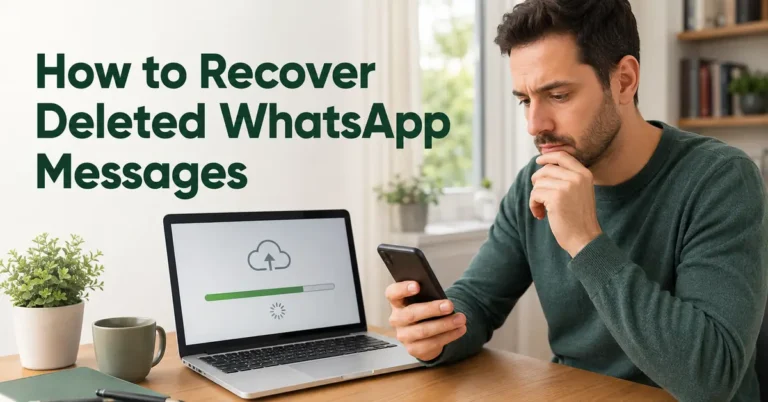
Method 4: Restore a WhatsApp backup from Google Drive
On Android, WhatsApp can save a chat backup to your Google Account. You can restore that backup in WhatsApp when setting up a replacement phone. Google Drive does not display the saved conversations as ordinary files you can open and read.
Restoration requires the same phone number and Google Account used to make the backup. If the backup has end-to-end encryption, you also need its required recovery credential. A Google password alone is not enough to decrypt it.
Check the backup first
- On the original phone, open WhatsApp and go to Settings > Chats > Chat backup.
- Check the Google Account, phone number, last successful backup time, and backup settings.
- If you are moving current chats, create a backup before switching phones.
- If you need an older backup to recover deleted chats, do not overwrite it with a new backup. Check what is available before uninstalling WhatsApp or erasing any device.
- Make sure you can complete phone-number verification and unlock any encrypted backup you intend to restore.
Restore on the replacement Android phone
- Sign in to the Google Account that holds the backup.
- Install the official WhatsApp app and verify the same phone number.
- When WhatsApp offers to restore the backup, choose Restore.
- Complete the encrypted-backup recovery prompt if one appears.
- Wait for restoration to finish, then open your chats. Media may continue restoring afterward.
Pros
- Uses WhatsApp’s own backup and restore process.
- Can bring back chats and media that were included in a saved backup.
- Useful when replacing a phone or recovering your own saved history.
Cons
- Cannot restore messages that were never included in the backup.
- Requires the correct account, phone number, and any backup recovery credential.
- Creating a new backup may replace the older copy you need.
Restore only your own account or one you are authorized to manage. Read WhatsApp’s backup restoration instructions before making changes. Google storage limits may also affect whether a new backup can complete.
Method 5: Dual App – Web Scanner App
Dual App – Web Scanner App is an Android app from 360 Tool. It uses a WhatsApp linked session to display an account through a separate app. The developer states that it is not affiliated with WhatsApp. The listing includes ads and in-app purchases.
It still needs the account owner to approve linking. The owner can see and remove the linked session. There is no basis to promise invisible access or recovery of every deleted chat. For ordinary account linking, the official WhatsApp options avoid adding this extra app.
Steps
- Open the Google Play listing and confirm the app name and developer. Review its permissions, data-safety details, ads, and purchase options.
- Install it on your own Android device only if you accept those terms.
- Open its web-scanner feature and display the QR code for linking.
- Have the account owner open WhatsApp > Linked devices > Link a device on their primary phone.
- Let the owner approve the link and scan the QR code shown on your device.
- Wait for the supported chats to load. When access is no longer needed, log out and remove the session from Linked devices.
Pros
- Offers a separate app interface for a linked WhatsApp session.
- The primary account owner can revoke the connection through WhatsApp.
Cons
- Adds a third-party app to a process WhatsApp already supports.
- Contains ads and in-app purchases.
- Does not justify promises of hidden monitoring or complete deleted-message recovery.
Contains ads and in-app purchases.
How end-to-end encryption affects WhatsApp access
WhatsApp encrypts personal messages so they can be read by the people and approved devices in the conversation. A phone number, a shared Wi-Fi network, or a copied network address does not give a stranger the keys to those messages.
Encryption protects messages in transit. It does not prevent an authorized linked device from displaying them, or stop someone with access to an unlocked phone from reading its screen. Keep your phone locked, review linked devices, and protect your account credentials. Claims that only spyware or cloud backups can show chats on another device leave out official linking.
What iCloud and Google backups can show
Backups contain the history saved at the last successful backup. They are not live copies that show each message as it arrives. Backup frequency, connection problems, storage space, and media settings affect what is included.
For iPhone
- Open WhatsApp > Settings > Chats > Chat Backup to check the last backup.
- When restoring on an iPhone, use the same phone number and iCloud account.
- Complete the restore inside WhatsApp and provide any required backup recovery credential.
For Android
Use the Google Account and phone number that created the backup, then follow Method 4. Do not assume that a generic cloud-monitoring service can read every WhatsApp backup after a Google or Apple sign-in. The service must support the actual backup format and its protection.
Encrypted-backup protection is separate from the cloud-account password. Depending on the setup, restoration may require a passkey, a password, or a 64-digit encryption key. Keep that recovery method available. Do not turn off encryption just to make a monitoring tool work. See WhatsApp’s encrypted-backup guidance.
Backup access, linked devices, and installed monitoring compared
| Option | What it can show | What it needs | Main limit |
|---|---|---|---|
| Backup restoration | Chats and media included in the saved backup | The matching account and number, plus required recovery credentials | No messages newer than that backup |
| Approved linked device | Supported synced chats and new messages | Approval from the primary phone | Some older history may be missing |
| Installed or computer-based monitoring | The records supported by that product and setup | Permission, a compatible device, and the required installation or connection | Coverage and update timing vary |
Choose the option that collects only what you need. A second screen is usually a linking task. Moving saved conversations to a replacement phone is a restore task. Detailed monitoring needs a separate review of consent, compatibility, privacy, and billing.
Verdict
The simplest way to read someone’s WhatsApp messages with permission is for them to share the conversation or approve an official linked device. Use backups for saved history, and check the exact setup before buying monitoring software. MAC spoofing does not unlock chats. Spokeo can research a number but cannot read its WhatsApp account.