Key Takeaways: Gabb Phone 4 suits families who want calls and texts without an open browser or social media. The handset is listed at $169.99, with cellular service paid separately. Starter service costs $24.99 per month with a two-year contract, or $29.99 without a contract. Its value is limited access; families who need a wide choice of school and everyday apps should look elsewhere.
A first phone should solve a practical problem. Your child needs to tell you that practice has finished, arrange a pickup, or call when plans change. That does not necessarily mean they need a web browser in their pocket.
Gabb Phone 4 looks like a smartphone but offers a smaller set of things to do. That suits some families and makes everyday tasks harder for others. Before buying, check whether its limits fit your household and whether you can justify the separate service bill.
Gabb Phone 4 at a glance
| Name | Details |
|---|---|
| Gabb Phone 4 | Restricted phone designed for children; this review covers the standard model, not Phone 4 Pro |
| Best suited to | A supervised first phone focused on communication |
| Device price | $169.99 before promotions, taxes, fees, and accessories |
| Service | Starter from $24.99/month with a two-year contract; $29.99/month without a contract |
| Open browsing and social media | No open browser or social media apps |
| Location tools | GPS location and Safe Zones; updates are not continuous |
| Free Trial/Refund | 30-day device return policy. |
How we evaluated Gabb Phone 4
This is a research-based review, not a hands-on test. We assessed the standard phone’s documented communication tools, app restrictions, setup steps, service charges, and return conditions. We have not measured reception, GPS accuracy, battery life, camera quality, or message-filter accuracy ourselves.
The standard Phone 4 and Phone 4 Pro are different products. A review of the Pro should not be used to promise the same hardware or app choice on the standard phone. Our recommendation here is about the standard model and its usefulness as a limited first phone.
Gabb Phone 4 review
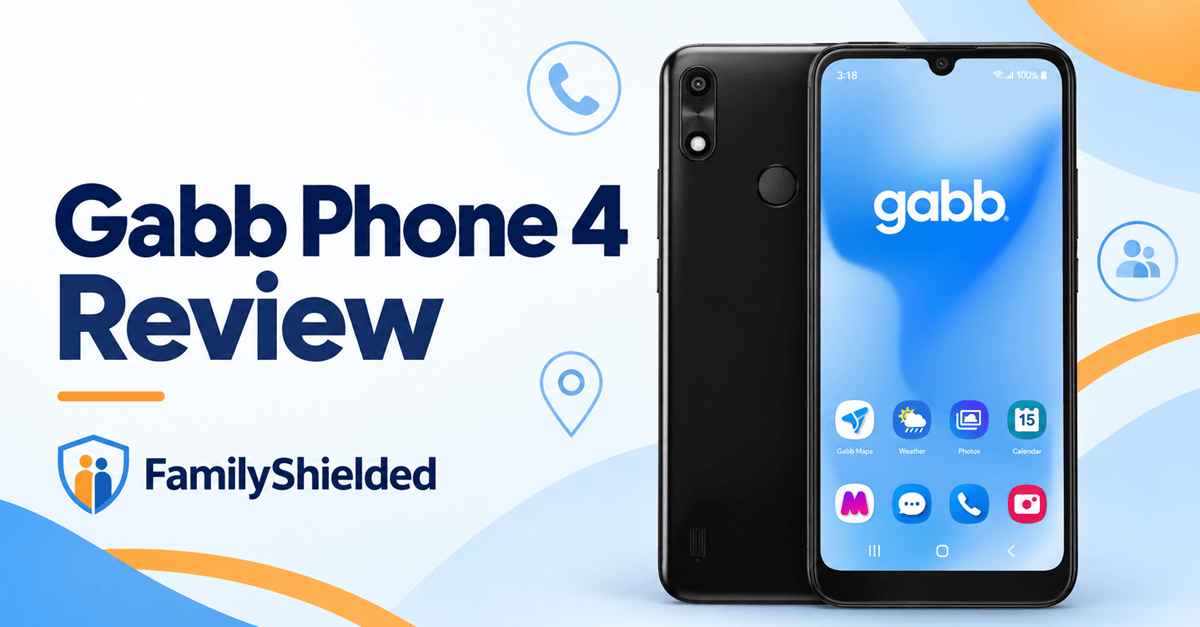
Gabb Phone 4
Gabb Phone 4 is most appealing when you want communication to be the main reason for owning a phone. Removing open browsing avoids the recurring job of deciding which websites to block. It also means a child cannot use the handset like an ordinary Android phone whenever a new need comes up.
That trade-off is easier to accept before the purchase than afterward. Write down the tasks your child needs a phone for, including school requirements. If a necessary task depends on an unavailable app or a web login, the restriction is a buying problem, not a setting to sort out later.
Features
- Calls and texts through a required Gabb cellular plan.
- Optional parent-managed contacts, enabled through the parent app.
- GPS location checks and Safe Zone arrival or departure notifications.
- Gabb Messenger flags potentially concerning messages and supports app-to-app video calling.
- Preloaded tools such as a camera, calendar, calculator, and clock.
- Plan-dependent picture/group messaging and Gabb Music or Music+.
Pros
- A limited phone can meet a communication need without offering open browsing.
- Contact approval gives parents a specific boundary to manage.
- A no-contract service option is available.
- Ordinary tools let a child take photos and organize activities.
Cons
- It requires a separate service bill rather than simply extending your existing family plan.
- The standard phone has a much narrower app selection than a conventional smartphone.
- The lowest advertised service rates involve a long commitment.
- Opening the device box triggers a $50 restocking fee under Gabb’s return policy.
- Location and content alerts should not be treated as guaranteed immediate protection.
Pricing
The handset is listed at $169.99. Service is an additional ongoing cost, and the cheapest monthly rate requires a two-year commitment. Gabb’s service-plan guide lists these single-line rates:
| Plan | Two-year contract/month | One-year contract/month | No contract/month |
|---|---|---|---|
| Starter | $24.99 | $26.99 | $29.99 |
| Standard | $29.99 | $31.99 | $34.99 |
| Advanced | $34.99 | $36.99 | $39.99 |
Free Trial/ Refund: 30-day device return policy.
Starter includes unlimited talk and text but excludes picture messaging, group messaging, and Gabb Music. Standard adds those features. Advanced includes Music+ and further plan features. Check the exact standard Phone 4 app choices before paying for Advanced; a service upgrade does not give this phone every app available on a Pro.
A $30 activation fee also applies. Taxes, accessories, and optional protection add to the bill. The purchase terms list early termination fees starting at $100 for a one-year new-device contract and $150 for a two-year contract, with reductions over time. At the end of a term, service continues month to month unless canceled. Read the final order summary, including its continuing monthly rate, before choosing a contract.
For purchases directly from Gabb between January and October, the device return policy allows returns within 30 days of purchase. Opening or unsealing the box brings a $50 restocking fee. The device must be undamaged and returned with its original packaging and contents. Activation fees are nonrefundable, and rebates, shipping, and restocking charges can reduce the refund. Other retailers use their own policies. This is a return window, not a free trial.
A promotional free device can have cancellation conditions of its own. Gabb’s policy requires certain no-contract customers who cancel within six months to return that promotional phone in new condition or pay its retail price. Compare the total commitment, not just the device discount.
Bottom Line: Gabb Phone 4 makes sense when a deliberately limited phone covers your child’s needs. The no-contract option costs more per month but deserves consideration if you are still deciding whether this approach will work.
30-day device return policy.
What the standard Phone 4 can run
There is no open Google Play store or conventional browser. However, “no app store” does not mean the phone can never receive another app. Gabb’s standard Phone 4 user guide describes a limited, curated selection added through the parent’s account. Parents should check each essential app by name rather than assume the standard handset has the Pro’s broader catalog.
Examples in that guide include Sora, Greenlight, and Gabb Maps. The standard hardware is identified as a Nuu X6 Plus with a 6.1-inch display, 32GB storage, and 4G capability. Gabb cellular service is available in the United States. These hardware specifications do not establish how well an app runs or how long the battery lasts. The Samsung-based Pro’s specifications describe a different handset.
Gabb’s app guidance also warns that reviewed apps are not a guarantee of safe content. An approved app can still require a family discussion about what it does and what information it shares. A short list is easier to understand than enabling everything simply because it has been reviewed.
Contact controls and message alerts
Contact management on Gabb Phones is child-managed by default. To require approval, enable parent-managed mode rather than assume it is already active. Gabb’s Messenger guidance explains how supported messages can be flagged and how app-to-app video calls use safeguards.
Video monitoring samples calls periodically rather than recording them continuously. Gabb says its system is designed to end a call and notify parents when nudity is detected. No filter catches every problem; notification delivery also depends on connectivity and app status. A quiet parent app should not end a conversation about a troubling exchange.
Before handing over the phone, make a call and send a message using the contact settings you chose. Include whoever may need to collect your child, not just immediate family. Explain how to request a new contact and when you will check those requests.
GPS and Safe Zones: useful, with limits
Gabb describes location updates approximately every 15 minutes in its location guidance. Accuracy depends on signal, cellular connection, battery level, and device conditions. Treat the map as a location check with a timestamp, not as continuous live tracking.
A Safe Zone alert can help with a routine arrival, but a late or missing alert needs context. Call your child when a pickup changes. Also remember that the device may be in a locker or with a friend; locating the handset does not necessarily locate the person carrying it earlier.
Gabb Maps is a separate navigation tool. Its navigation features include walking, biking, and driving directions without ordinary web links or user-uploaded business reviews. That may help an older child follow a familiar route, but parents should still agree on where they can go and what to do if they are lost.
Setup and practical checks
Gabb’s setup instructions cover activation, number transfers, pairing the parent app, and contact management. The purchase channel matters: direct buyers choose service at checkout, while marketplace buyers select a plan during activation. Keep the old carrier line active while transferring an existing number.
- Update the child’s handset and the parent app before setting rules.
- Enable parent notifications and select your intended contact-management mode.
- Test calls at home, school pickup, and another regularly visited place.
- Check the plan includes group or photo messages if those are essential.
- Show your child how to reach you and another trusted adult.
The apps and settings guide covers Wi-Fi calling, calendar reminders, voicemail, and emergency contacts. Check those ordinary communication tools first. A sophisticated alert feature is little help if your child cannot make a dependable call where it matters.
Gabb’s troubleshooting guide covers pairing, calling, texting, and location problems. Contact support when the rules or service do not behave as intended. Back up important files before following any factory-reset instructions, since resetting erases the phone’s data.
Who should buy Gabb Phone 4?
Consider it for a child who needs to contact you independently but is not ready for open browsing. Essential contacts and a small app selection should be enough for their routine. Parents still need to manage approvals and check that the setup works.
Skip it if your child must use school websites, a particular unavailable app, or a wider range of smartphone tools. If a suitable phone is already available, our parental-control app guide explains a different approach to supervised access. Replacement hardware is not automatically necessary.
Verdict
Gabb Phone 4 is a reasonable first-phone choice when its limits match a real communication need. Its restricted access is the reason to buy it. Families who expect an ordinary smartphone that can gradually run any required app may find those same limits frustrating.
Our recommendation is to confirm essential apps and reception before committing to the lowest contract rate. Budget for the handset, activation, and continuing service. Agree on contact approval and how alerts will be handled. If those terms suit your family, the standard Phone 4 offers a clear, limited starting point.