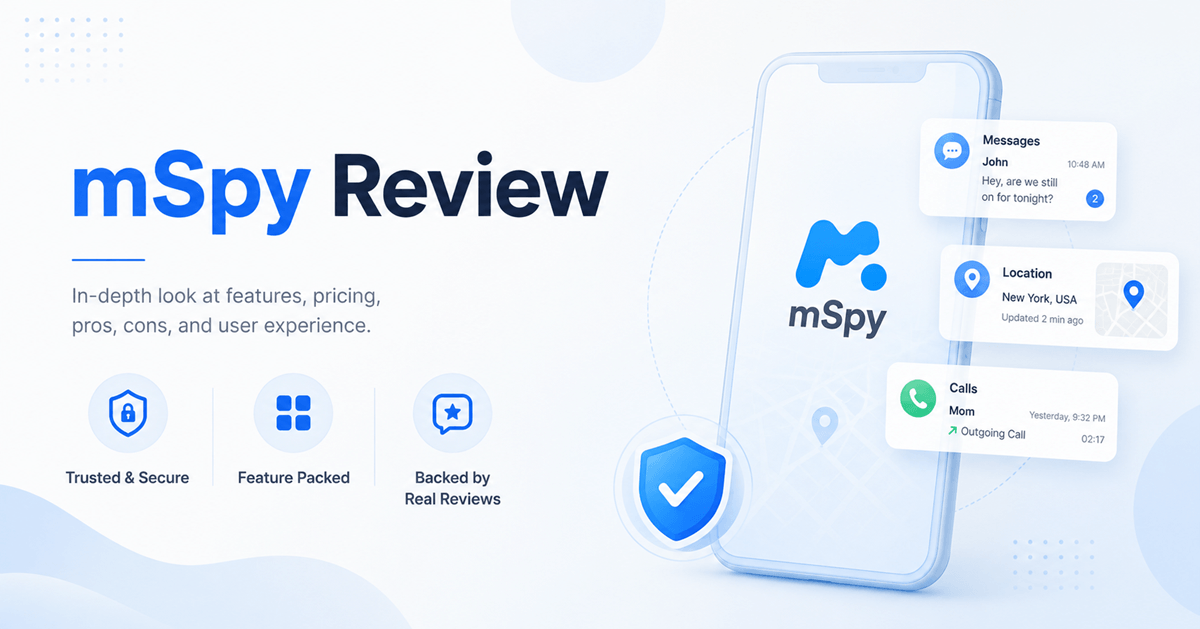
mSpy is a legitimate commercial phone-monitoring service with its clearest coverage on Android. It can report location, calls, messages, browser activity, media, and typed text after an authorized setup. One standard subscription covers one phone, Android installation needs physical access, and the refund policy has narrow eligibility rules.
mSpy is designed for parents who need more detail than ordinary screen-time and web-filtering tools provide. That detail comes with a tradeoff: the service can expose private conversations, locations, searches, photos, and passwords.
For this review, I examined mSpy’s documented compatibility, setup options, subscription terms, refund policy, and interface examples. I did not install it on a child’s phone or perform physical-device tests of battery use, GPS accuracy, or record delivery. Results can vary with the phone, operating system, permissions, internet access, and account setup.
mSpy review: Our verdict
mSpy is a real monitoring product, not a phone-number tracking scam. It has a long-running website, documented setup paths, account support, formal billing terms, and a defined refund process. It does not grant access to an arbitrary phone from its number alone.
Android is the better-documented platform. Physical access is required to install the app, and some advanced capabilities may need extra permissions or rooting. iPhone setup can depend on iCloud credentials, backup settings, and two-factor authentication, so the exact records available may differ.
mSpy can be reasonable for a specific and serious child-safety concern. It is excessive for routine curiosity. Families that mainly need app limits, web filtering, or shared location should start with less intrusive tools.
Overall rating: 8.2/10
Best for: Authorized Android monitoring when a parent needs detailed activity records
Main drawback: One-device licensing, automatic renewal, strict refund exclusions, and platform differences
Pros
- Detailed Android coverage for calls, messages, location, browsing, media, and supported social apps.
- Web dashboard can be opened from the parent’s own phone or computer.
- Family Kit is available for households that need to supervise up to three devices.
- Published subscription, cancellation, and refund terms are available before checkout.
Cons
- A standard subscription covers only one monitored device.
- Android installation requires physical access, and advanced features can require rooting.
- iPhone data can depend on iCloud backups and may update less frequently.
14-Days Money-Back Guarantee
What is mSpy?
mSpy is subscription software that collects supported records from an authorized phone and displays them in a browser dashboard. It is closer to a monitoring tool than a conventional parental control app. It does not provide a family phone plan, antivirus protection, or location access from a phone number.
How mSpy works
- Create an mSpy account and choose a plan for one device, or the Family Kit for up to three devices.
- Complete the platform-specific setup. Android needs physical access. An iPhone setup may need Apple account access and a recent iCloud backup.
- Open the web dashboard to review records received from the supervised device.
- Check permissions, synchronization, and renewal settings. A disconnected or reconfigured phone can stop reporting.
Dashboard timing is not guaranteed live evidence. Android update intervals can be configured, while iPhone reporting can depend on when an iCloud backup becomes available. Always check the timestamp before acting on a location or message record.
How to install mSpy on Android and iPhone
The setup method depends on the platform. Read the instructions inside the account because operating system updates can change individual steps.
Android setup
- Create an mSpy account and select the Android option.
- Use physical access to unlock the supervised phone.
- Follow the account instructions to download the Android installer and allow the requested permissions.
- Review battery, background activity, and security settings that could stop synchronization.
- Open the browser dashboard and confirm that the first records and timestamps appear.
Android setup can require installation from outside Google Play. Some advanced tools may also need root access. Do not root a family phone unless you understand the security and warranty consequences.
iPhone setup
- Create an account and choose the iPhone setup offered for the supervised device.
- Provide the authorized Apple account credentials requested by that method.
- Complete two-factor authentication if Apple requests it.
- Check that iCloud Backup is active and allow time for a new backup to synchronize.
- Open the dashboard and confirm which categories are available.
iPhone records can depend on iCloud backups, so they may arrive less often than Android records. A changed Apple password, disabled backup, or security prompt can interrupt access. Physical access may still be needed during setup or troubleshooting.
mSpy features reviewed
Calls, contacts, and text messages
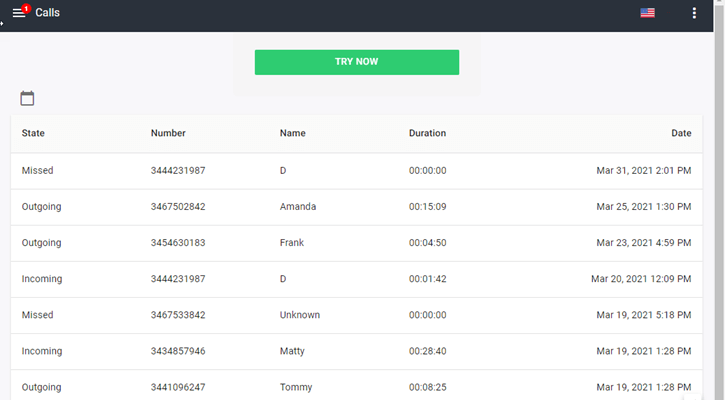
mSpy says its Android product can report incoming and outgoing call details, contacts, timestamps, and SMS records. A dashboard can only show information the supervised phone successfully collected and sent. It cannot rebuild missing records after permissions are revoked or the phone is offline.
Message access also exposes conversations with people who did not choose to share them. Use it only for a defined safety need and protect the dashboard with a unique password.
Social media and chat monitoring
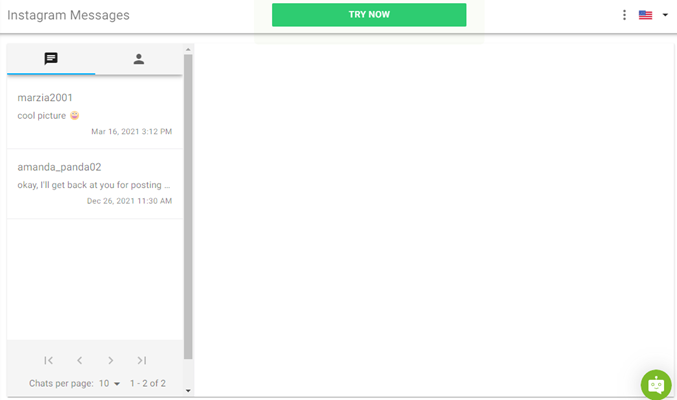
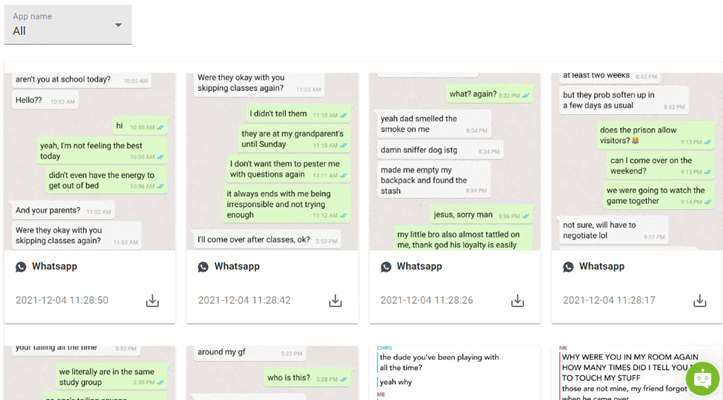
mSpy advertises activity from supported services such as WhatsApp, Snapchat, Instagram, Facebook, Telegram, and other chat apps. Coverage varies by platform, app version, permissions, and whether the phone has root access. An advertised feature list does not mean every chat will appear on every device.
Check the required app during the eligible refund window. App updates can interrupt collection even when the rest of the dashboard still works.
GPS location, history, and geofencing
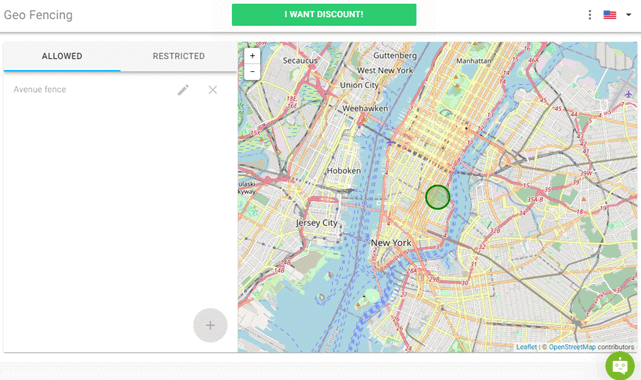
Location reporting can show recent coordinates, routes, and geofence alerts on supported setups. Accuracy and timing depend on GPS reception, connectivity, permissions, and battery restrictions. A delayed pin is not proof that someone is currently at that exact place.
Browsing history and web activity
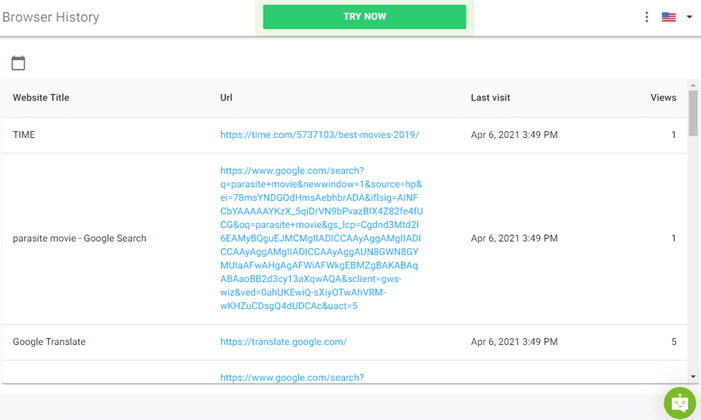
The browser section can report visited pages, searches, and bookmarks when the device and browser are supported. Private browsing records are not guaranteed. This is visibility into activity, not a full web filter, so parents who want to block categories and schedule internet use may prefer a conventional parental control app.
Keylogger and screen recorder
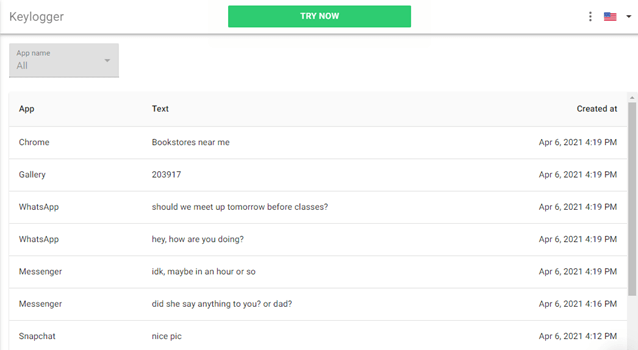
The Android feature list includes a keylogger and screen recording. These tools can reveal typed text and captured app screens, but they can also collect passwords, private conversations, and financial information. Some setups need extra permissions or root access.
Parents who only need app limits or safer browsing should compare less intrusive parental control apps. Our guide to Android keyloggers explains the security and consent risks.
Stealth mode, alerts, and activity reports
Android setup can hide the app icon after the required permissions are granted. That may stop a child from casually removing the app, but it does not make the software undetectable or legally authorized. Security tools, permission screens, battery use, and operating system notices can still reveal or interrupt it.
The dashboard organizes records by category, and supported alerts can reduce the need to read every log. Treat an alert as a prompt to check context, not proof of harmful behavior.
Remote camera and microphone claims
Remote camera and microphone access should not be treated as standard mSpy capabilities. The company does not document those tools clearly enough to support a general promise. Do not buy the service for ambient recording or remote camera access without written confirmation for the exact device and setup.
What mSpy cannot do
mSpy cannot unlock a stranger’s phone from a number, recover records that were never synchronized, or guarantee live data. A powered-off phone, lost connection, changed password, revoked permission, factory reset, or operating system update can stop collection.
It also does not replace emergency services, a mobile carrier, antivirus software, or a conversation with a child. The dashboard reports device activity. It cannot reliably judge why a message was sent or whether a delayed location is an emergency.
Top mSpy alternatives
Products commonly compared with mSpy include parental control software, one-time location services, people-search databases, and monitoring apps. They solve different problems, so starting price alone is not a useful comparison.
| Option | Best for | How it differs from mSpy |
|---|---|---|
| Qustodio, Bark, or Norton Family | Web filtering, screen-time rules, and app supervision | Less private-message access and a stronger focus on everyday parental controls |
| GEOfinder | A one-time location request sent by SMS | Not continuous phone monitoring and does not provide calls or chat records |
| Spokeo | Searching public and commercial records | A people-search service, not a parental control app or installed GPS tracker |
| Spynger | Another detailed monitoring option | Requires its own compatibility, installation, renewal, and refund checks |
Families that mainly need screen-time schedules and safer browsing should use our parental control app comparison before choosing a monitoring product.
mSpy pricing and refund policy
mSpy sells recurring subscriptions. Longer terms reduce the monthly equivalent but charge the full term upfront. Checkout promotions and regional amounts can change, so confirm the final billed total before paying.
| Plan | Billed amount | Monthly equivalent | Device coverage |
|---|---|---|---|
| 1 month | $48.99 | $48.99 | 1 device |
| 3 months | $84.00 | $28.00 | 1 device |
| 12 months | $140.04 | $11.67 | 1 device |
Free Trial/ Refund: No standard free trial. Eligible first purchases may request a refund within 14 days, subject to exclusions and a possible processing deduction.
Subscriptions renew automatically unless renewal is disabled at least 24 hours before the term ends. A renewal may be charged at the regular, undiscounted rate. The policy excludes many cases, including renewals, unsupported setups, loss of access, changed credentials, connectivity problems, and refusal to complete troubleshooting.
14-Days Money-Back Guarantee
Customer support and cancellation
mSpy provides online support and account-based cancellation controls. Canceling renewal prevents a future charge but does not normally reverse a payment already processed. Save the confirmation and verify the subscription status in the account.
mSpy customer reviews
Customer comments vary because device compatibility and support experience differ. Positive reviews often mention guided installation and helpful support agents. Critical comments commonly involve expected features that did not work on a particular phone, renewal charges, or refund requests that fell outside the policy.
Recent reviews for the same operating system are more useful than a short testimonial with no device details. Before paying, compare those comments with mSpy’s compatibility requirements and save any written promise made by support.
Is mSpy safe and legal?
mSpy should only be used on a child’s device under your legal responsibility or on an adult’s device with clear permission. Local rules can be stricter for private communications, workplace monitoring, and call recording. A hidden app icon does not create legal authority.
Who should use mSpy?
mSpy makes the most sense for an Android household dealing with a concrete safety problem that simpler controls have not solved. It is a poor choice for tracking from a phone number, remote Android installation, identical iPhone and Android coverage, or several devices on one standard plan.
How we evaluated mSpy
I separated documented capability from performance claims that require a controlled phone test. The rating considers platform clarity, feature breadth, purchase terms, privacy impact, support information, and usefulness for a parental-safety purpose. It does not assume every advertised record will be available on every device.
Final verdict: Is mSpy worth it?
mSpy is legitimate and capable, especially on Android, but its detailed access is not appropriate for every family. Confirm compatibility, choose the correct device plan, understand the automatic renewal and refund exclusions, and decide whether the specific safety need justifies the amount of personal data collected.
14-Days Money-Back Guarantee