Key Takeaways: Bark is our pick for adjustable access and concern alerts. Gabb suits a more limited first-phone setup, while Pinwheel offers flexible app permissions. Troomi adds features through three service tiers. Compare handset payments and monthly service together, and choose the least access that meets your child’s needs.
The best phone for kids is not necessarily the cheapest handset or the one with the most monitoring. It is the phone that lets your child call home, manage everyday plans, and use necessary tools without introducing freedoms they are not ready to handle.
Bark, Gabb, Pinwheel, and Troomi take different approaches to that balance. Here is how their current US phones compare, what the bills include, and which restrictions deserve a closer look before you buy.
Best phone for kids: quick comparison
| Name | Best fit | Device cost | Ongoing service | Free Trial/Refund | Visit |
|---|---|---|---|---|---|
 Bark Phone | adjustable controls and content alerts | $240; $10/month for 24 months | From $29/month; device payments extra | 60-day conditional device return policy. | Visit >> |
| Gabb Phone 4 | a more limited first-phone experience | $169.99 | From $29.99/month with a 2-year contract | 30-day conditional device return policy. | Visit >> |
| Pinwheel Phone | gradually expanding app access | Genesis 4 from $119 | Portal from $17.99/month; cellular service extra | 30-day conditional device return policy. | Visit >> |
| Troomi Phone | tiered access on a managed Samsung phone | Galaxy A17 5G: $249.95 | From $24.95/month; device payments extra | 30-day conditional money-back guarantee. | Visit >> |
All prices are in US dollars. Starting service prices are not complete phone bills: device installments, carrier service, contract terms, taxes, and checkout charges can change the total. None of these hardware return policies is a standard free phone trial.
How we compared these kids’ phones
This is a research-based comparison, not a hands-on test. We assessed the current handset options, recurring service costs, contact settings, app and browser access, message oversight, and purchase conditions. We have not measured reception, battery life, GPS accuracy, alert speed, or resistance to bypassing controls on physical devices.
We ranked the phones by how well their controls match everyday needs and how easily parents can adjust access. Bark leads for families who want concern alerts. Gabb is a narrower starting point, while Pinwheel and Troomi offer different ways to add useful apps and communication features.
For every option, we distinguish device ownership from service and financing obligations. We also consider the work a caregiver must do after setup. A phone that supports the right school app and reaches home reliably is more useful than an impressive feature list that does not match your child’s day.
Best Phones for Kids
1) Bark Phone
Bark is our first choice when a child needs a phone now and may need more app access later. Starter keeps the experience narrow, while Advanced gives parents more control over the apps and online activities they allow. The current standard handset is a Samsung Galaxy A16.
Its alert-led monitoring is an important distinction. Parents receive notifications about potential concerns rather than a complete, browsable transcript of every text. That can suit families who want to respond to problems without routinely reading every conversation. Alerts still need a parent to interpret them.

Features
- Starter mode: Calls, texts, and location tools are available without opening up an app store, games, or ordinary internet browsing.
- App approvals: Advanced lets parents decide which apps can be installed. Access should follow a practical need rather than a blanket approval.
- Contact management: Parents can set contact rules and approve who communicates with the child. Test those rules with family and school contacts.
- Content alerts: Supported communications can trigger concern notifications. Bark does not promise instant alerts or detection of every harmful exchange.
- Schedules and limits: Parents can set routines and app time limits. Check how the rules behave during school, bedtime, and pickup changes.
- Location tools: Location sharing and alerts help with check-ins. A map depends on the phone being charged, connected, and carried by the child.
Pros
- Starter and Advanced support different levels of independence on the same handset.
- Built-in supervision reduces the setup involved in adding a separate monitoring app.
- Concern alerts offer an alternative to routinely browsing all of a child’s messages.
- Bark Premium is included for the family; extra cellular lines remain separate.
Cons
- Advanced service and device payments can make the monthly bill relatively high.
- Bark Phone requires Bark wireless service, rather than your existing carrier plan.
- Parents cannot use Bark as a complete transcript viewer for every text.
Pricing
The standard phone costs $240, financed through Bark at $10 a month for 24 months. Wireless service is separate. The combined amounts below include that device installment, but not tax. Higher-data Advanced plans are also available.
| Plan | Monthly service | With standard device payment |
|---|---|---|
| Starter | $29 | $39 for the first 24 months |
| Advanced, Wi-Fi-only app data | $39 | $49 for the first 24 months |
| Advanced, 4GB mobile data | $49 | $59 for the first 24 months |
Free Trial/ Refund: 60-day conditional device return policy.
The Bark app’s free trial is not a free Bark Phone trial. Direct purchases have a conditional 60-day device return window; wireless service charges are nonrefundable. Damage charges and remaining device balances may apply under the purchase terms. Retailer purchases follow the retailer’s return rules.
Bottom Line: Choose Bark if adjustable access and concern alerts matter more than the lowest bill. Start with the service tier your child actually needs.
60-day conditional device return policy.
2) Gabb Phone 4
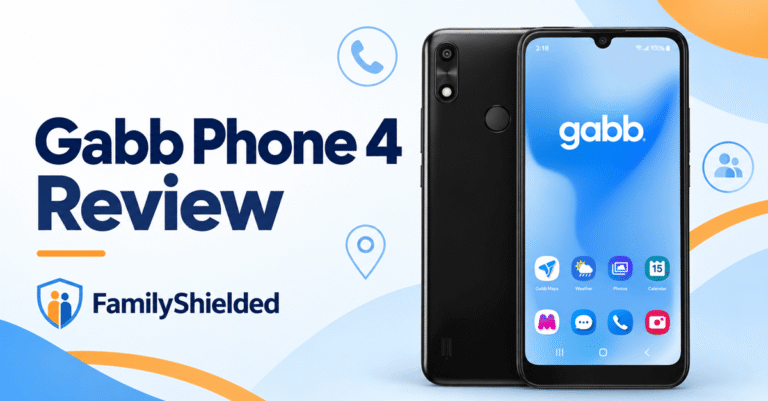
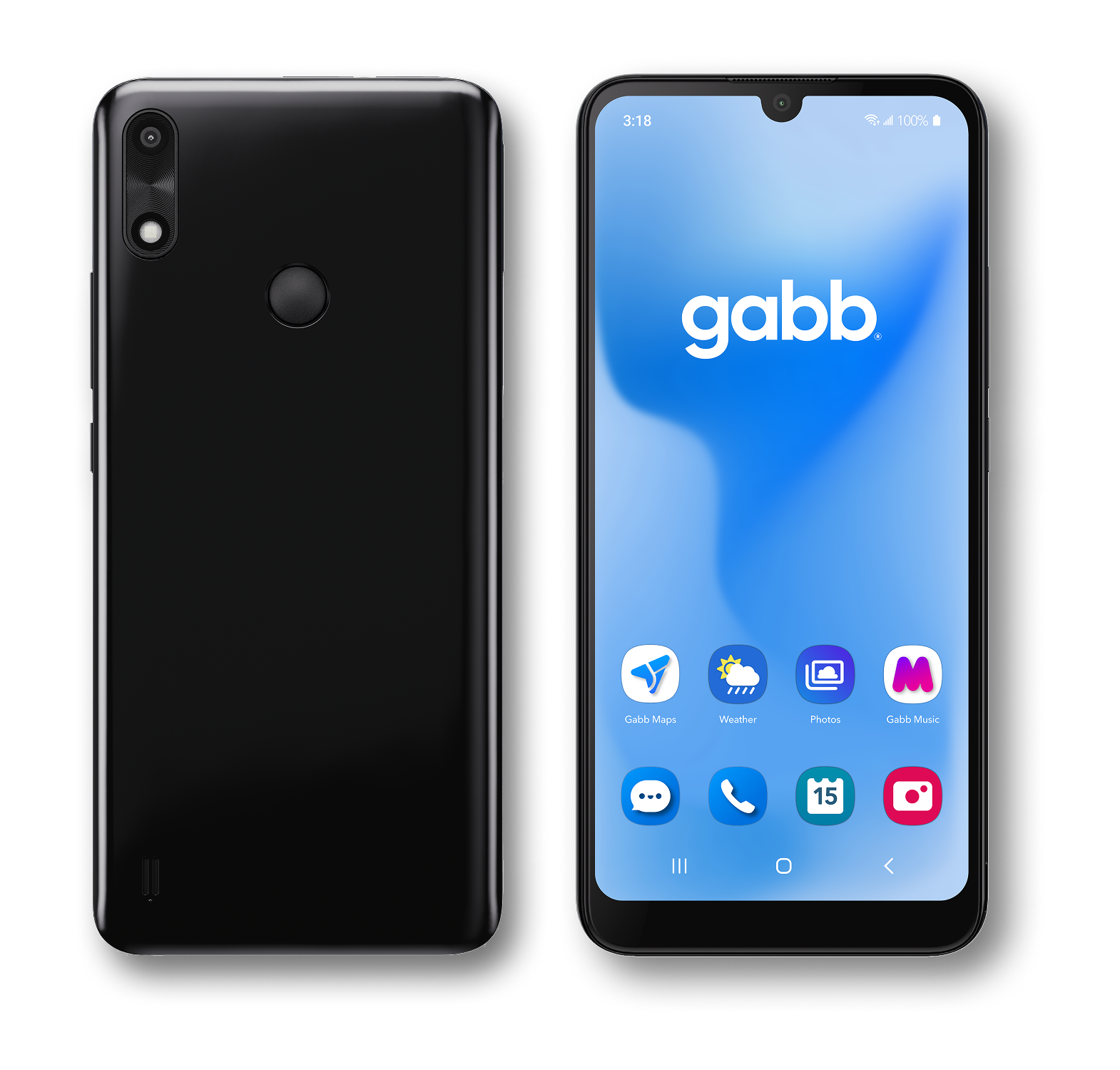
Gabb Phone 4 is worth considering when the point of buying a phone is communication, not unrestricted entertainment. It does not provide an open browser or unrestricted app store. That gives families a narrower starting point than a conventional smartphone with a few limits added.
Do not confuse Phone 4 with Phone 4 Pro, or assume every Gabb plan has identical app access. New activations use Standard or Advanced plans. Advanced advertises optional third-party apps, so check the current catalog and handset support for any essential school or activity app.
Features
- Restricted access: Gabb avoids an open browser and unrestricted app downloads. The boundary is narrower access, not a promise that nothing can go wrong.
- Gabb Messenger: Current new-activation plans support group and picture messaging. Confirm that the kinds of team chats your child needs will work.
- Contact settings: Child-managed contacts are the default. Parents can enable parent-managed controls in MyGabb instead of assuming advance approval is automatic.
- Location updates: MyGabb supports location checks. Gabb describes approximately 15-minute updates, which should not be presented as uninterrupted, second-by-second live tracking.
- Useful apps: Essential tools are included, while Advanced offers additional approved options. Look up each required app before choosing the service tier.
- Phone 4 hardware: This model has a 6.1-inch display and 32GB storage. These specifications should not be substituted with Phone 4 Pro specifications.
Pros
- A limited app and web environment gives families a simpler starting point.
- Group and picture messages are included in the current new-activation plans.
- Parent-managed contact settings are available when the default rules are too permissive.
- A no-contract service option avoids committing to a multi-year service agreement.
Cons
- Restricted access may not support every school login, app, or messaging workflow.
- The lowest advertised service price requires a two-year commitment and cancellation conditions.
- Location intervals are unsuitable for expecting a continuous live view of movement.
Pricing
The Phone 4 handset is listed at $169.99 before service and checkout charges. Standard includes essential apps and Gabb Music; Advanced adds Music+ and optional third-party apps. Starter is a legacy plan, not an option for new activations.
| Current plan | 2-year contract | No-contract monthly service |
|---|---|---|
| Standard | $29.99/month | $34.99/month |
| Advanced | $34.99/month | $39.99/month |
Free Trial/ Refund: 30-day conditional device return policy.
One-year rates sit between the prices shown. Review activation charges, contract cancellation fees, and the continuing rate before choosing a term. The current device return policy allows 30 days from purchase for this period of the year. Opened or unsealed phones incur a $50 restocking fee; activation charges are nonrefundable, and the device and packaging must meet the return requirements.
Bottom Line: Choose Gabb for a narrower first-phone setup. Confirm contact mode and necessary apps before committing to a discounted contract.
30-day conditional device return policy.
3) Pinwheel Phone
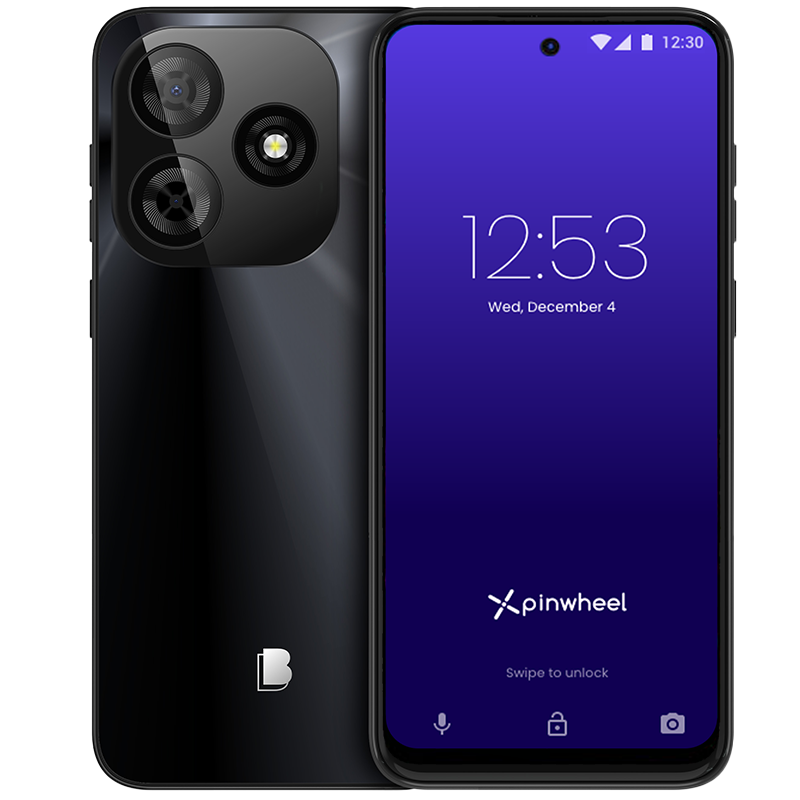
Pinwheel makes sense when a child needs selected apps but a parent wants to decide when each one becomes available. The Caregiver Portal handles approved apps, contacts, and schedules. You can keep the setup limited at first and expand it as specific needs appear.
Its pricing requires a closer look than a single monthly headline suggests. Portal-only service does not include cellular connectivity. Pinwheel Wireless bundles the portal and a phone line, while bringing your own carrier depends on the handset. The entry-level Genesis 4 does not support Verizon.
Features
- Approved apps: Caregivers can choose apps and review Pinwheel’s guidance about them. Approval still requires checking the app’s actual functions and permissions.
- Contact modes: A caregiver-managed safelist is the restrictive option. Child-managed and disabled safelist modes allow more freedom, so choose the mode deliberately.
- Routine schedules: App availability can follow school and bedtime routines. Update the schedule when a child’s timetable changes rather than leaving old restrictions active.
- Communication visibility: The portal provides message and call-history tools. Explain this visibility to your child before using the phone for private conversations.
- Location tools: Parents can use location history and saved-place alerts. Test their usefulness locally instead of assuming a map guarantees a child’s safety.
- Optional broader access: Supported settings allow Google Play and browser access when a caregiver enables them. Pinwheel is not permanently browser-free in every configuration.
Pros
- Parents can expand access without immediately handing over an unrestricted smartphone experience.
- The Genesis 4 offers a lower listed hardware price than these other phones.
- Portal-only service leaves compatible outside-carrier choices available for some handset models.
- Caregiver-managed contacts and schedules support a deliberately limited initial phone setup.
Cons
- Portal-only pricing excludes the separate cellular plan needed for ordinary mobile use.
- Carrier compatibility varies by handset; Genesis 4 is not a Verizon option.
- Broader app permissions need continued attention rather than a one-time safety assumption.
Pricing
Genesis 4 starts at $119. Portal-only costs $17.99 monthly or $174.99 paid annually, with a compatible carrier plan extra. Wireless includes portal access, unlimited talk and text, and 5GB of high-speed data followed by slower data.
| Subscription | Pay monthly | Pay annually upfront |
|---|---|---|
| Caregiver Portal only | $17.99; cellular service extra | $174.99; cellular service extra |
| Pinwheel Wireless + Portal | $29.99 | $284.99 |
Free Trial/ Refund: 30-day conditional device return policy.
The device return window is 30 days from receipt, with condition, packaging, and return-process requirements. Billed monthly portal fees are nonrefundable. Annual portal fees can qualify for a refund within 30 days of purchase when the device is returned. Used SIMs, expedited shipping, and outside-carrier charges have separate exclusions.
Bottom Line: Choose Pinwheel for a managed app-based phone that can become less restrictive. Compare the full portal-plus-carrier bill, not the portal fee alone.
30-day conditional device return policy.
4) Troomi Phone
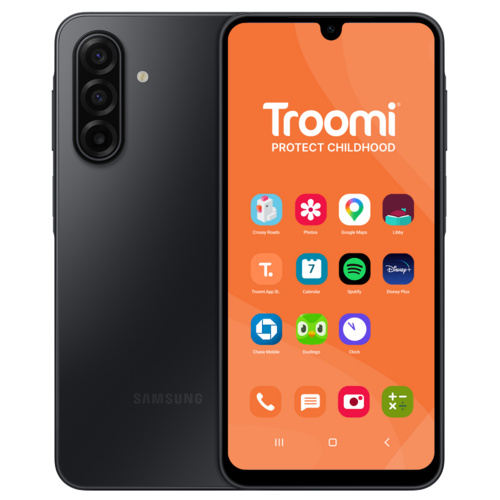
Troomi offers a managed Samsung Galaxy A17 5G with service tiers that add communication and internet features. Do covers the basics, Dream adds richer messaging, and Discover adds mobile data and Smart Browser. The right choice depends on what your child needs to do, not a broad age label.
It suits families willing to keep contact rules, app permissions, and schedules up to date. It is less appealing if you want to move the phone onto an existing outside-carrier plan. Troomi service is required, and buying the handset does not remove the recurring service bill.
Features
- Tiered communication: Do provides calls and basic texting. Dream adds picture, video, and group messaging for families who need those communication formats.
- Contact rules: Parents can use number safelisting through the Parent Portal. Check the chosen permissions before assuming that every new contact needs advance approval.
- Text oversight: Remote text monitoring and configurable alerts support supervision. Automated moderation can miss concerning content or flag a conversation that is harmless.
- App management: Parents manage app access rather than opening everything at once. Confirm the service tier and availability of each essential school app.
- Smart Browser: Discover adds controlled browsing with age-targeted options. Filters should be treated as restrictions with limitations, not a guarantee of suitable content.
- Location and routines: GPS tools and schedules help parents manage everyday use. Check location timestamps and how restrictions behave before relying on them.
Pros
- Three service tiers let families pay for the communication features they need.
- The Parent Portal puts contact, app, and routine settings in one place.
- Discover provides controlled browsing when a calls-only phone becomes too restrictive.
- Month-to-month service avoids a multi-year service contract, separate from device financing.
Cons
- The handset requires Troomi service rather than an outside carrier of your choice.
- Fuller messaging and browsing capabilities require moving beyond the lowest service tier.
- Device financing remains a separate obligation when you decide to cancel service.
Pricing
The A17 5G costs $249.95 upfront. Advertised financing is $6.94 per month for 36 months, added to the service fee. The following figures are service-only, before tax, shipping, and optional purchases.
| Service tier | Monthly service | Main added access |
|---|---|---|
| Do | $24.95 | Calls and basic texts |
| Dream | $29.95 | Picture, video, and group messages |
| Discover | $34.95 | Mobile data and Smart Browser |
Free Trial/ Refund: 30-day conditional money-back guarantee.
The conditional money-back window starts at purchase, not delivery. Shipping and applicable repair fees are deducted. The current service month remains payable; review renewal and cancellation requirements separately. Cancelling a monthly plan does not automatically erase a financed handset balance.
Bottom Line: Choose Troomi if a managed Samsung phone and clear service tiers fit your family. Pay for Discover only when its extra access is genuinely useful.
30-day conditional money-back guarantee.
Which phone fits your child’s needs?
Begin with a short list of real tasks: call a caregiver, receive a pickup message, join a team chat, or open a school app. Ask which model and plan support each one. A missing login screen or unsupported group chat can make an otherwise sensible phone impractical.
For calls and a deliberately narrow setup, consider Gabb or Bark Starter. For selected apps and adjustable routines, compare Pinwheel with Bark Advanced. Troomi is another option when richer messaging or controlled browsing is needed, but those functions depend on the chosen tier.
Our Bark Phone review explains its alert-led approach in more detail. If you already own a suitable handset, the parental-control app guide covers another way to set boundaries without automatically buying a new phone.
- Check coverage at home, school, and regular pickup locations.
- Test calls, group messages, and essential apps through their full workflow.
- Select contact rules deliberately; defaults are not always parent-managed.
- Keep the packaging and record whether the return deadline begins at purchase or receipt.
Compare the complete bill and privacy trade-offs
A device installment and a service subscription are separate charges. Bark and Troomi advertise both in their monthly offers. Pinwheel’s portal-only price needs a compatible cellular plan added. Gabb’s lowest service rate requires a longer contract, which brings cancellation conditions.
Do not equate a device return window with a refund of every expense. Activation fees, opened-device charges, used service, shipping, and financing can have different rules. Check these before ordering, especially if you are testing reception or an essential school app.
Monitoring also changes family privacy. Decide what caregivers will see, when they will review it, and how they will respond to a concern. Bark’s alert-led model differs from tools that expose more message history. Explain the chosen approach instead of letting your child discover it unexpectedly.
A phone location is not proof of where the child is, and a missing alert is not proof that a conversation is harmless. Keep a backup pickup arrangement and make it easy for your child to ask for help. No product in this list replaces that relationship.
Kids’ phones in 2026: restrictions depend on the settings
The choice is no longer just a basic phone or an unrestricted smartphone. These services let parents adjust contacts, schedules, and, on supported plans, app access. That flexibility can be useful, but it also makes a label such as “no app store” less informative than the exact settings and tier.
Revisit permissions when your child’s needs change. Adding a school tool does not require enabling everything else, and reaching a birthday does not automatically establish readiness for social media. Give each change a clear purpose and check whether it is working.
Verdict
Bark Phone is our leading choice for adjustable access with concern alerts, provided the monthly cost and alert-led visibility suit your family. Gabb Phone 4 is the better starting point when you want a narrower environment, but verify its current apps and plan terms.
Pinwheel is a strong alternative for gradually expanding app access, especially when its carrier options fit your handset choice. Troomi suits families who prefer a managed Samsung phone with tiered messaging and browsing. Buy the least complicated setup that reliably handles your child’s actual day.