Tracking an Instagram account can mean following its public updates, measuring the performance of your own posts, or supervising a child’s use with an agreed setup. Start by deciding which of those tasks you need. They require different information and do not give you the same access.
A public-profile report can show visible activity or estimated trends. Your own professional account’s Insights can show performance data available to the owner. A parental-monitoring app needs a supported, authorized device connection. None should be treated as a way to find anyone’s precise location or open their private inbox from a username alone.
This guide covers six common methods, the tools offered for them, and the settings you can use to protect your own account.
Key Takeaways: Use Instagram’s follow and notification controls for public updates, and Insights for your own account’s performance. Peekviewer markets profile viewing, Snoopreport reports on public activity, and mSpy offers authorized device supervision. These services have different limits. A username, activity indicator, or IP address does not reliably reveal a person’s current location.
Method 1: Choose an Instagram Monitoring Tool by Its Data Source
Before buying a tool, ask whether it uses public information, data from an account you own, or records from a supervised device. Check what the report actually contains, how often it updates, and whether the plan covers the profiles or devices you need.
Do not assume a sample dashboard contains live data from the account you entered. A report can be incomplete, delayed, or based on estimates. It should support a defined task, not become proof of a person’s intentions or relationships.
1) Peekviewer
Peekviewer is a browser-based Instagram viewing service. It advertises available posts, Stories, tagged photos, comments, and saved media without requiring an Instagram login. Its website also makes claims about some limited-visibility profiles, but those claims do not establish universal access to private accounts.
The product’s legal description refers to publicly available content relayed through authorized users. Do not describe it as an installed phone app that gives you control of another account. It should not be assumed to let you block followers, manage calls, send messages, or inspect private DMs.
Features
- Available profile content: Browse the posts and profile details the service can actually display.
- Stories and saved media: The service advertises viewing and saving content for later access.
- Retention: Peekviewer says accessed content can remain available for up to three months. This does not guarantee recovery of older deleted material.
- Browser dashboard: Review available information without treating it as a complete device or account activity log.
Steps to Evaluate Peekviewer
- Open the linked website and read the description of the viewing service.
- Enter a public username or profile URL relevant to your task.
- Check whether the result belongs to the right account and contains real available content.
- Review the full subscription charge, included profiles, and renewal terms before paying.
- Use the dashboard only for content you are entitled to view and save.
- Stop if the account remains private or the website asks for someone else’s credentials.
A username-based service should not require you to obtain an unrelated person’s Apple Account or Instagram password. If setup instructions suddenly require access you do not have, pause rather than trying to get around that restriction.
Pricing and Refund
The offer includes a 14-day money-back guarantee, with conditions. It is not an unconditional free trial. Peekviewer’s policy restricts refunds to eligible first purchases and excludes renewals, additional subscriptions, some plan changes, and several reasons outside its control. Read the terms before buying, especially if you expect historical content.
Free Trial/ Refund: 14-day money-back guarantee. Conditions apply.
Bottom Line: Consider Peekviewer for the available profile content it displays. Do not treat it as a private-inbox reader or a live-location tracker.
14-day money-back guarantee. Conditions apply.
2) Snoopreport
Snoopreport reports on public Instagram activity, including available likes and follow activity. Its website describes weekly or monthly reports and summaries intended to make public activity easier to review without checking a profile repeatedly.
Use those reports as a partial view of public activity. They do not provide private messages, a complete account history, or proof of why someone liked a post. A follow can reflect work, research, entertainment, or many other reasons.
Features
- Public likes: Reports may show available public interactions collected by the service.
- Follow activity: It advertises recent follow and unfollow information where obtainable.
- Hashtag and topic summaries: These can help organize the public content reflected in the report.
- AI summaries: Treat generated interpretations as suggestions to check, not a psychological assessment or verified statement about someone’s life.
Steps to Use Snoopreport
- Open Snoopreport through the link above and review its public-account scope.
- Enter the username of the public account relevant to your task.
- Check the account allowance and reporting period for the plan.
- Read the payment and renewal terms before subscribing.
- Review the available reports and check the dates of individual entries.
- Compare important findings with the public content itself, keeping uncertainty in your notes.
The service does not need you to sign into the monitored person’s account. Do not provide an Instagram password to anyone claiming it is required to unlock additional private results. Also avoid using an automated summary to accuse someone of an affair or other misconduct.
Pricing
The advertised rate is $0.99 per week. Check the checkout for the amount charged at purchase, the billing period, account limits, and renewal terms. A weekly advertised rate should not be labelled a refund policy.
Free Trial/ Refund: Check the selected offer’s trial and refund terms before payment.
Bottom Line: Snoopreport may save time when reviewing available public activity. Its reports cannot establish private conversations, motives, or a person’s exact location.
$0.99 per week.
3) mSpy
mSpy offers parental-monitoring features for supported Android and iOS setups. It can bring available device and app records into a parent dashboard. Use it only for an authorized arrangement with appropriate disclosure and a clear safety purpose.
Instagram-related data depends on the device, operating system, permissions, and plan. Do not promise that it records every like, Story, message, visited profile, or deleted item. A record of activity on one supervised phone is also different from complete access to an Instagram account across every device.
Features to Check
- App and message records: Ask which Instagram information is supported on the exact phone.
- Media or screen captures: Check the capture method, timing, and limits before relying on it.
- Device location: Location tools concern the supervised phone, not any account found by username.
- Other phone records: Call logs and messages may be available, but enable only what is necessary for the agreed purpose.
Steps for Responsible Use
- Discuss the concern with your child and explain what you plan to review.
- Confirm the authority required for the device and the data involved.
- Check compatibility and the specific Instagram feature before purchasing.
- Read the subscription total, renewal rules, and refund conditions.
- Follow the official setup instructions on the authorized device.
- Review records in context and end access when the supervision arrangement ends.
Missing data can result from an unsupported feature, an update, or a connection gap. Do not interpret an empty dashboard section as proof that the child deleted something. Ask about the concern directly and keep unrelated conversations private.
Pricing and Refund
The offer includes a 14-day money-back guarantee, with eligibility conditions. A demo is not a free installed subscription. Refund exclusions include unavailable earlier data, missing access, incompatibility, and renewals, so review the policy before ordering.
Free Trial/ Refund: 14-day money-back guarantee. Conditions apply.
Bottom Line: mSpy may support a defined parental-supervision need. It should not be used as a covert way to investigate an adult’s private Instagram account.
14-day money-back guarantee. Conditions apply.
Method 2: Check Recent Posts and Stories
For an account whose updates you want to follow, Instagram’s own features are the simplest starting point. You can view public posts or request approval for a private account. The owner can still limit individual content to a smaller audience.
- Open Instagram and search for the exact username.
- Confirm the account through its visible details and official links.
- View the posts available to you, checking their dates and captions.
- Follow the account if you want ongoing updates and the contact is welcome.
- Use the profile’s notification controls to choose available post, Story, or other alerts.
- Open Stories only if you accept that your account can appear in their viewer information.
Comments can provide context, but they do not reveal private conversations. A post’s date also does not prove when a photo was taken. Creators often publish older footage or schedule updates, so avoid treating a new post as a live report of their whereabouts.
xMobi is also marketed for monitoring. It is a separate service, not a requirement for following public updates. Any monitoring setup needs suitable permissions and should not be presented as guaranteed private-profile access.
Method 3: Check Available Activity Status
Instagram may show an active indicator or a last-active label for certain people you follow or have messaged, depending on the relevant settings. This is a limited status feature, not a complete timeline of what the person is doing.
- Open your Instagram messages.
- Check an existing conversation for an available active indicator or timestamp.
- Review your own Show Activity Status setting if the feature is unavailable.
- Respect the other person’s choice to hide their status.
A green dot does not tell you who they are talking to, which post they are viewing, or where they are. A missing dot does not prove they are offline. Settings, app state, and delays can affect what appears.
Do not repeatedly monitor a status label to infer a person’s intentions. If you need a reply, send a clear message and give them time. For a work account, agree on response expectations rather than using personal online-status checks as a performance measure.
Method 4: Use a Private Browser Window or a Secondary Account
These approaches change the session or account you use. They do not grant access to private posts or make every action invisible.
Browse Available Public Pages in a Private Window
- Open a new private or incognito browser window.
- Enter the known public Instagram profile URL.
- View whatever the signed-out page makes available.
- Stop if the page requires login or the account is private.
A private window helps separate cookies and local browsing history. It does not hide your IP address from websites or override a login requirement. If you sign in, your interactions belong to that signed-in account.
Follow with an Honest Secondary Account
- Use an account that clearly represents its purpose, such as a business or hobby profile.
- Search for the creator and check the profile details.
- Follow the public account or send a private-account request if welcome.
- Wait for approval where needed and respect the owner’s response.
The secondary username can still appear in Stories, comments, messages, and other interactions. Do not impersonate another person, copy their photos, or create new accounts to evade a block.
Spynger is another monitoring product mentioned for Instagram activity. It is not an incognito browser feature. Any use needs a supported, authorized arrangement and cannot be assumed to reveal all posts, private messages, or exact location details.
Method 5: Use Inflact’s Profile Analyzer for Public Accounts
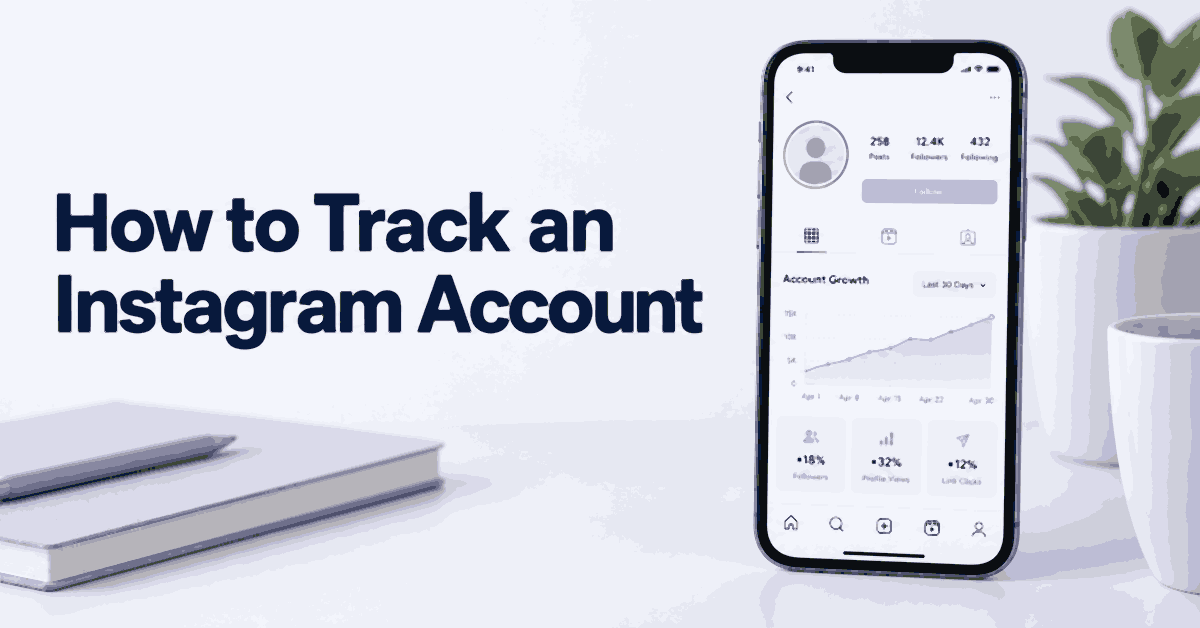
Inflact’s Profile Analyzer offers public-account statistics such as follower trends, posting activity, and engagement information. It is useful for a creator or business comparison, but it should not be confused with the private Insights available to an account owner.
- Open the linked analyzer page.
- Enter a public Instagram username or profile URL.
- Run the analysis and review the available metrics.
- Check the reporting period and any limits on the free results.
- Compare similar accounts over the same period before drawing conclusions.
Inflact offers free access with limits and paid features for broader viewing or tracking. Read the plan details rather than assuming every advanced feature is free. Its follower charts are not necessarily a list naming every person who followed or unfollowed an account.
An engagement estimate from public data is not the same as the account owner’s full reach or impressions report. For your own account, use Instagram Insights as the primary source for owner-only metrics. For a proposed partnership, ask the creator to share the relevant analytics voluntarily.
Method 6: Understand the Limits of IP-Tracking Links
An IP logger such as Grabify records connection information when a link is requested. That does not reliably identify an Instagram account owner or reveal their precise location. A shared network, VPN, mobile carrier, link-preview service, or automated scanner can affect the result.
Do not disguise a tracking link or send one to locate someone without their knowledge. A click can come from someone other than the intended recipient, and an IP-based city estimate can be far from the person’s actual position.
For a legitimate website or campaign you control, use a disclosed analytics setup instead:
- Define the measurement you need, such as clicks on your own campaign link.
- Explain the data collection and obtain any required consent.
- Use a link whose destination and purpose are clear.
- Review aggregate results without claiming they identify a particular person’s location.
- Keep only the information needed and follow your stated retention policy.
If your actual need is to meet someone or check that a family member arrived safely, ask for a voluntary location share. Do not try to turn an Instagram username into a home address or use a map estimate as proof of where someone was.
A Scam Example: Why Public Activity Needs Context
Consider a fictional account that copies a luxury creator’s photos, buys engagement, and sends investment offers by DM. Its feed may look active, and a public analytics report may show growth. Neither establishes that the account belongs to the creator or that the investment is legitimate.
Check the creator’s official website and known public channels. Compare the handle character by character, because impersonators can use similar spelling. Do not send money, identification documents, or account codes just because a page has many followers.
If you receive a suspicious offer, preserve the relevant message and report the account through Instagram. Contact a business through the contact details on its official website, not the link supplied in the suspicious DM. A tracking tool is not a substitute for verifying the underlying offer.
How to Hide or Limit Your Own Instagram Activity
Instagram provides several separate controls. Review them individually rather than expecting one privacy switch to hide everything.
1) Make the Account Private
- Open your profile and the settings menu.
- Find Account privacy and turn on Private account if available for your account type.
- Review existing followers and remove people you no longer want in the audience.
- Check individual post and Story audience settings too.
A private setting does not erase copies already saved elsewhere. Professional account types can have different options; consider whether a public business presence or a private personal account better fits the purpose.
2) Hide Activity Status
- Open settings and find Messages and story replies.
- Open Show Activity Status.
- Turn the setting off if you do not want eligible contacts to see your status.
Turning it off can also limit your ability to see other people’s activity status. This control concerns online activity, not read receipts or whether a Story view appears.
3) Control Story and Post Audiences
Use Hide story and live or the equivalent Story audience control to exclude selected people. Use Close Friends when you want to share with a smaller list. Review the selected audience before posting, especially when a photo shows a location or private event.
Post audience controls differ by content type and account. Do not assume restricting a user hides every post from them. For a private account, removing a follower can limit future access; blocking is a separate option when contact is unwanted.
4) Manage Comments, Tags, and Mentions
- Review comment permissions and available filtering options in settings.
- Open Tags and mentions and choose who may tag or mention you.
- Enable manual tag approval where available.
- Remove unwanted tags and report abusive content when appropriate.
These controls reduce unwanted interactions but do not remove every reference to you elsewhere. Review a public post before responding, and avoid sharing more personal information while correcting a mistaken tag.
5) Restrict or Block Unwanted Contacts
Open the person’s profile, use its menu, and choose Restrict or Block according to your need. Restrict changes how certain interactions are handled; it is not a universal way to make your profile disappear. Blocking creates a stronger barrier to contact.
If an account threatens or impersonates you, keep relevant evidence you can lawfully access and use Instagram’s reporting process. Do not respond by trying to discover the account owner’s private address or access their messages.
6) Review Read Receipts in Direct Messages
Instagram does offer read-receipt controls. Meta announced options for all chats or individual conversations. Review Messages and story replies for the general control, or a conversation’s privacy settings for chat-specific options. Menu labels can vary.
Read receipts are separate from Activity Status and typing indicators. Turning one off does not promise that every sign of activity disappears. See Meta’s Instagram messaging update for the distinction.
Instagram Privacy and Account Protection
Review account security as well as content visibility. Use a unique password, enable two-factor authentication, and check where you are logged in. Remove sessions and connected apps you do not recognize, using Instagram’s own account-security controls.
Be wary of a DM that claims to be support and asks for a code or password. Go to the app’s settings or the official website yourself rather than following an unexpected account-recovery link.
For your own saved credentials, checking your Instagram password safely means using your device’s password manager or Instagram’s recovery process. It does not mean giving a third-party viewer permission to collect passwords.
How to Track Your Own Instagram Account for Growth
If your goal is better content performance, measure your own account rather than collecting another person’s private activity. Decide which outcome matters: meaningful enquiries, reach among the right audience, saves, or visits to your website.
- Use a Business or Creator account if its public-account requirements suit your purpose.
- Open Insights and choose a consistent reporting period.
- Review available reach, views, interactions, profile activity, and audience information.
- Compare posts of similar format and age, rather than a new post with one that has circulated for months.
- Record the topic, format, and posting date alongside the result.
- Test one change at a time, such as a clearer opening or a different posting schedule.
- For paid campaigns, review the campaign’s own analytics and attribution settings.
Tools such as Later, Hootsuite, or Iconosquare may help organize reporting for accounts you own or manage with permission. Review the permissions requested when connecting an account and remove access when the service is no longer needed.
A sudden follower increase does not automatically mean a campaign worked. Check whether the new audience engages with the content or takes the action you intended. Likewise, a low-performing post can reflect timing or a different audience, not a general account problem.
How Parents Can Supervise a Minor’s Instagram Use
Start with the child’s experience. Ask about unwanted messages, pressure to share photos, scams, or upsetting content. Explain how supervision will work and how they can ask for help without having every conversation examined.
- Review Instagram’s Supervision or Family Center options together.
- Follow the official invitation and acceptance process for eligible accounts.
- Agree on screen-time limits and check the controls available for the teen’s age and region.
- Review follower and contact concerns together rather than drawing conclusions from a dashboard alone.
- Set suitable privacy, messaging, tag, and comment controls.
- Revisit the arrangement as the child grows and the concern changes.
If broader device coverage is needed, products such as mSpy, FamiSafe, or Eyezy require separate compatibility and permission checks. Do not stack several monitoring apps simply because each advertises a different feature. Kaspersky Safe Kids is another name parents may encounter, but availability and support can differ by country and device.
Rules for parental monitoring vary. Do not assume that a parent-child relationship automatically authorizes every form of collection under GDPR in Portugal, LGPD in Brazil, or another local law. Keep supervision proportionate and seek qualified local guidance when the situation is unclear.
Can Instagram Reveal Someone’s Location?
A person can share location information through a post tag, a Story, or an available voluntary location-sharing feature. They may also post old photos or tag a place they are no longer visiting. A location label is therefore not proof of their current position.
Instagram does not give ordinary users a reliable way to obtain an account owner’s exact location from the username alone. Public-profile analytics, IP estimates, and device GPS are different sources of information with different permissions and accuracy limits.
If you need current location information, ask the person to share it voluntarily through a suitable feature. Avoid identifying or publishing a private address from clues in posts. For urgent safety concerns, use appropriate local emergency or support channels rather than a commercial account tracker.
What Responsible Account Tracking Should Mean
For a creator or business, it means reviewing your own analytics or available public competitor information. For a parent, it means an age-appropriate supervision arrangement with a clear purpose. For ordinary social use, it may mean following posts and choosing notifications.
It should not mean obtaining another adult’s password, bypassing a private account, or disguising a link to locate someone. Those actions involve different privacy and access issues that a tool subscription does not resolve.
Keep reports limited to the question you are trying to answer. If a public post is enough, you do not need phone records. If a conversation resolves the concern, you do not need a longer monitoring period.
A Practical Review Routine
For a business or creator account, choose a reporting period before opening a dashboard. Record the same metrics each time and note which posts were promoted. A paid campaign and an ordinary post reach different audiences, so combining them without context can make the trend hard to interpret.
Check the original post behind an unusual result. A sudden increase in comments may come from a giveaway, an argument, or spam. It does not necessarily mean the content attracted useful attention. Keep notes about the event rather than turning one number into a general conclusion about the account.
For parental supervision, agree on a review time and the concern being discussed. A weekly conversation about unwanted contact is different from checking a dashboard whenever the child opens the app. Give the child a way to explain a message or ask for help, and avoid sharing their records with people who are not involved in their care.
If a tool returns no information, check whether the account is public, whether the reporting period has started, and whether the feature is included. Do not keep buying additional plans because a progress screen suggests more data might appear. Ask support what the current result means before making another payment.
Keep a record of active subscriptions and connected services. Cancel a plan when it no longer serves the original purpose, then review whether you should remove stored reports or revoke account access. Cancellation and data deletion are not always the same action, so use the provider’s instructions for each.
Verdict
Use Instagram’s own follow controls for updates and Insights for your account’s performance. Snoopreport and Inflact may help organize available public information. Peekviewer is a separate viewing service with access limits, while mSpy serves authorized device supervision. Avoid treating online status, automated summaries, or IP logs as proof of a person’s private activity or location.